
Course Features
Price
Study Method
Online | Self-paced
Course Format
Interactive PDFs, Articles & Learning Resources
Duration
3 hours, 15 minutes
Qualification
Professional Skills Development Course
Assessment
Final MCQ Exam (included in price)
Certificate
Verifiable Digital Certificate - Free
Additional info
Lifetime Access | Start Instantly
- Share
Overview
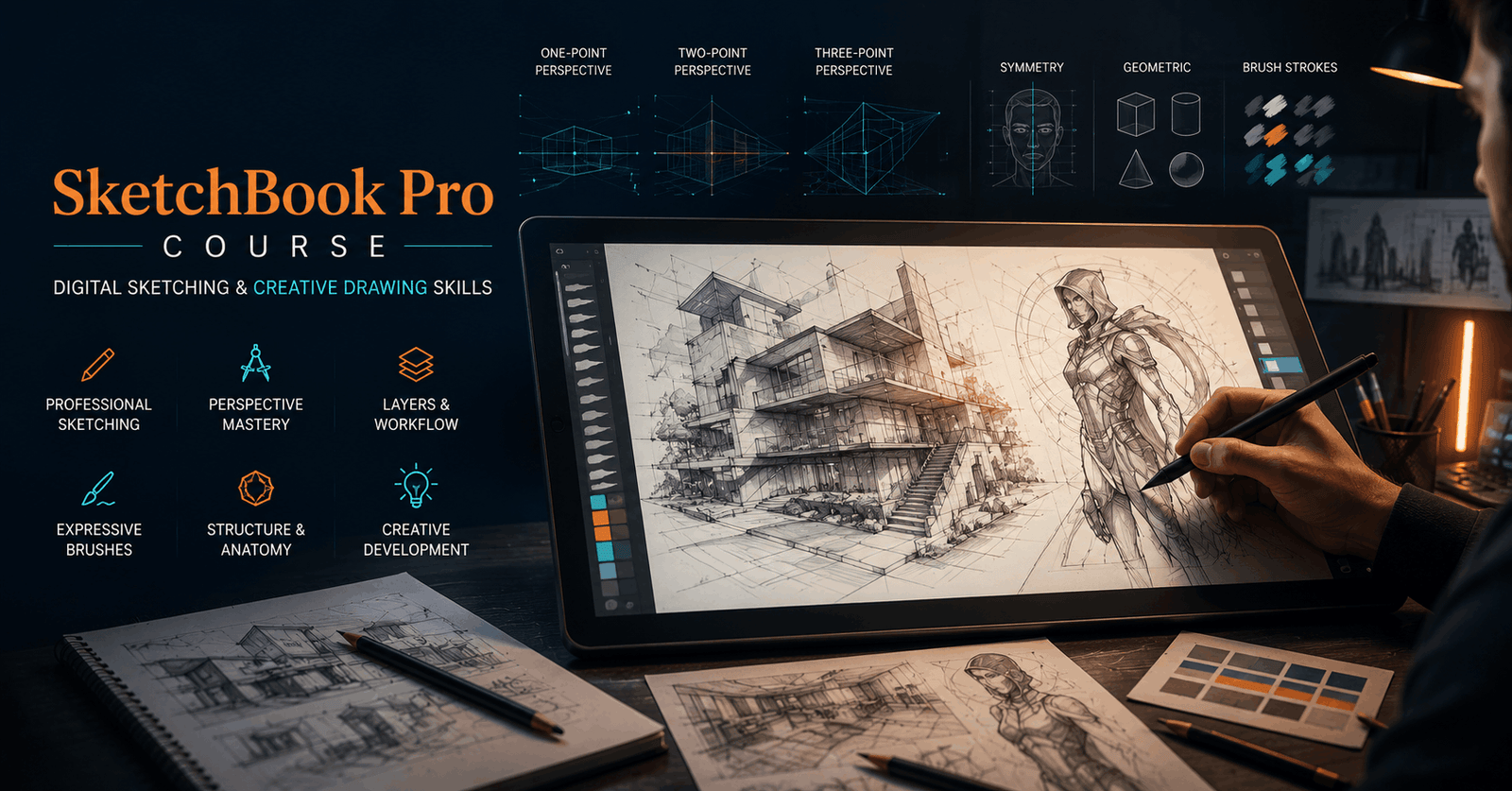
SketchBook Pro Course training provides a structured introduction to digital sketching, helping learners understand the tools and techniques used to create organised, accurate and visually engaging artwork. Designed to progress from essential functions towards more advanced drawing features, the course supports learners who want to build confidence using a professional digital sketching environment.
You will begin by learning how to download and install the software before exploring the main menu, interface and digital canvas. Understanding the workspace provides a strong foundation for using creative tools efficiently and managing artwork with greater control. You will then explore selection and deselection methods, cropping and quick transformation techniques that can help you adjust and refine visual elements.
The course introduces practical colouring and editing features, including the flood fill tool and text functions. You will also learn how guide curves can support smoother, more precise drawing. Perspective guides are covered in detail, including one-point, two-point and three-point perspective, providing useful techniques for creating artwork with a stronger sense of depth, proportion and spatial structure.
Additional lessons explore symmetry tools for balanced designs, alongside latency settings, predictive strokes and shape tools that can improve control during the drawing process. You will also discover how layers can help separate different parts of an artwork, simplify editing and maintain a more organised workflow.
Brushes form another important part of the training. You will explore how brushes can be used and customised for different creative purposes, including sketching and shading. By understanding how these features work together, you can develop a more flexible approach to digital drawing and make better choices based on the needs of each project.
The skills gained can support personal artwork, concept development, illustration practice, design studies and continued learning in digital creativity. Whether you want to improve your existing workflow or begin exploring digital sketching, the course offers a practical foundation for further development.
Students have access to 5-star rated support available 24/7 through email whenever guidance is required. After successful completion, learners will receive a free course completion certificate. Those seeking additional documentation can also choose from multiple premium certificate and transcript options available for purchase.The skills developed can support further progression in digital illustration, concept art, graphic design, storyboarding and visual development. Learners may use their knowledge to strengthen a creative portfolio, explore freelance projects or continue with advanced training in digital painting and design. These foundational abilities may also complement creative roles requiring sketching and visual communication.
Who is this course for?
SketchBook Pro Course training provides a structured introduction to digital sketching, helping learners understand the tools and techniques used to create organised, accurate and visually engaging artwork. Designed to progress from essential functions towards more advanced drawing features, the course supports learners who want to build confidence using a professional digital sketching environment.
You will begin by learning how to download and install the software before exploring the main menu, interface and digital canvas. Understanding the workspace provides a strong foundation for using creative tools efficiently and managing artwork with greater control. You will then explore selection and deselection methods, cropping and quick transformation techniques that can help you adjust and refine visual elements.
The course introduces practical colouring and editing features, including the flood fill tool and text functions. You will also learn how guide curves can support smoother, more precise drawing. Perspective guides are covered in detail, including one-point, two-point and three-point perspective, providing useful techniques for creating artwork with a stronger sense of depth, proportion and spatial structure.
Additional lessons explore symmetry tools for balanced designs, alongside latency settings, predictive strokes and shape tools that can improve control during the drawing process. You will also discover how layers can help separate different parts of an artwork, simplify editing and maintain a more organised workflow.
Brushes form another important part of the training. You will explore how brushes can be used and customised for different creative purposes, including sketching and shading. By understanding how these features work together, you can develop a more flexible approach to digital drawing and make better choices based on the needs of each project.
The skills gained can support personal artwork, concept development, illustration practice, design studies and continued learning in digital creativity. Whether you want to improve your existing workflow or begin exploring digital sketching, the course offers a practical foundation for further development.
Students have access to 5-star rated support available 24/7 through email whenever guidance is required. After successful completion, learners will receive a free course completion certificate. Those seeking additional documentation can also choose from multiple premium certificate and transcript options available for purchase.The skills developed can support further progression in digital illustration, concept art, graphic design, storyboarding and visual development. Learners may use their knowledge to strengthen a creative portfolio, explore freelance projects or continue with advanced training in digital painting and design. These foundational abilities may also complement creative roles requiring sketching and visual communication.
Requirements
SketchBook Pro Course training provides a structured introduction to digital sketching, helping learners understand the tools and techniques used to create organised, accurate and visually engaging artwork. Designed to progress from essential functions towards more advanced drawing features, the course supports learners who want to build confidence using a professional digital sketching environment.
You will begin by learning how to download and install the software before exploring the main menu, interface and digital canvas. Understanding the workspace provides a strong foundation for using creative tools efficiently and managing artwork with greater control. You will then explore selection and deselection methods, cropping and quick transformation techniques that can help you adjust and refine visual elements.
The course introduces practical colouring and editing features, including the flood fill tool and text functions. You will also learn how guide curves can support smoother, more precise drawing. Perspective guides are covered in detail, including one-point, two-point and three-point perspective, providing useful techniques for creating artwork with a stronger sense of depth, proportion and spatial structure.
Additional lessons explore symmetry tools for balanced designs, alongside latency settings, predictive strokes and shape tools that can improve control during the drawing process. You will also discover how layers can help separate different parts of an artwork, simplify editing and maintain a more organised workflow.
Brushes form another important part of the training. You will explore how brushes can be used and customised for different creative purposes, including sketching and shading. By understanding how these features work together, you can develop a more flexible approach to digital drawing and make better choices based on the needs of each project.
The skills gained can support personal artwork, concept development, illustration practice, design studies and continued learning in digital creativity. Whether you want to improve your existing workflow or begin exploring digital sketching, the course offers a practical foundation for further development.
Students have access to 5-star rated support available 24/7 through email whenever guidance is required. After successful completion, learners will receive a free course completion certificate. Those seeking additional documentation can also choose from multiple premium certificate and transcript options available for purchase.The skills developed can support further progression in digital illustration, concept art, graphic design, storyboarding and visual development. Learners may use their knowledge to strengthen a creative portfolio, explore freelance projects or continue with advanced training in digital painting and design. These foundational abilities may also complement creative roles requiring sketching and visual communication.
Career path
SketchBook Pro Course training provides a structured introduction to digital sketching, helping learners understand the tools and techniques used to create organised, accurate and visually engaging artwork. Designed to progress from essential functions towards more advanced drawing features, the course supports learners who want to build confidence using a professional digital sketching environment.
You will begin by learning how to download and install the software before exploring the main menu, interface and digital canvas. Understanding the workspace provides a strong foundation for using creative tools efficiently and managing artwork with greater control. You will then explore selection and deselection methods, cropping and quick transformation techniques that can help you adjust and refine visual elements.
The course introduces practical colouring and editing features, including the flood fill tool and text functions. You will also learn how guide curves can support smoother, more precise drawing. Perspective guides are covered in detail, including one-point, two-point and three-point perspective, providing useful techniques for creating artwork with a stronger sense of depth, proportion and spatial structure.
Additional lessons explore symmetry tools for balanced designs, alongside latency settings, predictive strokes and shape tools that can improve control during the drawing process. You will also discover how layers can help separate different parts of an artwork, simplify editing and maintain a more organised workflow.
Brushes form another important part of the training. You will explore how brushes can be used and customised for different creative purposes, including sketching and shading. By understanding how these features work together, you can develop a more flexible approach to digital drawing and make better choices based on the needs of each project.
The skills gained can support personal artwork, concept development, illustration practice, design studies and continued learning in digital creativity. Whether you want to improve your existing workflow or begin exploring digital sketching, the course offers a practical foundation for further development.
Students have access to 5-star rated support available 24/7 through email whenever guidance is required. After successful completion, learners will receive a free course completion certificate. Those seeking additional documentation can also choose from multiple premium certificate and transcript options available for purchase.The skills developed can support further progression in digital illustration, concept art, graphic design, storyboarding and visual development. Learners may use their knowledge to strengthen a creative portfolio, explore freelance projects or continue with advanced training in digital painting and design. These foundational abilities may also complement creative roles requiring sketching and visual communication.
-
- How to Download and Install Autodesk SketchBook Pro 00:10:00
-
- Exploring the Main Menu and Interface 00:10:00
- Understanding the SketchBook Canvas 00:10:00
- Selection Tools – How to Select and Deselect Objects 00:10:00
- Crop Tool and Quick Transform Techniques 00:10:00
- Using the Flood Fill Tool for Colouring 00:10:00
- Adding and Editing Text in SketchBook 00:10:00
- Guide Curves – Drawing Smoothly and Precisely 00:10:00
- Perspective Guides – One, Two & Three-Point Perspective 00:10:00
- Symmetry Tool – Creating Balanced Designs 00:10:00
- Latency, Predictive Stroke, and Shape Tools 00:10:00
- Working with Layers – Organise Your Artwork 00:10:00
- Using Brushes – Customising for Sketching and Shading 00:10:00
- Exam of Autodesk SketchBook Pro Masterclass: From Basics to Professional Sketching 00:50:00

No Reviews found for this course.
Is this certificate recognized?
Yes, our premium certificate and transcript are widely recognized and accepted by embassies worldwide, particularly by the UK embassy. This adds credibility to your qualification and enhances its value for professional and academic purposes.
I am a beginner. Is this course suitable for me?
Yes, this course is designed for learners of all levels, including beginners. The content is structured to provide step-by-step guidance, ensuring that even those with no prior experience can follow along and gain valuable knowledge.
I am a professional. Is this course suitable for me?
Yes, professionals will also benefit from this course. It covers advanced concepts, practical applications, and industry insights that can help enhance existing skills and knowledge. Whether you are looking to refine your expertise or expand your qualifications, this course provides valuable learning.
Does this course have an expiry date?
No, you have lifetime access to the course. Once enrolled, you can revisit the materials at any time as long as the course remains available. Additionally, we regularly update our content to ensure it stays relevant and up to date.
How do I claim my free certificate?
I trust you’re in good health. Your free certificate can be located in the Achievement section. The option to purchase a CPD certificate is available but entirely optional, and you may choose to skip it. Please be aware that it’s crucial to click the “Complete” button to ensure the certificate is generated, as this process is entirely automated.
Does this course have assessments and assignments?
Yes, the course includes both assessments and assignments. Your final marks will be determined by a combination of 20% from assignments and 80% from assessments. These evaluations are designed to test your understanding and ensure you have grasped the key concepts effectively.
Is this course accredited?
We are a recognized course provider with CPD, UKRLP, and AOHT membership. The logos of these accreditation bodies will be featured on your premium certificate and transcript, ensuring credibility and professional recognition.
Will I receive a certificate upon completion?
Yes, you will receive a free digital certificate automatically once you complete the course. If you would like a premium CPD-accredited certificate, either in digital or physical format, you can upgrade for a small fee.
Course Features
Price
Study Method
Online | Self-paced
Course Format
Interactive PDFs, Articles & Learning Resources
Duration
3 hours, 15 minutes
Qualification
Professional Skills Development Course
Assessment
Final MCQ Exam (included in price)
Certificate
Verifiable Digital Certificate - Free
Additional info
Lifetime Access | Start Instantly
- Share

Master Amazon Cognito: User Authentication & Identity Management on AWS
Course Line237د.ك202.22Original price was: د.ك202.22.د.ك6.19Current price is: د.ك6.19.Special Education Needs (SEN) Teacher
Course Line239د.ك202.22Original price was: د.ك202.22.د.ك6.19Current price is: د.ك6.19.Business Law Level 8 Advanced Diploma
Course Line237د.ك202.22Original price was: د.ك202.22.د.ك6.19Current price is: د.ك6.19.



Related Courses
AutoCAD Floor Plan Rendering in Photoshop: Architectural Visualisation Professional Training
د.ك202.22Original price was: د.ك202.22.د.ك6.19Current price is: د.ك6.19.237Professional Photography Masterclass: Camera, Lighting, Composition & Portraits
د.ك202.22Original price was: د.ك202.22.د.ك6.19Current price is: د.ك6.19.237Adobe Photoshop CC MasterClass: From Beginner to Advanced Digital Artist
د.ك202.22Original price was: د.ك202.22.د.ك6.19Current price is: د.ك6.19.237




Related Courses
AutoCAD Floor Plan Rendering in Photoshop: Architectural Visualisation Professional Training
د.ك202.22Original price was: د.ك202.22.د.ك6.19Current price is: د.ك6.19.237Professional Photography Masterclass: Camera, Lighting, Composition & Portraits
د.ك202.22Original price was: د.ك202.22.د.ك6.19Current price is: د.ك6.19.237Adobe Photoshop CC MasterClass: From Beginner to Advanced Digital Artist
د.ك202.22Original price was: د.ك202.22.د.ك6.19Current price is: د.ك6.19.237

