
Course Features
Price
Study Method
Online | Self-paced
Course Format
Interactive PDFs, Articles & Learning Resources
Duration
5 hours, 15 minutes
Qualification
Professional Skills Development Course
Assessment
Final MCQ Exam (included in price)
Certificate
Verifiable Digital Certificate - Free
Additional info
Lifetime Access | Start Instantly
- Share
Overview
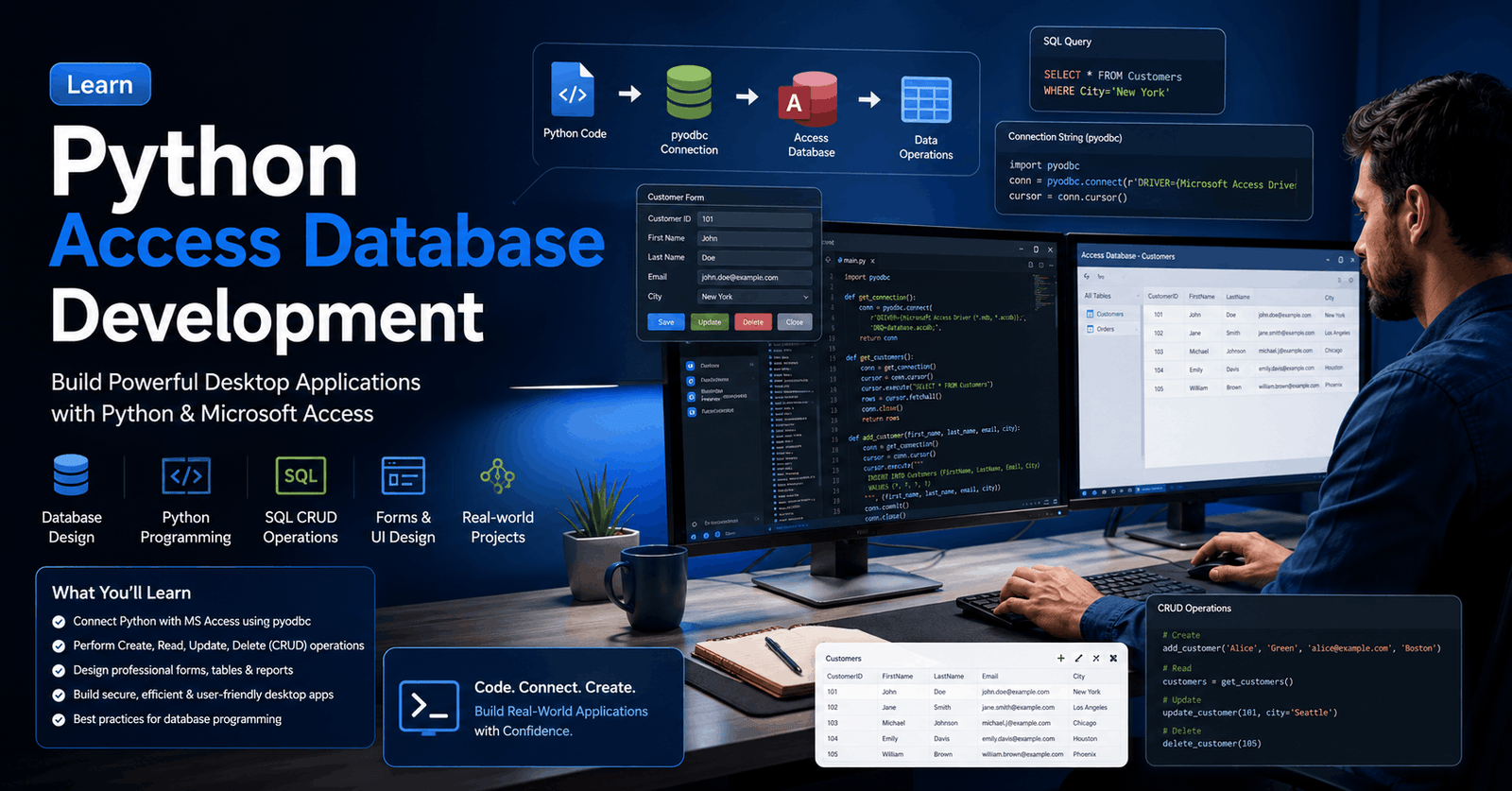
Python Access Database is a practical, project-based course that teaches you how to build a complete desktop database application by combining Python programming with Microsoft Access. Instead of learning individual concepts in isolation, you will develop a functional application from the ground up while gaining valuable experience with database connectivity, graphical user interface (GUI) design, object-oriented programming, and CRUD (Create, Read, Update, Delete) operations.
The course begins by helping you prepare a professional development environment on Windows, macOS, or Linux. You will install Python, configure a suitable code editor, and organise your project for efficient development. From there, you will design an intuitive graphical interface, learning how different GUI components work together to create a user-friendly desktop application.
Next, you will connect Python to a Microsoft Access database using industry-standard tools and libraries. You will learn how to create database tables, establish secure connections, execute SQL commands through cursor objects, and exchange data between the application and the database. These practical skills provide a strong understanding of how desktop applications interact with relational databases in real-world environments.
As the project grows, you will implement reusable Python classes, modular functions, and event-driven programming techniques to build clean, maintainable code. You will also discover best practices for writing readable comments, organising application logic, and improving code quality for future development and maintenance.
The course concludes with complete CRUD functionality, allowing users to create, retrieve, update, and delete records through a fully functional graphical application. By completing this end-to-end project, you will gain hands-on experience that can be applied to business software, internal tools, inventory systems, customer management applications, and many other database-driven solutions.
Whether you are strengthening your Python skills or expanding your software development portfolio, this course provides practical experience that prepares you for real-world desktop application development using Python and Microsoft Access.
Upon successful completion, you will receive a free course completion certificate. Learners who wish to enhance their professional credentials may also purchase multiple premium certificate and official transcript options. If you ever need assistance, our 5-star rated support team is available 24/7 via email to help throughout your learning journey.Who is this course for?
Python Access Database is a practical, project-based course that teaches you how to build a complete desktop database application by combining Python programming with Microsoft Access. Instead of learning individual concepts in isolation, you will develop a functional application from the ground up while gaining valuable experience with database connectivity, graphical user interface (GUI) design, object-oriented programming, and CRUD (Create, Read, Update, Delete) operations.
The course begins by helping you prepare a professional development environment on Windows, macOS, or Linux. You will install Python, configure a suitable code editor, and organise your project for efficient development. From there, you will design an intuitive graphical interface, learning how different GUI components work together to create a user-friendly desktop application.
Next, you will connect Python to a Microsoft Access database using industry-standard tools and libraries. You will learn how to create database tables, establish secure connections, execute SQL commands through cursor objects, and exchange data between the application and the database. These practical skills provide a strong understanding of how desktop applications interact with relational databases in real-world environments.
As the project grows, you will implement reusable Python classes, modular functions, and event-driven programming techniques to build clean, maintainable code. You will also discover best practices for writing readable comments, organising application logic, and improving code quality for future development and maintenance.
The course concludes with complete CRUD functionality, allowing users to create, retrieve, update, and delete records through a fully functional graphical application. By completing this end-to-end project, you will gain hands-on experience that can be applied to business software, internal tools, inventory systems, customer management applications, and many other database-driven solutions.
Whether you are strengthening your Python skills or expanding your software development portfolio, this course provides practical experience that prepares you for real-world desktop application development using Python and Microsoft Access.
Upon successful completion, you will receive a free course completion certificate. Learners who wish to enhance their professional credentials may also purchase multiple premium certificate and official transcript options. If you ever need assistance, our 5-star rated support team is available 24/7 via email to help throughout your learning journey.Requirements
Python Access Database is a practical, project-based course that teaches you how to build a complete desktop database application by combining Python programming with Microsoft Access. Instead of learning individual concepts in isolation, you will develop a functional application from the ground up while gaining valuable experience with database connectivity, graphical user interface (GUI) design, object-oriented programming, and CRUD (Create, Read, Update, Delete) operations.
The course begins by helping you prepare a professional development environment on Windows, macOS, or Linux. You will install Python, configure a suitable code editor, and organise your project for efficient development. From there, you will design an intuitive graphical interface, learning how different GUI components work together to create a user-friendly desktop application.
Next, you will connect Python to a Microsoft Access database using industry-standard tools and libraries. You will learn how to create database tables, establish secure connections, execute SQL commands through cursor objects, and exchange data between the application and the database. These practical skills provide a strong understanding of how desktop applications interact with relational databases in real-world environments.
As the project grows, you will implement reusable Python classes, modular functions, and event-driven programming techniques to build clean, maintainable code. You will also discover best practices for writing readable comments, organising application logic, and improving code quality for future development and maintenance.
The course concludes with complete CRUD functionality, allowing users to create, retrieve, update, and delete records through a fully functional graphical application. By completing this end-to-end project, you will gain hands-on experience that can be applied to business software, internal tools, inventory systems, customer management applications, and many other database-driven solutions.
Whether you are strengthening your Python skills or expanding your software development portfolio, this course provides practical experience that prepares you for real-world desktop application development using Python and Microsoft Access.
Upon successful completion, you will receive a free course completion certificate. Learners who wish to enhance their professional credentials may also purchase multiple premium certificate and official transcript options. If you ever need assistance, our 5-star rated support team is available 24/7 via email to help throughout your learning journey.Career path
Python Access Database is a practical, project-based course that teaches you how to build a complete desktop database application by combining Python programming with Microsoft Access. Instead of learning individual concepts in isolation, you will develop a functional application from the ground up while gaining valuable experience with database connectivity, graphical user interface (GUI) design, object-oriented programming, and CRUD (Create, Read, Update, Delete) operations.
The course begins by helping you prepare a professional development environment on Windows, macOS, or Linux. You will install Python, configure a suitable code editor, and organise your project for efficient development. From there, you will design an intuitive graphical interface, learning how different GUI components work together to create a user-friendly desktop application.
Next, you will connect Python to a Microsoft Access database using industry-standard tools and libraries. You will learn how to create database tables, establish secure connections, execute SQL commands through cursor objects, and exchange data between the application and the database. These practical skills provide a strong understanding of how desktop applications interact with relational databases in real-world environments.
As the project grows, you will implement reusable Python classes, modular functions, and event-driven programming techniques to build clean, maintainable code. You will also discover best practices for writing readable comments, organising application logic, and improving code quality for future development and maintenance.
The course concludes with complete CRUD functionality, allowing users to create, retrieve, update, and delete records through a fully functional graphical application. By completing this end-to-end project, you will gain hands-on experience that can be applied to business software, internal tools, inventory systems, customer management applications, and many other database-driven solutions.
Whether you are strengthening your Python skills or expanding your software development portfolio, this course provides practical experience that prepares you for real-world desktop application development using Python and Microsoft Access.
Upon successful completion, you will receive a free course completion certificate. Learners who wish to enhance their professional credentials may also purchase multiple premium certificate and official transcript options. If you ever need assistance, our 5-star rated support team is available 24/7 via email to help throughout your learning journey.-
- Introduction & Course Overview 00:10:00
- Installing Python on Windows 00:10:00
- Installing Python on macOS 00:10:00
- Installing Python on Linux 00:10:00
- Installing a Text Editor (VS Code / PyCharm / Sublime) 00:10:00
-
- What We Will Build – Project Overview 00:10:00
- Application Design Basics 00:10:00
- Creating the Project Directory & Python File 00:10:00
- Building the GUI – Part 1 00:10:00
- Building the GUI – Part 2 00:10:00
- Building the GUI – Part 3 00:10:00
- Building the GUI – Part 4 00:10:00
- Building the GUI – Part 5 00:10:00
- Writing Clear Comments in Code 00:10:00
- Creating a Microsoft Access Database & Table 00:10:00
- Setting Up and Activating a Virtual Environment 00:10:00
- Installing the Access Database Connection Driver (pyodbc) 00:10:00
- Connecting Python to Microsoft Access Database 00:10:00
- Creating a Cursor Object for SQL Execution 00:10:00
- Performing CRUD Operations (Create, Read, Update, Delete) 00:10:00
- Premium Certificate 00:15:00

No Reviews found for this course.
Is this certificate recognized?
Yes, our premium certificate and transcript are widely recognized and accepted by embassies worldwide, particularly by the UK embassy. This adds credibility to your qualification and enhances its value for professional and academic purposes.
I am a beginner. Is this course suitable for me?
Yes, this course is designed for learners of all levels, including beginners. The content is structured to provide step-by-step guidance, ensuring that even those with no prior experience can follow along and gain valuable knowledge.
I am a professional. Is this course suitable for me?
Yes, professionals will also benefit from this course. It covers advanced concepts, practical applications, and industry insights that can help enhance existing skills and knowledge. Whether you are looking to refine your expertise or expand your qualifications, this course provides valuable learning.
Does this course have an expiry date?
No, you have lifetime access to the course. Once enrolled, you can revisit the materials at any time as long as the course remains available. Additionally, we regularly update our content to ensure it stays relevant and up to date.
How do I claim my free certificate?
I trust you’re in good health. Your free certificate can be located in the Achievement section. The option to purchase a CPD certificate is available but entirely optional, and you may choose to skip it. Please be aware that it’s crucial to click the “Complete” button to ensure the certificate is generated, as this process is entirely automated.
Does this course have assessments and assignments?
Yes, the course includes both assessments and assignments. Your final marks will be determined by a combination of 20% from assignments and 80% from assessments. These evaluations are designed to test your understanding and ensure you have grasped the key concepts effectively.
Is this course accredited?
We are a recognized course provider with CPD, UKRLP, and AOHT membership. The logos of these accreditation bodies will be featured on your premium certificate and transcript, ensuring credibility and professional recognition.
Will I receive a certificate upon completion?
Yes, you will receive a free digital certificate automatically once you complete the course. If you would like a premium CPD-accredited certificate, either in digital or physical format, you can upgrade for a small fee.
Course Features
Price
Study Method
Online | Self-paced
Course Format
Interactive PDFs, Articles & Learning Resources
Duration
5 hours, 15 minutes
Qualification
Professional Skills Development Course
Assessment
Final MCQ Exam (included in price)
Certificate
Verifiable Digital Certificate - Free
Additional info
Lifetime Access | Start Instantly
- Share

Particle Physics Level 8 Advanced Diploma
Course Line243£490.00Original price was: £490.00.£14.99Current price is: £14.99.Medical Secretary Level 3 Advanced Diploma
Course Line243£490.00Original price was: £490.00.£14.99Current price is: £14.99.



Related Courses
Microsoft Excel for Business: Beginner to Advanced Data Analysis
£490.00Original price was: £490.00.£14.99Current price is: £14.99.237Financial Modelling in Excel: Build Forecasting & Budget Models
£490.00Original price was: £490.00.£14.99Current price is: £14.99.237Payroll Processing, PAYE & RTI Training Using BrightPay
£490.00Original price was: £490.00.£14.99Current price is: £14.99.237




Related Courses
Microsoft Excel for Business: Beginner to Advanced Data Analysis
£490.00Original price was: £490.00.£14.99Current price is: £14.99.237Financial Modelling in Excel: Build Forecasting & Budget Models
£490.00Original price was: £490.00.£14.99Current price is: £14.99.237Payroll Processing, PAYE & RTI Training Using BrightPay
£490.00Original price was: £490.00.£14.99Current price is: £14.99.237

