
Course Features
Price
Study Method
Online | Self-paced
Course Format
Interactive PDFs, Articles & Learning Resources
Duration
12 hours, 5 minutes
Qualification
Professional Skills Development Course
Assessment
Final MCQ Exam (included in price)
Certificate
Verifiable Digital Certificate - Free
Additional info
Lifetime Access | Start Instantly
- Share
Overview
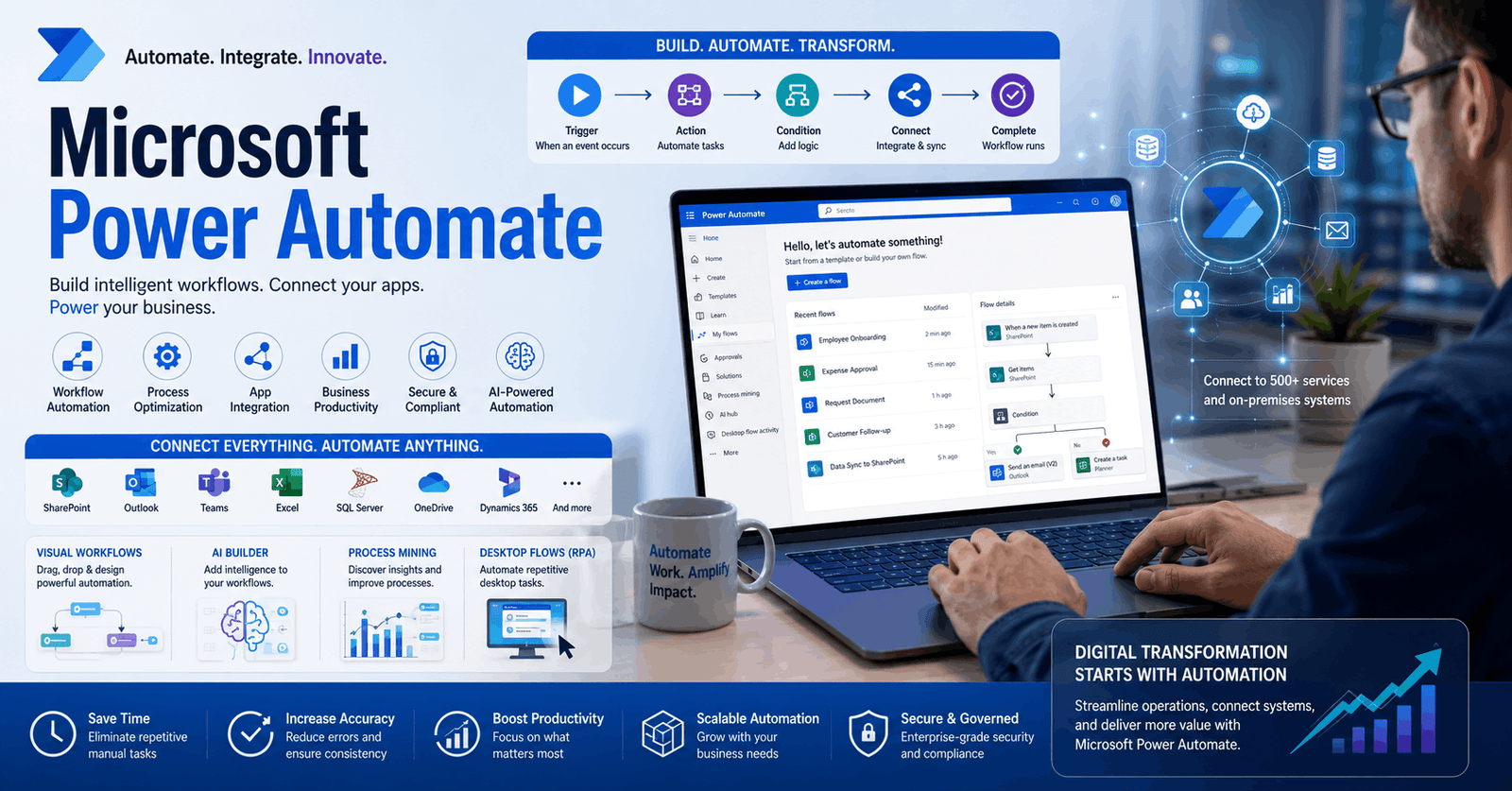
Power Automate Course is designed to help learners master workflow automation and streamline business processes using Microsoft Power Automate. In today’s digital business environment, automation has become essential for improving productivity, reducing repetitive tasks, and increasing operational efficiency. This course provides practical, hands-on knowledge to help learners build powerful automated workflows from beginner to advanced level.
Throughout this course, learners will gain a solid understanding of workflow automation fundamentals, including flow creation, variables, data handling, scheduling, and automation logic. You will learn how to build efficient workflows that connect applications, automate repetitive tasks, and improve overall business performance. These core skills form the foundation of modern process automation.
The course also explores advanced automation capabilities such as UI flows, robotic process automation, desktop automation, and cross-platform integrations. Learners will understand how to automate tasks across web applications, desktop applications, Excel, SharePoint, and other business systems. This knowledge helps improve workflow efficiency across departments and business operations.
In addition, the course covers advanced features including AI Builder, sentiment analysis, text recognition, and practical business automation use cases. You will gain insight into how AI-powered automation can enhance business decision-making, improve productivity, and support intelligent workflow optimisation. Real-world examples help learners understand how automation can solve practical business challenges.
Whether you are a business professional, IT specialist, operations manager, student, or automation enthusiast, this course provides valuable skills that are highly relevant in today’s technology-driven workplace. The content is structured in a clear and accessible format, making it suitable for beginners while also delivering advanced knowledge for professionals seeking to expand their expertise.
Upon successful completion, learners will receive a free course completion certificate. Multiple premium certificate and transcript options are also available for purchase. Students also benefit from 5-star rated 24/7 email support, ensuring guidance is always available whenever needed.Who is this course for?
Power Automate Course is designed to help learners master workflow automation and streamline business processes using Microsoft Power Automate. In today’s digital business environment, automation has become essential for improving productivity, reducing repetitive tasks, and increasing operational efficiency. This course provides practical, hands-on knowledge to help learners build powerful automated workflows from beginner to advanced level.
Throughout this course, learners will gain a solid understanding of workflow automation fundamentals, including flow creation, variables, data handling, scheduling, and automation logic. You will learn how to build efficient workflows that connect applications, automate repetitive tasks, and improve overall business performance. These core skills form the foundation of modern process automation.
The course also explores advanced automation capabilities such as UI flows, robotic process automation, desktop automation, and cross-platform integrations. Learners will understand how to automate tasks across web applications, desktop applications, Excel, SharePoint, and other business systems. This knowledge helps improve workflow efficiency across departments and business operations.
In addition, the course covers advanced features including AI Builder, sentiment analysis, text recognition, and practical business automation use cases. You will gain insight into how AI-powered automation can enhance business decision-making, improve productivity, and support intelligent workflow optimisation. Real-world examples help learners understand how automation can solve practical business challenges.
Whether you are a business professional, IT specialist, operations manager, student, or automation enthusiast, this course provides valuable skills that are highly relevant in today’s technology-driven workplace. The content is structured in a clear and accessible format, making it suitable for beginners while also delivering advanced knowledge for professionals seeking to expand their expertise.
Upon successful completion, learners will receive a free course completion certificate. Multiple premium certificate and transcript options are also available for purchase. Students also benefit from 5-star rated 24/7 email support, ensuring guidance is always available whenever needed.Requirements
Power Automate Course is designed to help learners master workflow automation and streamline business processes using Microsoft Power Automate. In today’s digital business environment, automation has become essential for improving productivity, reducing repetitive tasks, and increasing operational efficiency. This course provides practical, hands-on knowledge to help learners build powerful automated workflows from beginner to advanced level.
Throughout this course, learners will gain a solid understanding of workflow automation fundamentals, including flow creation, variables, data handling, scheduling, and automation logic. You will learn how to build efficient workflows that connect applications, automate repetitive tasks, and improve overall business performance. These core skills form the foundation of modern process automation.
The course also explores advanced automation capabilities such as UI flows, robotic process automation, desktop automation, and cross-platform integrations. Learners will understand how to automate tasks across web applications, desktop applications, Excel, SharePoint, and other business systems. This knowledge helps improve workflow efficiency across departments and business operations.
In addition, the course covers advanced features including AI Builder, sentiment analysis, text recognition, and practical business automation use cases. You will gain insight into how AI-powered automation can enhance business decision-making, improve productivity, and support intelligent workflow optimisation. Real-world examples help learners understand how automation can solve practical business challenges.
Whether you are a business professional, IT specialist, operations manager, student, or automation enthusiast, this course provides valuable skills that are highly relevant in today’s technology-driven workplace. The content is structured in a clear and accessible format, making it suitable for beginners while also delivering advanced knowledge for professionals seeking to expand their expertise.
Upon successful completion, learners will receive a free course completion certificate. Multiple premium certificate and transcript options are also available for purchase. Students also benefit from 5-star rated 24/7 email support, ensuring guidance is always available whenever needed.Career path
Power Automate Course is designed to help learners master workflow automation and streamline business processes using Microsoft Power Automate. In today’s digital business environment, automation has become essential for improving productivity, reducing repetitive tasks, and increasing operational efficiency. This course provides practical, hands-on knowledge to help learners build powerful automated workflows from beginner to advanced level.
Throughout this course, learners will gain a solid understanding of workflow automation fundamentals, including flow creation, variables, data handling, scheduling, and automation logic. You will learn how to build efficient workflows that connect applications, automate repetitive tasks, and improve overall business performance. These core skills form the foundation of modern process automation.
The course also explores advanced automation capabilities such as UI flows, robotic process automation, desktop automation, and cross-platform integrations. Learners will understand how to automate tasks across web applications, desktop applications, Excel, SharePoint, and other business systems. This knowledge helps improve workflow efficiency across departments and business operations.
In addition, the course covers advanced features including AI Builder, sentiment analysis, text recognition, and practical business automation use cases. You will gain insight into how AI-powered automation can enhance business decision-making, improve productivity, and support intelligent workflow optimisation. Real-world examples help learners understand how automation can solve practical business challenges.
Whether you are a business professional, IT specialist, operations manager, student, or automation enthusiast, this course provides valuable skills that are highly relevant in today’s technology-driven workplace. The content is structured in a clear and accessible format, making it suitable for beginners while also delivering advanced knowledge for professionals seeking to expand their expertise.
Upon successful completion, learners will receive a free course completion certificate. Multiple premium certificate and transcript options are also available for purchase. Students also benefit from 5-star rated 24/7 email support, ensuring guidance is always available whenever needed.-
- Welcome to the Course on Power Automate 00:10:00
- Course Content Overview 00:10:00
- Updates in Power Automate Desktop 00:10:00
- Selecting the Right Video Resolution 00:10:00
- Brief Introduction to Power Automate 00:10:00
- Account Setup Details 00:10:00
- Creating a Developer Account 00:10:00
- Signing into Power Automate Flow 00:10:00
- Managing Licenses: Per Month Per Person 00:10:00
-
- Building Blocks of Flow 00:10:00
- Creating Your First Flow 00:10:00
- Understanding Variables and Data Types 00:10:00
- Working with Array Data Types 00:10:00
- Operations on Variables 00:10:00
- Writing Array Values to Excel Rows 00:10:00
- Scheduling Flows to Run at Specified Intervals 00:10:00
- Approval Workflow for SharePoint Items 00:10:00
- Excel to SharePoint Integration Part 1 00:10:00
- Excel to SharePoint Integration Part 2 00:10:00
- Introduction to Sentiment Analysis 00:10:00
- Sentiment Analysis Part 2 00:10:00
- Sentiment Analysis Demo 00:10:00
- AI Builder: Language Detection 00:10:00
- Text Recognition 00:10:00
- On-Premises Data Gateway Overview 00:10:00
- Installing On-Premises Data Gateway 00:10:00
- QnA Query: Part 1 00:10:00
- QnA Query: Part 2 00:10:00
- Creating SharePoint Folder with Date Format 00:10:00
- Creating Environment Part 1 00:10:00
- Creating Environment Part 2 00:10:00
- Introduction to Power Automate Desktop 00:10:00
- Installing Power Automate Desktop App 00:10:00
- Installing Chrome Extension 00:10:00
- Overview of Power Automate Desktop 00:10:00
- Walkthrough of Power Automate Desktop 00:10:00
- Getting File Name 00:10:00
- Clipboard Actions 00:10:00
- Web Automation: File Upload 00:10:00
- If-Else Conditions 00:10:00
- Testing the Flow 00:10:00
- Common Extension Issues 00:10:00
- Section Pause 00:10:00
- Exam of Microsoft Power Automate: Complete Beginner to Advanced Workflow Automation 00:50:00

No Reviews found for this course.
Is this certificate recognized?
Yes, our premium certificate and transcript are widely recognized and accepted by embassies worldwide, particularly by the UK embassy. This adds credibility to your qualification and enhances its value for professional and academic purposes.
I am a beginner. Is this course suitable for me?
Yes, this course is designed for learners of all levels, including beginners. The content is structured to provide step-by-step guidance, ensuring that even those with no prior experience can follow along and gain valuable knowledge.
I am a professional. Is this course suitable for me?
Yes, professionals will also benefit from this course. It covers advanced concepts, practical applications, and industry insights that can help enhance existing skills and knowledge. Whether you are looking to refine your expertise or expand your qualifications, this course provides valuable learning.
Does this course have an expiry date?
No, you have lifetime access to the course. Once enrolled, you can revisit the materials at any time as long as the course remains available. Additionally, we regularly update our content to ensure it stays relevant and up to date.
How do I claim my free certificate?
I trust you’re in good health. Your free certificate can be located in the Achievement section. The option to purchase a CPD certificate is available but entirely optional, and you may choose to skip it. Please be aware that it’s crucial to click the “Complete” button to ensure the certificate is generated, as this process is entirely automated.
Does this course have assessments and assignments?
Yes, the course includes both assessments and assignments. Your final marks will be determined by a combination of 20% from assignments and 80% from assessments. These evaluations are designed to test your understanding and ensure you have grasped the key concepts effectively.
Is this course accredited?
We are a recognized course provider with CPD, UKRLP, and AOHT membership. The logos of these accreditation bodies will be featured on your premium certificate and transcript, ensuring credibility and professional recognition.
Will I receive a certificate upon completion?
Yes, you will receive a free digital certificate automatically once you complete the course. If you would like a premium CPD-accredited certificate, either in digital or physical format, you can upgrade for a small fee.
Course Features
Price
Study Method
Online | Self-paced
Course Format
Interactive PDFs, Articles & Learning Resources
Duration
12 hours, 5 minutes
Qualification
Professional Skills Development Course
Assessment
Final MCQ Exam (included in price)
Certificate
Verifiable Digital Certificate - Free
Additional info
Lifetime Access | Start Instantly
- Share

Xero Level 3 Advanced Diploma
Course Line240£490.00Original price was: £490.00.£14.99Current price is: £14.99.Café Management Essentials
Course Line240£490.00Original price was: £490.00.£14.99Current price is: £14.99.City & Guilds: Introduction to Construction Skills & Site Safety
Course Line237£490.00Original price was: £490.00.£14.99Current price is: £14.99.



Related Courses
Level 4 Academy Manager Course in Football
£490.00Original price was: £490.00.£14.99Current price is: £14.99.238Level 3 Academy Manager Course in Football
£490.00Original price was: £490.00.£14.99Current price is: £14.99.237PRINCE2 in Practice: Simulated Projects & Case Studies
£490.00Original price was: £490.00.£14.99Current price is: £14.99.237


Related Courses
Level 4 Academy Manager Course in Football
£490.00Original price was: £490.00.£14.99Current price is: £14.99.238Level 3 Academy Manager Course in Football
£490.00Original price was: £490.00.£14.99Current price is: £14.99.237PRINCE2 in Practice: Simulated Projects & Case Studies
£490.00Original price was: £490.00.£14.99Current price is: £14.99.237

