
Course Features
Price
Study Method
Online | Self-paced
Course Format
Reading Material - PDF, article
Duration
4 hours, 58 minutes
Qualification
No formal qualification
Certificate
At completion
Additional info
Coming soon
- Share
Overview
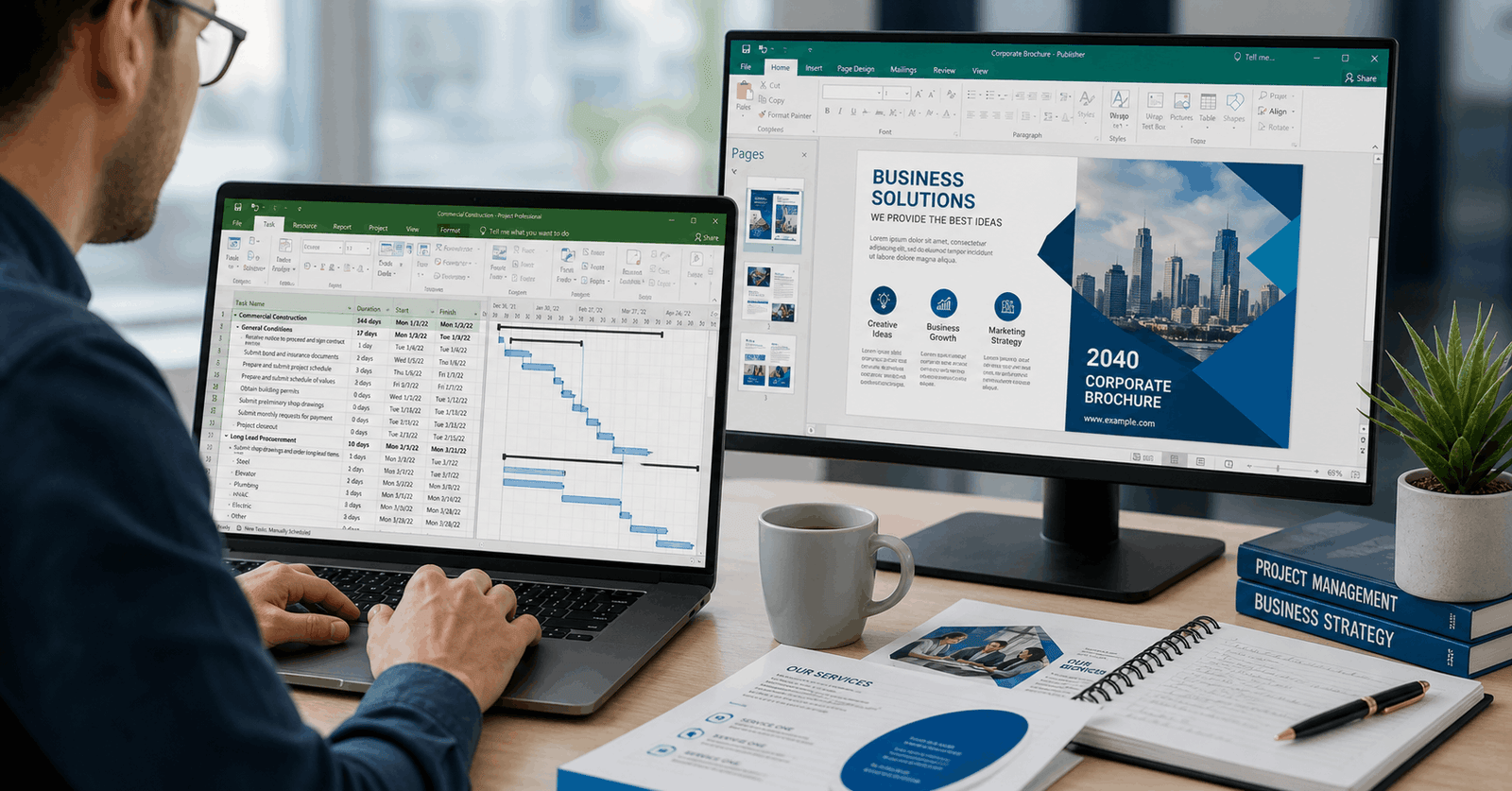
Microsoft Project Publisher Course is a comprehensive training designed to help you build practical skills in project management and professional document design using two powerful Microsoft tools. This course combines structured project planning techniques with creative publishing capabilities, giving you a balanced skill set that is highly valuable in modern workplaces.
You will begin by learning how to organise and manage projects efficiently using Microsoft Project. This includes creating tasks, setting durations, linking dependencies, and managing resources. You will also explore cost tracking, reporting, and performance monitoring using baseline and tracking features. These skills allow you to plan projects clearly, monitor progress effectively, and ensure deadlines are met.
Alongside project management, the course introduces Microsoft Publisher, enabling you to design professional-quality documents such as brochures, flyers, and marketing materials. You will learn how to use templates, customise layouts, insert images, and create visually appealing content suitable for business communication. This combination of analytical and creative tools makes the course unique and highly practical.
The learning approach focuses on clarity and real-world application. Each topic is explained in a simple, step-by-step manner so that learners can follow along easily and build confidence gradually. By the end of the course, you will be able to manage project workflows and produce polished documents that support communication and presentation needs in any organisation.
This course is ideal for improving productivity, enhancing organisational skills, and developing a strong understanding of project coordination and document design. These are transferable skills that apply across industries including business, marketing, administration, and operations.
Upon successful completion, learners will receive a free course completion certificate. Additionally, there are premium certificate and transcript options available for purchase for those who require formal recognition. Students also benefit from 5-star rated support available 24/7 via email, ensuring help is always available when needed.
Who is this course for?
Microsoft Project Publisher Course is a comprehensive training designed to help you build practical skills in project management and professional document design using two powerful Microsoft tools. This course combines structured project planning techniques with creative publishing capabilities, giving you a balanced skill set that is highly valuable in modern workplaces.
You will begin by learning how to organise and manage projects efficiently using Microsoft Project. This includes creating tasks, setting durations, linking dependencies, and managing resources. You will also explore cost tracking, reporting, and performance monitoring using baseline and tracking features. These skills allow you to plan projects clearly, monitor progress effectively, and ensure deadlines are met.
Alongside project management, the course introduces Microsoft Publisher, enabling you to design professional-quality documents such as brochures, flyers, and marketing materials. You will learn how to use templates, customise layouts, insert images, and create visually appealing content suitable for business communication. This combination of analytical and creative tools makes the course unique and highly practical.
The learning approach focuses on clarity and real-world application. Each topic is explained in a simple, step-by-step manner so that learners can follow along easily and build confidence gradually. By the end of the course, you will be able to manage project workflows and produce polished documents that support communication and presentation needs in any organisation.
This course is ideal for improving productivity, enhancing organisational skills, and developing a strong understanding of project coordination and document design. These are transferable skills that apply across industries including business, marketing, administration, and operations.
Upon successful completion, learners will receive a free course completion certificate. Additionally, there are premium certificate and transcript options available for purchase for those who require formal recognition. Students also benefit from 5-star rated support available 24/7 via email, ensuring help is always available when needed.
Requirements
Microsoft Project Publisher Course is a comprehensive training designed to help you build practical skills in project management and professional document design using two powerful Microsoft tools. This course combines structured project planning techniques with creative publishing capabilities, giving you a balanced skill set that is highly valuable in modern workplaces.
You will begin by learning how to organise and manage projects efficiently using Microsoft Project. This includes creating tasks, setting durations, linking dependencies, and managing resources. You will also explore cost tracking, reporting, and performance monitoring using baseline and tracking features. These skills allow you to plan projects clearly, monitor progress effectively, and ensure deadlines are met.
Alongside project management, the course introduces Microsoft Publisher, enabling you to design professional-quality documents such as brochures, flyers, and marketing materials. You will learn how to use templates, customise layouts, insert images, and create visually appealing content suitable for business communication. This combination of analytical and creative tools makes the course unique and highly practical.
The learning approach focuses on clarity and real-world application. Each topic is explained in a simple, step-by-step manner so that learners can follow along easily and build confidence gradually. By the end of the course, you will be able to manage project workflows and produce polished documents that support communication and presentation needs in any organisation.
This course is ideal for improving productivity, enhancing organisational skills, and developing a strong understanding of project coordination and document design. These are transferable skills that apply across industries including business, marketing, administration, and operations.
Upon successful completion, learners will receive a free course completion certificate. Additionally, there are premium certificate and transcript options available for purchase for those who require formal recognition. Students also benefit from 5-star rated support available 24/7 via email, ensuring help is always available when needed.
Career path
Microsoft Project Publisher Course is a comprehensive training designed to help you build practical skills in project management and professional document design using two powerful Microsoft tools. This course combines structured project planning techniques with creative publishing capabilities, giving you a balanced skill set that is highly valuable in modern workplaces.
You will begin by learning how to organise and manage projects efficiently using Microsoft Project. This includes creating tasks, setting durations, linking dependencies, and managing resources. You will also explore cost tracking, reporting, and performance monitoring using baseline and tracking features. These skills allow you to plan projects clearly, monitor progress effectively, and ensure deadlines are met.
Alongside project management, the course introduces Microsoft Publisher, enabling you to design professional-quality documents such as brochures, flyers, and marketing materials. You will learn how to use templates, customise layouts, insert images, and create visually appealing content suitable for business communication. This combination of analytical and creative tools makes the course unique and highly practical.
The learning approach focuses on clarity and real-world application. Each topic is explained in a simple, step-by-step manner so that learners can follow along easily and build confidence gradually. By the end of the course, you will be able to manage project workflows and produce polished documents that support communication and presentation needs in any organisation.
This course is ideal for improving productivity, enhancing organisational skills, and developing a strong understanding of project coordination and document design. These are transferable skills that apply across industries including business, marketing, administration, and operations.
Upon successful completion, learners will receive a free course completion certificate. Additionally, there are premium certificate and transcript options available for purchase for those who require formal recognition. Students also benefit from 5-star rated support available 24/7 via email, ensuring help is always available when needed.
-
- Overview 00:02:00
-
- Learning outcomes and basic Introduction 00:10:00
- Task 00:10:00
- Indentation tool 00:10:00
- Duration 00:10:00
- Task mode 00:10:00
- Link the selected task 00:10:00
- Unlink and link tool with predecessor 00:10:00
- Resource name and Types 00:10:00
- Resource assign 00:10:00
- Project Cost 00:10:00
- Baseline and Tracking of Project 00:10:00
- Start Page Intro 00:10:00
- Custom Size Blank Pag 00:10:00
- Insert new and duplicate blank Page 00:10:00
- Insert Background 00:10:00
- insert Picture 00:10:00
- Insert Picture from web 00:10:00
- Insert Page Parts 00:10:00
- File Tab Options 00:10:00
- Premium Certificate 00:15:00

No Reviews found for this course.
Is this certificate recognized?
Yes, our premium certificate and transcript are widely recognized and accepted by embassies worldwide, particularly by the UK embassy. This adds credibility to your qualification and enhances its value for professional and academic purposes.
I am a beginner. Is this course suitable for me?
Yes, this course is designed for learners of all levels, including beginners. The content is structured to provide step-by-step guidance, ensuring that even those with no prior experience can follow along and gain valuable knowledge.
I am a professional. Is this course suitable for me?
Yes, professionals will also benefit from this course. It covers advanced concepts, practical applications, and industry insights that can help enhance existing skills and knowledge. Whether you are looking to refine your expertise or expand your qualifications, this course provides valuable learning.
Does this course have an expiry date?
No, you have lifetime access to the course. Once enrolled, you can revisit the materials at any time as long as the course remains available. Additionally, we regularly update our content to ensure it stays relevant and up to date.
How do I claim my free certificate?
I trust you’re in good health. Your free certificate can be located in the Achievement section. The option to purchase a CPD certificate is available but entirely optional, and you may choose to skip it. Please be aware that it’s crucial to click the “Complete” button to ensure the certificate is generated, as this process is entirely automated.
Does this course have assessments and assignments?
Yes, the course includes both assessments and assignments. Your final marks will be determined by a combination of 20% from assignments and 80% from assessments. These evaluations are designed to test your understanding and ensure you have grasped the key concepts effectively.
Is this course accredited?
We are a recognized course provider with CPD, UKRLP, and AOHT membership. The logos of these accreditation bodies will be featured on your premium certificate and transcript, ensuring credibility and professional recognition.
Will I receive a certificate upon completion?
Yes, you will receive a free digital certificate automatically once you complete the course. If you would like a premium CPD-accredited certificate, either in digital or physical format, you can upgrade for a small fee.
Course Features
Price
Study Method
Online | Self-paced
Course Format
Reading Material - PDF, article
Duration
4 hours, 58 minutes
Qualification
No formal qualification
Certificate
At completion
Additional info
Coming soon
- Share

CII: Insurance Products & Client Needs Analysis
Course Line238$904.78Original price was: $904.78.$27.68Current price is: $27.68.Pearson Edexcel Award in Employability Skills: CV Writing, Interviews & Workplace Conduct
Course Line237$904.78Original price was: $904.78.$27.68Current price is: $27.68.Master Excel VLOOKUP: From Basics to Advanced Techniques
Kazi Shofi Uddin Bablu237$904.78Original price was: $904.78.$27.68Current price is: $27.68.



Related Courses
PRINCE2 in Practice: Simulated Projects & Case Studies
$904.78Original price was: $904.78.$27.68Current price is: $27.68.237PRINCE2 Risk Management: Identifying, Assessing & Controlling Risk
$904.78Original price was: $904.78.$27.68Current price is: $27.68.237PRINCE2 Roles & Responsibilities: Managing Teams in a PRINCE2 Environment
$904.78Original price was: $904.78.$27.68Current price is: $27.68.237


Related Courses
PRINCE2 in Practice: Simulated Projects & Case Studies
$904.78Original price was: $904.78.$27.68Current price is: $27.68.237PRINCE2 Risk Management: Identifying, Assessing & Controlling Risk
$904.78Original price was: $904.78.$27.68Current price is: $27.68.237PRINCE2 Roles & Responsibilities: Managing Teams in a PRINCE2 Environment
$904.78Original price was: $904.78.$27.68Current price is: $27.68.237

