
Course Features
Price
Study Method
Online | Self-paced
Course Format
Interactive PDFs, Articles & Learning Resources
Duration
8 hours, 25 minutes
Qualification
Professional Skills Development Course
Assessment
Final MCQ Exam (included in price)
Certificate
Verifiable Digital Certificate - Free
Additional info
Lifetime Access | Start Instantly
- Share
Overview
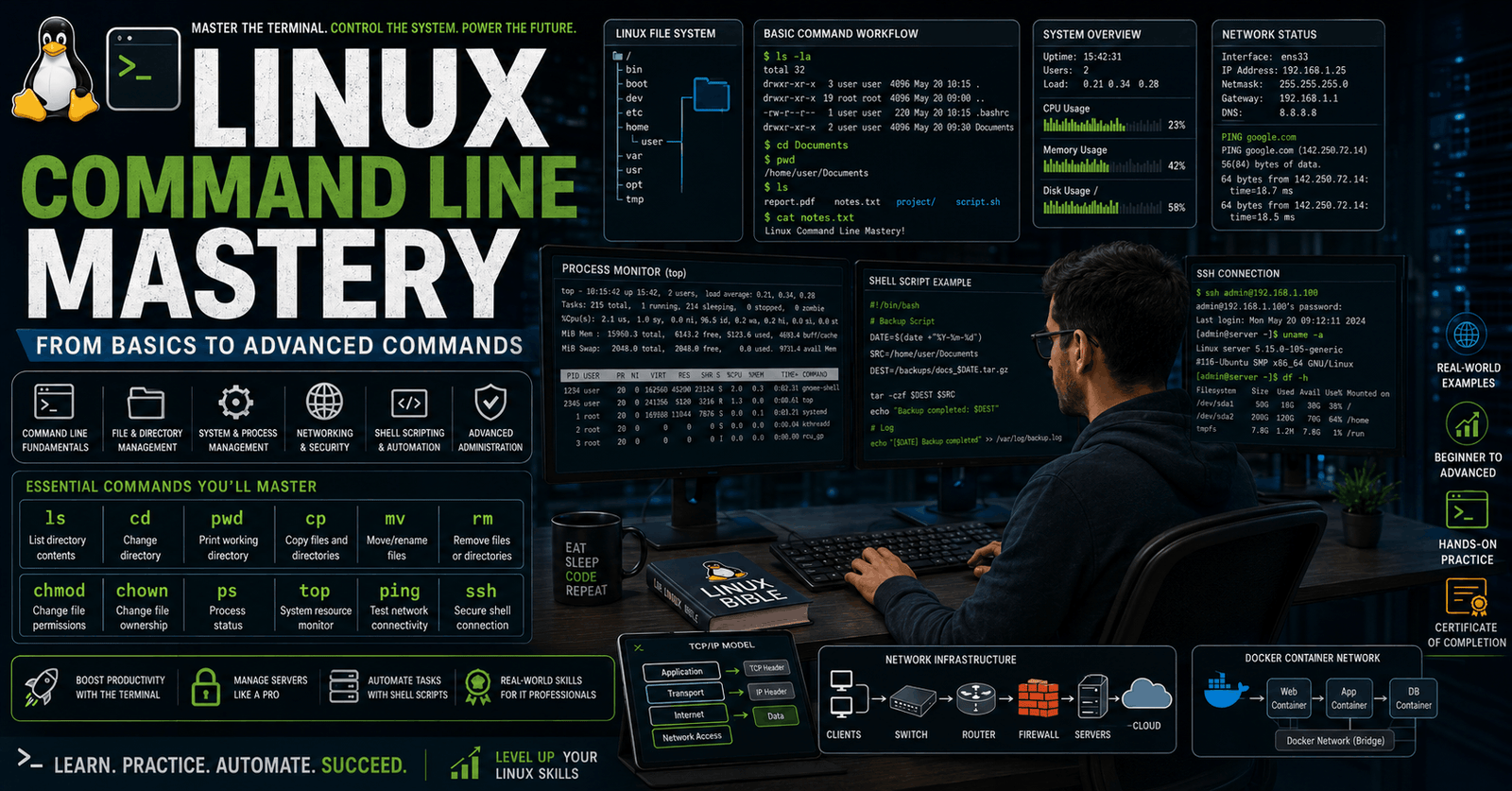
Linux Command Line skills are essential for anyone working in system administration, DevOps, cloud computing, cybersecurity, software development, or IT infrastructure management. This course is designed to help learners build practical command-line expertise, starting with foundational Linux commands and progressing toward advanced system, networking, and process management operations.
Linux remains one of the most widely used operating systems in servers, cloud environments, enterprise infrastructure, and modern development workflows. Professionals who can confidently navigate and manage Linux systems through the command line are highly valuable in today’s technology-driven industries.
This course provides a structured learning experience covering essential Linux commands used for daily system operations. Learners will develop practical skills in file and directory management, file viewing, file permissions, compression, and ownership management. These core skills create a strong foundation for efficient Linux system usage.
As the course progresses, learners will also explore advanced administrative tasks including user and group management, network diagnostics, remote access, secure file transfers, and system monitoring. You will gain hands-on knowledge of widely used Linux commands such as ls, cd, chmod, ping, traceroute, ssh, ps, top, and kill, enabling better control over Linux environments.
The training also covers process management and performance monitoring, helping learners understand how Linux systems handle tasks, resource usage, and background operations. These practical skills are essential for troubleshooting issues, improving efficiency, and managing servers more effectively.
This course is ideal for beginners entering Linux-based environments as well as professionals looking to strengthen their command-line confidence. Whether your goal is career advancement, technical specialization, or improving operational efficiency, this course provides valuable practical knowledge with real-world relevance.
Upon successful completion, learners will receive a free course completion certificate. Multiple premium certificate and transcript options are also available for purchase if desired. Students also benefit from 5-star rated 24/7 email support, ensuring expert assistance is always available throughout the learning journey.Completing this course can support careers in Linux administration, DevOps, cloud infrastructure, cybersecurity, software development, and IT support. Learners can pursue roles such as Linux Administrator, DevOps Engineer, Cloud Engineer, Systems Engineer, or Technical Support Specialist across technology-focused industries.
Who is this course for?
Linux Command Line skills are essential for anyone working in system administration, DevOps, cloud computing, cybersecurity, software development, or IT infrastructure management. This course is designed to help learners build practical command-line expertise, starting with foundational Linux commands and progressing toward advanced system, networking, and process management operations.
Linux remains one of the most widely used operating systems in servers, cloud environments, enterprise infrastructure, and modern development workflows. Professionals who can confidently navigate and manage Linux systems through the command line are highly valuable in today’s technology-driven industries.
This course provides a structured learning experience covering essential Linux commands used for daily system operations. Learners will develop practical skills in file and directory management, file viewing, file permissions, compression, and ownership management. These core skills create a strong foundation for efficient Linux system usage.
As the course progresses, learners will also explore advanced administrative tasks including user and group management, network diagnostics, remote access, secure file transfers, and system monitoring. You will gain hands-on knowledge of widely used Linux commands such as ls, cd, chmod, ping, traceroute, ssh, ps, top, and kill, enabling better control over Linux environments.
The training also covers process management and performance monitoring, helping learners understand how Linux systems handle tasks, resource usage, and background operations. These practical skills are essential for troubleshooting issues, improving efficiency, and managing servers more effectively.
This course is ideal for beginners entering Linux-based environments as well as professionals looking to strengthen their command-line confidence. Whether your goal is career advancement, technical specialization, or improving operational efficiency, this course provides valuable practical knowledge with real-world relevance.
Upon successful completion, learners will receive a free course completion certificate. Multiple premium certificate and transcript options are also available for purchase if desired. Students also benefit from 5-star rated 24/7 email support, ensuring expert assistance is always available throughout the learning journey.Completing this course can support careers in Linux administration, DevOps, cloud infrastructure, cybersecurity, software development, and IT support. Learners can pursue roles such as Linux Administrator, DevOps Engineer, Cloud Engineer, Systems Engineer, or Technical Support Specialist across technology-focused industries.
Requirements
Linux Command Line skills are essential for anyone working in system administration, DevOps, cloud computing, cybersecurity, software development, or IT infrastructure management. This course is designed to help learners build practical command-line expertise, starting with foundational Linux commands and progressing toward advanced system, networking, and process management operations.
Linux remains one of the most widely used operating systems in servers, cloud environments, enterprise infrastructure, and modern development workflows. Professionals who can confidently navigate and manage Linux systems through the command line are highly valuable in today’s technology-driven industries.
This course provides a structured learning experience covering essential Linux commands used for daily system operations. Learners will develop practical skills in file and directory management, file viewing, file permissions, compression, and ownership management. These core skills create a strong foundation for efficient Linux system usage.
As the course progresses, learners will also explore advanced administrative tasks including user and group management, network diagnostics, remote access, secure file transfers, and system monitoring. You will gain hands-on knowledge of widely used Linux commands such as ls, cd, chmod, ping, traceroute, ssh, ps, top, and kill, enabling better control over Linux environments.
The training also covers process management and performance monitoring, helping learners understand how Linux systems handle tasks, resource usage, and background operations. These practical skills are essential for troubleshooting issues, improving efficiency, and managing servers more effectively.
This course is ideal for beginners entering Linux-based environments as well as professionals looking to strengthen their command-line confidence. Whether your goal is career advancement, technical specialization, or improving operational efficiency, this course provides valuable practical knowledge with real-world relevance.
Upon successful completion, learners will receive a free course completion certificate. Multiple premium certificate and transcript options are also available for purchase if desired. Students also benefit from 5-star rated 24/7 email support, ensuring expert assistance is always available throughout the learning journey.Completing this course can support careers in Linux administration, DevOps, cloud infrastructure, cybersecurity, software development, and IT support. Learners can pursue roles such as Linux Administrator, DevOps Engineer, Cloud Engineer, Systems Engineer, or Technical Support Specialist across technology-focused industries.
Career path
Linux Command Line skills are essential for anyone working in system administration, DevOps, cloud computing, cybersecurity, software development, or IT infrastructure management. This course is designed to help learners build practical command-line expertise, starting with foundational Linux commands and progressing toward advanced system, networking, and process management operations.
Linux remains one of the most widely used operating systems in servers, cloud environments, enterprise infrastructure, and modern development workflows. Professionals who can confidently navigate and manage Linux systems through the command line are highly valuable in today’s technology-driven industries.
This course provides a structured learning experience covering essential Linux commands used for daily system operations. Learners will develop practical skills in file and directory management, file viewing, file permissions, compression, and ownership management. These core skills create a strong foundation for efficient Linux system usage.
As the course progresses, learners will also explore advanced administrative tasks including user and group management, network diagnostics, remote access, secure file transfers, and system monitoring. You will gain hands-on knowledge of widely used Linux commands such as ls, cd, chmod, ping, traceroute, ssh, ps, top, and kill, enabling better control over Linux environments.
The training also covers process management and performance monitoring, helping learners understand how Linux systems handle tasks, resource usage, and background operations. These practical skills are essential for troubleshooting issues, improving efficiency, and managing servers more effectively.
This course is ideal for beginners entering Linux-based environments as well as professionals looking to strengthen their command-line confidence. Whether your goal is career advancement, technical specialization, or improving operational efficiency, this course provides valuable practical knowledge with real-world relevance.
Upon successful completion, learners will receive a free course completion certificate. Multiple premium certificate and transcript options are also available for purchase if desired. Students also benefit from 5-star rated 24/7 email support, ensuring expert assistance is always available throughout the learning journey.Completing this course can support careers in Linux administration, DevOps, cloud infrastructure, cybersecurity, software development, and IT support. Learners can pursue roles such as Linux Administrator, DevOps Engineer, Cloud Engineer, Systems Engineer, or Technical Support Specialist across technology-focused industries.
-
- Introduction to Linux Command Line 00:10:00
- The ls Command – Listing Files and Directories 00:10:00
- The cd Command – Navigating Directories 00:10:00
- The mkdir Command – Creating Directories 00:10:00
- The rmdir Command – Removing Directories 00:10:00
- The cat Command – Viewing File Contents 00:10:00
- The rm Command – Removing Files 00:10:00
- The rm Command – Removing Files 00:10:00
- The cp Command – Copying Files and Directories 00:10:00
- The mv Command – Moving and Renaming Files 00:10:00
- The test Command – Testing File Attributes 00:10:00
-
- The zip Command – Compressing Files 00:10:00
- The unzip Command – Extracting Archives 00:10:00
- The chmod Command – Changing File Permissions 00:10:00
- The useradd and adduser Commands – Adding Users 00:10:00
- The groupadd Command – Adding Groups 00:10:00
- The usermod Command Part 1 – Modifying Users 00:10:00
- The usermod Command Part 2 – Advanced User Modifications 00:10:00
- The ping Command – Checking Network Connectivity 00:10:00
- The traceroute Command – Tracing Network Paths 00:10:00
- The mtr Command – Network Diagnostic Tool 00:10:00
- The host Command – DNS Lookup 00:10:00
- The ifconfig Command – Network Interface Configuration 00:10:00
- The ip Command – Advanced IP Address Management 00:10:00
- The whois Command – Domain Information Lookup 00:10:00
- The nslookup Command – DNS Query Tool 00:10:00
- The uptime Command – System Uptime Information 00:10:00
- The uname Command – System Information 00:10:00
- The hostname Command – Manage Hostname 00:10:00
- The passwd Command – Changing Passwords 00:10:00
- The chage Command – Password Aging 00:10:00
- The nl Command – Numbering Lines in Files 00:10:00
- Exam of Linux Command Line Mastery: From Basics to Advanced Commands 00:50:00

No Reviews found for this course.
Is this certificate recognized?
Yes, our premium certificate and transcript are widely recognized and accepted by embassies worldwide, particularly by the UK embassy. This adds credibility to your qualification and enhances its value for professional and academic purposes.
I am a beginner. Is this course suitable for me?
Yes, this course is designed for learners of all levels, including beginners. The content is structured to provide step-by-step guidance, ensuring that even those with no prior experience can follow along and gain valuable knowledge.
I am a professional. Is this course suitable for me?
Yes, professionals will also benefit from this course. It covers advanced concepts, practical applications, and industry insights that can help enhance existing skills and knowledge. Whether you are looking to refine your expertise or expand your qualifications, this course provides valuable learning.
Does this course have an expiry date?
No, you have lifetime access to the course. Once enrolled, you can revisit the materials at any time as long as the course remains available. Additionally, we regularly update our content to ensure it stays relevant and up to date.
How do I claim my free certificate?
I trust you’re in good health. Your free certificate can be located in the Achievement section. The option to purchase a CPD certificate is available but entirely optional, and you may choose to skip it. Please be aware that it’s crucial to click the “Complete” button to ensure the certificate is generated, as this process is entirely automated.
Does this course have assessments and assignments?
Yes, the course includes both assessments and assignments. Your final marks will be determined by a combination of 20% from assignments and 80% from assessments. These evaluations are designed to test your understanding and ensure you have grasped the key concepts effectively.
Is this course accredited?
We are a recognized course provider with CPD, UKRLP, and AOHT membership. The logos of these accreditation bodies will be featured on your premium certificate and transcript, ensuring credibility and professional recognition.
Will I receive a certificate upon completion?
Yes, you will receive a free digital certificate automatically once you complete the course. If you would like a premium CPD-accredited certificate, either in digital or physical format, you can upgrade for a small fee.
Course Features
Price
Study Method
Online | Self-paced
Course Format
Interactive PDFs, Articles & Learning Resources
Duration
8 hours, 25 minutes
Qualification
Professional Skills Development Course
Assessment
Final MCQ Exam (included in price)
Certificate
Verifiable Digital Certificate - Free
Additional info
Lifetime Access | Start Instantly
- Share

Restaurant Operations Coordinator
Course Line237$841.09Original price was: $841.09.$25.73Current price is: $25.73.Manufacturing Systems Engineering Level 3 Advanced Diploma
Course Line246$841.09Original price was: $841.09.$25.73Current price is: $25.73.BTEC Level 3 Diploma in Business Management
Course Line237$841.09Original price was: $841.09.$25.73Current price is: $25.73.



Related Courses
PRINCE2 in Practice: Simulated Projects & Case Studies
$841.09Original price was: $841.09.$25.73Current price is: $25.73.237PRINCE2 Risk Management: Identifying, Assessing & Controlling Risk
$841.09Original price was: $841.09.$25.73Current price is: $25.73.237PRINCE2 Roles & Responsibilities: Managing Teams in a PRINCE2 Environment
$841.09Original price was: $841.09.$25.73Current price is: $25.73.237


Related Courses
PRINCE2 in Practice: Simulated Projects & Case Studies
$841.09Original price was: $841.09.$25.73Current price is: $25.73.237PRINCE2 Risk Management: Identifying, Assessing & Controlling Risk
$841.09Original price was: $841.09.$25.73Current price is: $25.73.237PRINCE2 Roles & Responsibilities: Managing Teams in a PRINCE2 Environment
$841.09Original price was: $841.09.$25.73Current price is: $25.73.237

