
After completing this course, learners can pursue roles such as administrative assistant, data entry operator, office support staff, junior IT support, or customer service executive. It also provides a strong foundation for further study in business IT, digital administration, or advanced computing qualifications.
Course Features
Price
Study Method
Online | Self-paced
Course Format
Interactive PDFs, Articles & Learning Resources
Duration
15 minutes
Qualification
Professional Skills Development Course
Assessment
Final MCQ Exam (included in price)
Certificate
Verifiable Digital Certificate - Free
Additional info
Lifetime Access | Start Instantly
- Share
Overview
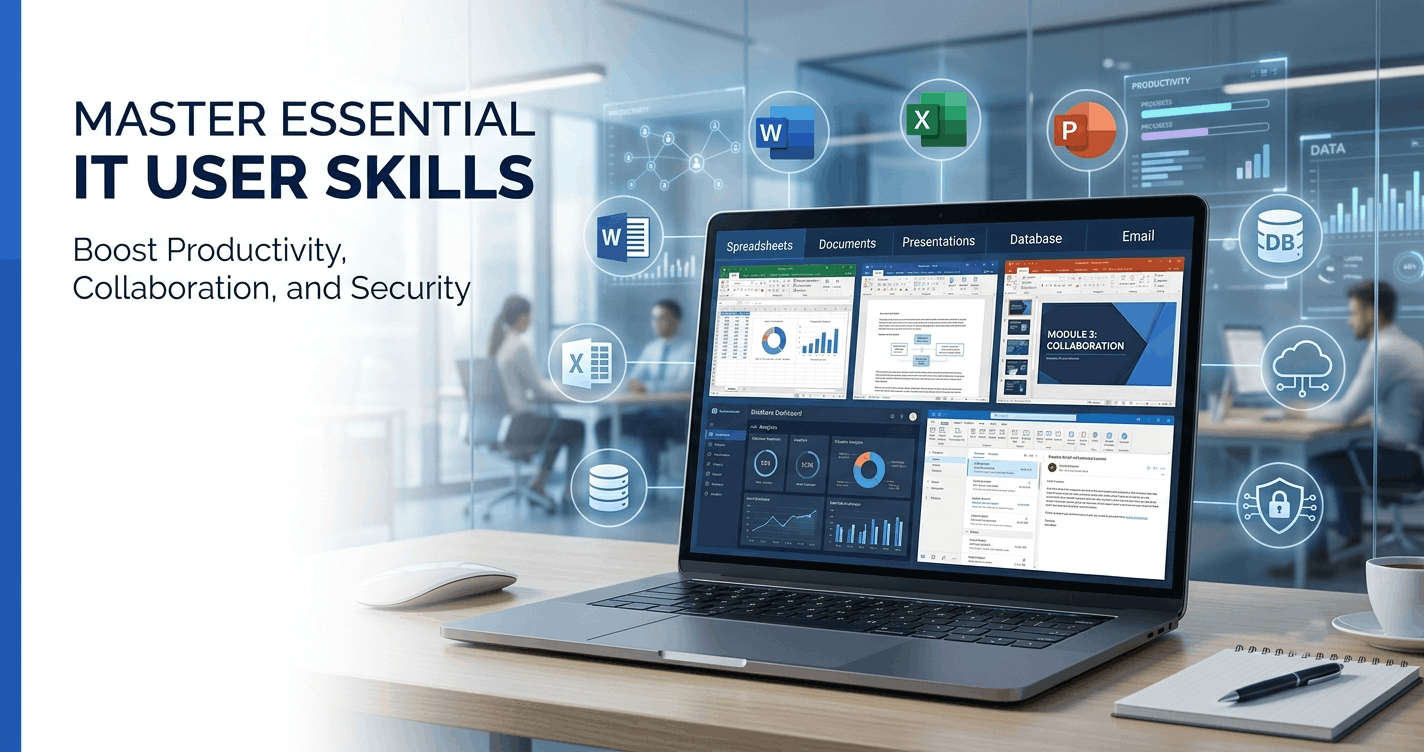
IT User Skills is a comprehensive RQF Level 3 qualification designed to build strong, practical digital competencies required in modern workplaces. This course focuses on developing confidence and efficiency in using essential IT applications such as word processing, spreadsheets, presentations, databases, email systems, and internet tools. Learners will gain hands-on experience in Microsoft Word, Excel, PowerPoint, Access, and Outlook, along with essential knowledge of online safety and digital communication.
The programme is structured to improve productivity by teaching how to select and use the right IT tools for different tasks. You will learn how to create professional documents, analyse data using spreadsheets, design engaging presentations, manage databases effectively, and communicate efficiently through email and calendars. In addition, the course strengthens your ability to evaluate digital information, protect data, and apply cybersecurity awareness in everyday tasks.
Each lecture is designed with real-world scenarios to ensure practical understanding rather than just theory. By completing assessments and project-based tasks, learners develop job-ready skills that are directly applicable in office, administrative, and business environments. The final section of the course supports career development by helping you apply your IT knowledge in job searches, CV creation, and interview preparation.
By the end of this qualification, learners will feel confident working independently in a digital workplace and handling a wide range of IT-based tasks with accuracy and efficiency. You will also receive a free course completion certificate. In addition, learners who want to enhance their credentials can purchase premium certificates and official transcripts. Dedicated 5-star rated support is available 24/7 via email, ensuring guidance whenever needed throughout your learning journey.
This course is ideal for students, job seekers, office assistants, and professionals who want to strengthen their IT skills for workplace use. It is also suitable for beginners aiming to build confidence in Microsoft Office tools and digital communication systems in a structured and practical way.
No advanced IT knowledge is required. A basic understanding of using a computer, keyboard, and internet browsing is helpful. Learners should have access to a computer or laptop with standard office software installed to complete practical exercises.
Who is this course for?
IT User Skills is a comprehensive RQF Level 3 qualification designed to build strong, practical digital competencies required in modern workplaces. This course focuses on developing confidence and efficiency in using essential IT applications such as word processing, spreadsheets, presentations, databases, email systems, and internet tools. Learners will gain hands-on experience in Microsoft Word, Excel, PowerPoint, Access, and Outlook, along with essential knowledge of online safety and digital communication.
The programme is structured to improve productivity by teaching how to select and use the right IT tools for different tasks. You will learn how to create professional documents, analyse data using spreadsheets, design engaging presentations, manage databases effectively, and communicate efficiently through email and calendars. In addition, the course strengthens your ability to evaluate digital information, protect data, and apply cybersecurity awareness in everyday tasks.
Each lecture is designed with real-world scenarios to ensure practical understanding rather than just theory. By completing assessments and project-based tasks, learners develop job-ready skills that are directly applicable in office, administrative, and business environments. The final section of the course supports career development by helping you apply your IT knowledge in job searches, CV creation, and interview preparation.
By the end of this qualification, learners will feel confident working independently in a digital workplace and handling a wide range of IT-based tasks with accuracy and efficiency. You will also receive a free course completion certificate. In addition, learners who want to enhance their credentials can purchase premium certificates and official transcripts. Dedicated 5-star rated support is available 24/7 via email, ensuring guidance whenever needed throughout your learning journey.
This course is ideal for students, job seekers, office assistants, and professionals who want to strengthen their IT skills for workplace use. It is also suitable for beginners aiming to build confidence in Microsoft Office tools and digital communication systems in a structured and practical way.
No advanced IT knowledge is required. A basic understanding of using a computer, keyboard, and internet browsing is helpful. Learners should have access to a computer or laptop with standard office software installed to complete practical exercises.
After completing this course, learners can pursue roles such as administrative assistant, data entry operator, office support staff, junior IT support, or customer service executive. It also provides a strong foundation for further study in business IT, digital administration, or advanced computing qualifications.
Requirements
IT User Skills is a comprehensive RQF Level 3 qualification designed to build strong, practical digital competencies required in modern workplaces. This course focuses on developing confidence and efficiency in using essential IT applications such as word processing, spreadsheets, presentations, databases, email systems, and internet tools. Learners will gain hands-on experience in Microsoft Word, Excel, PowerPoint, Access, and Outlook, along with essential knowledge of online safety and digital communication.
The programme is structured to improve productivity by teaching how to select and use the right IT tools for different tasks. You will learn how to create professional documents, analyse data using spreadsheets, design engaging presentations, manage databases effectively, and communicate efficiently through email and calendars. In addition, the course strengthens your ability to evaluate digital information, protect data, and apply cybersecurity awareness in everyday tasks.
Each lecture is designed with real-world scenarios to ensure practical understanding rather than just theory. By completing assessments and project-based tasks, learners develop job-ready skills that are directly applicable in office, administrative, and business environments. The final section of the course supports career development by helping you apply your IT knowledge in job searches, CV creation, and interview preparation.
By the end of this qualification, learners will feel confident working independently in a digital workplace and handling a wide range of IT-based tasks with accuracy and efficiency. You will also receive a free course completion certificate. In addition, learners who want to enhance their credentials can purchase premium certificates and official transcripts. Dedicated 5-star rated support is available 24/7 via email, ensuring guidance whenever needed throughout your learning journey.
This course is ideal for students, job seekers, office assistants, and professionals who want to strengthen their IT skills for workplace use. It is also suitable for beginners aiming to build confidence in Microsoft Office tools and digital communication systems in a structured and practical way.
No advanced IT knowledge is required. A basic understanding of using a computer, keyboard, and internet browsing is helpful. Learners should have access to a computer or laptop with standard office software installed to complete practical exercises.
After completing this course, learners can pursue roles such as administrative assistant, data entry operator, office support staff, junior IT support, or customer service executive. It also provides a strong foundation for further study in business IT, digital administration, or advanced computing qualifications.
Career path
IT User Skills is a comprehensive RQF Level 3 qualification designed to build strong, practical digital competencies required in modern workplaces. This course focuses on developing confidence and efficiency in using essential IT applications such as word processing, spreadsheets, presentations, databases, email systems, and internet tools. Learners will gain hands-on experience in Microsoft Word, Excel, PowerPoint, Access, and Outlook, along with essential knowledge of online safety and digital communication.
The programme is structured to improve productivity by teaching how to select and use the right IT tools for different tasks. You will learn how to create professional documents, analyse data using spreadsheets, design engaging presentations, manage databases effectively, and communicate efficiently through email and calendars. In addition, the course strengthens your ability to evaluate digital information, protect data, and apply cybersecurity awareness in everyday tasks.
Each lecture is designed with real-world scenarios to ensure practical understanding rather than just theory. By completing assessments and project-based tasks, learners develop job-ready skills that are directly applicable in office, administrative, and business environments. The final section of the course supports career development by helping you apply your IT knowledge in job searches, CV creation, and interview preparation.
By the end of this qualification, learners will feel confident working independently in a digital workplace and handling a wide range of IT-based tasks with accuracy and efficiency. You will also receive a free course completion certificate. In addition, learners who want to enhance their credentials can purchase premium certificates and official transcripts. Dedicated 5-star rated support is available 24/7 via email, ensuring guidance whenever needed throughout your learning journey.
This course is ideal for students, job seekers, office assistants, and professionals who want to strengthen their IT skills for workplace use. It is also suitable for beginners aiming to build confidence in Microsoft Office tools and digital communication systems in a structured and practical way.
No advanced IT knowledge is required. A basic understanding of using a computer, keyboard, and internet browsing is helpful. Learners should have access to a computer or laptop with standard office software installed to complete practical exercises.
After completing this course, learners can pursue roles such as administrative assistant, data entry operator, office support staff, junior IT support, or customer service executive. It also provides a strong foundation for further study in business IT, digital administration, or advanced computing qualifications.
-
-
- Premium Certificate 00:15:00

No Reviews found for this course.
Is this certificate recognized?
Yes, our premium certificate and transcript are widely recognized and accepted by embassies worldwide, particularly by the UK embassy. This adds credibility to your qualification and enhances its value for professional and academic purposes.
I am a beginner. Is this course suitable for me?
Yes, this course is designed for learners of all levels, including beginners. The content is structured to provide step-by-step guidance, ensuring that even those with no prior experience can follow along and gain valuable knowledge.
I am a professional. Is this course suitable for me?
Yes, professionals will also benefit from this course. It covers advanced concepts, practical applications, and industry insights that can help enhance existing skills and knowledge. Whether you are looking to refine your expertise or expand your qualifications, this course provides valuable learning.
Does this course have an expiry date?
No, you have lifetime access to the course. Once enrolled, you can revisit the materials at any time as long as the course remains available. Additionally, we regularly update our content to ensure it stays relevant and up to date.
How do I claim my free certificate?
I trust you’re in good health. Your free certificate can be located in the Achievement section. The option to purchase a CPD certificate is available but entirely optional, and you may choose to skip it. Please be aware that it’s crucial to click the “Complete” button to ensure the certificate is generated, as this process is entirely automated.
Does this course have assessments and assignments?
Yes, the course includes both assessments and assignments. Your final marks will be determined by a combination of 20% from assignments and 80% from assessments. These evaluations are designed to test your understanding and ensure you have grasped the key concepts effectively.
Is this course accredited?
We are a recognized course provider with CPD, UKRLP, and AOHT membership. The logos of these accreditation bodies will be featured on your premium certificate and transcript, ensuring credibility and professional recognition.
Will I receive a certificate upon completion?
Yes, you will receive a free digital certificate automatically once you complete the course. If you would like a premium CPD-accredited certificate, either in digital or physical format, you can upgrade for a small fee.
Course Features
Price
Study Method
Online | Self-paced
Course Format
Interactive PDFs, Articles & Learning Resources
Duration
15 minutes
Qualification
Professional Skills Development Course
Assessment
Final MCQ Exam (included in price)
Certificate
Verifiable Digital Certificate - Free
Additional info
Lifetime Access | Start Instantly
- Share
{"title":"","show_title":"0","post_type":"course","taxonomy":"","term":"0","post_ids":"","course_style":"random","featured_style":"course4","masonry":"","grid_columns":"clear1 col-md-12","column_width":"268","gutter":"30","grid_number":"3","infinite":"","pagination":"","grid_excerpt_length":"100","grid_link":"1","grid_search":"0","course_type":"","css_class":"","container_css":"","custom_css":""}

Child Counselling: A Comprehensive Guide
Course Line242₽49,951.68Original price was: ₽49,951.68.₽1,528.11Current price is: ₽1,528.11.Seismic Data Acquisition: From Theory to Field Practice – A Complete Guide
Course Line237₽49,951.68Original price was: ₽49,951.68.₽1,528.11Current price is: ₽1,528.11.InstaFunnels Mastery: Build High-Converting Sales Funnels & Grow Your List
Course Line237₽49,951.68Original price was: ₽49,951.68.₽1,528.11Current price is: ₽1,528.11.



Related Courses
PRINCE2 in Practice: Simulated Projects & Case Studies
₽49,951.68Original price was: ₽49,951.68.₽1,528.11Current price is: ₽1,528.11.237PRINCE2 Risk Management: Identifying, Assessing & Controlling Risk
₽49,951.68Original price was: ₽49,951.68.₽1,528.11Current price is: ₽1,528.11.237PRINCE2 Roles & Responsibilities: Managing Teams in a PRINCE2 Environment
₽49,951.68Original price was: ₽49,951.68.₽1,528.11Current price is: ₽1,528.11.237

Related Courses
PRINCE2 in Practice: Simulated Projects & Case Studies
₽49,951.68Original price was: ₽49,951.68.₽1,528.11Current price is: ₽1,528.11.237PRINCE2 Risk Management: Identifying, Assessing & Controlling Risk
₽49,951.68Original price was: ₽49,951.68.₽1,528.11Current price is: ₽1,528.11.237PRINCE2 Roles & Responsibilities: Managing Teams in a PRINCE2 Environment
₽49,951.68Original price was: ₽49,951.68.₽1,528.11Current price is: ₽1,528.11.237

