
Course Features
Price
Study Method
Online | Self-paced
Course Format
Interactive PDFs, Articles & Learning Resources
Duration
23 hours, 25 minutes
Qualification
Professional Skills Development Course
Assessment
Final MCQ Exam (included in price)
Certificate
Verifiable Digital Certificate - Free
Additional info
Lifetime Access | Start Instantly
- Share

Overview
Flat Design Illustrator training gives you a complete, hands-on pathway to creating modern digital artwork using Adobe Illustrator. This course is built for designers who want to move beyond basic shapes and learn how to build full scenes, mobile app interfaces, and professional icon sets that match today’s flat design trends. You will start by learning how to correctly set up Illustrator documents, manage artboards, and prepare your workspace for smooth, efficient design. From there, you will develop real-world scenes such as smartphone UI layouts, landscapes, camping environments, and interactive interface elements.
As you progress, you will master the creation of detailed flat-style objects including trees, buildings, buttons, navigation icons, and device components. The course walks you through colour selection, gradients, lighting, and visual balance so your designs look clean, modern, and commercially usable. You will also build complete icon packs covering communication tools, media, weather, food, productivity, and system apps — all designed in a consistent flat style suitable for websites, mobile apps, and digital products.
This Flat Design Illustrator course focuses on practical skill-building rather than theory. Every project is structured so you can follow along and recreate professional-grade artwork step by step. You will learn how to design with accuracy, organise layers, refine shapes, and apply visual polish that gives your work a premium look. By the end of the course, you will have a full portfolio of flat scenes and icons that demonstrate your ability to design for real-world UI, branding, and digital platforms.
The training is designed for self-paced learning with clear demonstrations and guided projects, making it suitable for both beginners and intermediate designers. If you want to create eye-catching digital visuals for apps, websites, presentations, or marketing graphics, this course gives you the tools and confidence to do it professionally.
At the end of the course, learners will receive a free course completion certificate, with multiple premium certificate and transcript options available for purchase if they wish. Students also receive 5-star rated support available 24/7 through email, ensuring help is always available when needed.
Who is this course for?
Flat Design Illustrator training gives you a complete, hands-on pathway to creating modern digital artwork using Adobe Illustrator. This course is built for designers who want to move beyond basic shapes and learn how to build full scenes, mobile app interfaces, and professional icon sets that match today’s flat design trends. You will start by learning how to correctly set up Illustrator documents, manage artboards, and prepare your workspace for smooth, efficient design. From there, you will develop real-world scenes such as smartphone UI layouts, landscapes, camping environments, and interactive interface elements.
As you progress, you will master the creation of detailed flat-style objects including trees, buildings, buttons, navigation icons, and device components. The course walks you through colour selection, gradients, lighting, and visual balance so your designs look clean, modern, and commercially usable. You will also build complete icon packs covering communication tools, media, weather, food, productivity, and system apps — all designed in a consistent flat style suitable for websites, mobile apps, and digital products.
This Flat Design Illustrator course focuses on practical skill-building rather than theory. Every project is structured so you can follow along and recreate professional-grade artwork step by step. You will learn how to design with accuracy, organise layers, refine shapes, and apply visual polish that gives your work a premium look. By the end of the course, you will have a full portfolio of flat scenes and icons that demonstrate your ability to design for real-world UI, branding, and digital platforms.
The training is designed for self-paced learning with clear demonstrations and guided projects, making it suitable for both beginners and intermediate designers. If you want to create eye-catching digital visuals for apps, websites, presentations, or marketing graphics, this course gives you the tools and confidence to do it professionally.
At the end of the course, learners will receive a free course completion certificate, with multiple premium certificate and transcript options available for purchase if they wish. Students also receive 5-star rated support available 24/7 through email, ensuring help is always available when needed.
Requirements
Flat Design Illustrator training gives you a complete, hands-on pathway to creating modern digital artwork using Adobe Illustrator. This course is built for designers who want to move beyond basic shapes and learn how to build full scenes, mobile app interfaces, and professional icon sets that match today’s flat design trends. You will start by learning how to correctly set up Illustrator documents, manage artboards, and prepare your workspace for smooth, efficient design. From there, you will develop real-world scenes such as smartphone UI layouts, landscapes, camping environments, and interactive interface elements.
As you progress, you will master the creation of detailed flat-style objects including trees, buildings, buttons, navigation icons, and device components. The course walks you through colour selection, gradients, lighting, and visual balance so your designs look clean, modern, and commercially usable. You will also build complete icon packs covering communication tools, media, weather, food, productivity, and system apps — all designed in a consistent flat style suitable for websites, mobile apps, and digital products.
This Flat Design Illustrator course focuses on practical skill-building rather than theory. Every project is structured so you can follow along and recreate professional-grade artwork step by step. You will learn how to design with accuracy, organise layers, refine shapes, and apply visual polish that gives your work a premium look. By the end of the course, you will have a full portfolio of flat scenes and icons that demonstrate your ability to design for real-world UI, branding, and digital platforms.
The training is designed for self-paced learning with clear demonstrations and guided projects, making it suitable for both beginners and intermediate designers. If you want to create eye-catching digital visuals for apps, websites, presentations, or marketing graphics, this course gives you the tools and confidence to do it professionally.
At the end of the course, learners will receive a free course completion certificate, with multiple premium certificate and transcript options available for purchase if they wish. Students also receive 5-star rated support available 24/7 through email, ensuring help is always available when needed.
Career path
Flat Design Illustrator training gives you a complete, hands-on pathway to creating modern digital artwork using Adobe Illustrator. This course is built for designers who want to move beyond basic shapes and learn how to build full scenes, mobile app interfaces, and professional icon sets that match today’s flat design trends. You will start by learning how to correctly set up Illustrator documents, manage artboards, and prepare your workspace for smooth, efficient design. From there, you will develop real-world scenes such as smartphone UI layouts, landscapes, camping environments, and interactive interface elements.
As you progress, you will master the creation of detailed flat-style objects including trees, buildings, buttons, navigation icons, and device components. The course walks you through colour selection, gradients, lighting, and visual balance so your designs look clean, modern, and commercially usable. You will also build complete icon packs covering communication tools, media, weather, food, productivity, and system apps — all designed in a consistent flat style suitable for websites, mobile apps, and digital products.
This Flat Design Illustrator course focuses on practical skill-building rather than theory. Every project is structured so you can follow along and recreate professional-grade artwork step by step. You will learn how to design with accuracy, organise layers, refine shapes, and apply visual polish that gives your work a premium look. By the end of the course, you will have a full portfolio of flat scenes and icons that demonstrate your ability to design for real-world UI, branding, and digital platforms.
The training is designed for self-paced learning with clear demonstrations and guided projects, making it suitable for both beginners and intermediate designers. If you want to create eye-catching digital visuals for apps, websites, presentations, or marketing graphics, this course gives you the tools and confidence to do it professionally.
At the end of the course, learners will receive a free course completion certificate, with multiple premium certificate and transcript options available for purchase if they wish. Students also receive 5-star rated support available 24/7 through email, ensuring help is always available when needed.
-
- Welcome to the Course — What You Will Learn 00:10:00
- Introduction to the Class & Learning Outcomes 00:10:00
- Course Overview — Tools, Style & Objectives 00:10:00
- Introduction to the Project — Key Design Elements 00:10:00
- Discovering the Project — Flat Design Breakdown 00:10:00
- Exploring the Project Structure & Composition 00:10:00
-
- Creating a New Illustrator Document — Part 1 00:10:00
- Creating a New Illustrator Document — Part 2 00:10:00
- Document Setup Basics — Artboards, Units & Settings 00:10:00
- Starting the Background — Flat Design Foundations 00:10:00
- Starting the Background — Alternate Method (v1) 00:10:00
- Creating a New Document — Additional Setup Workflow 00:10:00
- Adding Panels and Applying Colour Blocks 00:10:00
- Creating the Smartphone Base Shape (v1) 00:10:00
- Adding the Sun to the Scene 00:10:00
- Designing the Chairs in Flat Style 00:10:00
- A Smart Technique for Adding Gradients 00:10:00
- Creating the Gradient Wallpaper Background (v1) 00:10:00
- Designing the Sky — Flat Style Method (v1) 00:10:00
- Adding the Signboard and Arrows 00:10:00
- Starting the Background — Scene Foundation 00:10:00
- Creating the Sun — Second Method 00:10:00
- Adding the Escalator Element 00:10:00
- Creating Clouds in the Sky 00:10:00
- Creating the Buttons for the UI 00:10:00
- Adding Stars to the Scene 00:10:00
- Scream It from the Mountain Top — Creative Element 00:10:00
- Adding the System Buttons (v1) 00:10:00
- Adding the Lawn and Bushes 00:10:00
- Adding the Moon to the Scene 00:10:00
- Creating the Luggage Element 00:10:00
- Planting the Trees — Method 1 00:10:00
- Planting the Trees — Alternate Version (v1) 00:10:00
- Adding the Time & Notification Icons 00:10:00
- Creating the Forest Area 00:10:00
- Creating the Mountains (v1) 00:10:00
- Adding the Handle Element 00:10:00
- Adding Shade to the Garden (v1) 00:10:00
- Creating the Signal Strength Icon 00:10:00
- Adding the Hut to the Scene 00:10:00
- Adding the Straps (UI Element) 00:10:00
- Planting Additional Trees (v1) 00:10:00
- Rounding Corners in Older Illustrator Versions (v1) 00:10:00
- Creating the Wi-Fi Icon 00:10:00
- Lemonade, Anyone? — Adding a Fun Detail 00:10:00
- Adding the Wheels and Shading Elements 00:10:00
- Adding the Side Blocks 00:10:00
- Creating the Tent — Main Shape (v1) 00:10:00
- Adding the Battery Icon 00:10:00
- Adding the Bokeh Effect & Finishing Touches (v1) 00:10:00
- Adding the Chairs (Scene Detail) 00:10:00
- Adding the Entrance Element 00:10:00
- Adding the Roof Structure 00:10:00
- Creating the Main Retro TV Icon Shape 00:10:00
- Adding Reflections & Finishing the Retro TV Shape 00:10:00
- Adding the Screen to the Retro TV Icon 00:10:00
- Creating Additional Reflections for the TV Icon 00:10:00
- Adding the Legs and Antenna 00:10:00
- Adding the Buttons 00:10:00
- Finishing the Retro TV App Icon 00:10:00
- Creating the Second Retro TV App Icon 00:10:00
- Creating the Contacts App Icon 00:10:00
- Creating a Calculator App Icon in Adobe Illustrator 00:10:00
- Designing a File Manager App Icon 00:10:00
- Creating the Main Flashlight Icon Shape 00:10:00
- Adding the Rotating Mechanism to the Flashlight Icon 00:10:00
- Creating the Main Notes Icon Shape 00:10:00
- Adding the Bend and Background Elements 00:10:00
- Creating an Alternate Version of the Notes/Weather Icon 00:10:00
- Creating the Main Cog Shapes 00:10:00
- Joining the Cogs and Finishing the Gear Icon 00:10:00
- Creating the World Map Icon (v1) 00:10:00
- Adding the Magnifying Glass and Completing the Icon 00:10:00
- Creating the Main Clock Shape 00:10:00
- Adding the Clock Markers 00:10:00
- Adding the Clock Pointers 00:10:00
- Adding the Bells and Finishing the Clock Icon 00:10:00
- Course Summary and Final Remarks 00:10:00
- Premium Certificate 00:15:00

No Reviews found for this course.
Is this certificate recognized?
Yes, our premium certificate and transcript are widely recognized and accepted by embassies worldwide, particularly by the UK embassy. This adds credibility to your qualification and enhances its value for professional and academic purposes.
I am a beginner. Is this course suitable for me?
Yes, this course is designed for learners of all levels, including beginners. The content is structured to provide step-by-step guidance, ensuring that even those with no prior experience can follow along and gain valuable knowledge.
I am a professional. Is this course suitable for me?
Yes, professionals will also benefit from this course. It covers advanced concepts, practical applications, and industry insights that can help enhance existing skills and knowledge. Whether you are looking to refine your expertise or expand your qualifications, this course provides valuable learning.
Does this course have an expiry date?
No, you have lifetime access to the course. Once enrolled, you can revisit the materials at any time as long as the course remains available. Additionally, we regularly update our content to ensure it stays relevant and up to date.
How do I claim my free certificate?
I trust you’re in good health. Your free certificate can be located in the Achievement section. The option to purchase a CPD certificate is available but entirely optional, and you may choose to skip it. Please be aware that it’s crucial to click the “Complete” button to ensure the certificate is generated, as this process is entirely automated.
Does this course have assessments and assignments?
Yes, the course includes both assessments and assignments. Your final marks will be determined by a combination of 20% from assignments and 80% from assessments. These evaluations are designed to test your understanding and ensure you have grasped the key concepts effectively.
Is this course accredited?
We are a recognized course provider with CPD, UKRLP, and AOHT membership. The logos of these accreditation bodies will be featured on your premium certificate and transcript, ensuring credibility and professional recognition.
Will I receive a certificate upon completion?
Yes, you will receive a free digital certificate automatically once you complete the course. If you would like a premium CPD-accredited certificate, either in digital or physical format, you can upgrade for a small fee.
Course Features
Price
Study Method
Online | Self-paced
Course Format
Interactive PDFs, Articles & Learning Resources
Duration
23 hours, 25 minutes
Qualification
Professional Skills Development Course
Assessment
Final MCQ Exam (included in price)
Certificate
Verifiable Digital Certificate - Free
Additional info
Lifetime Access | Start Instantly
- Share

Recruitment Consultant
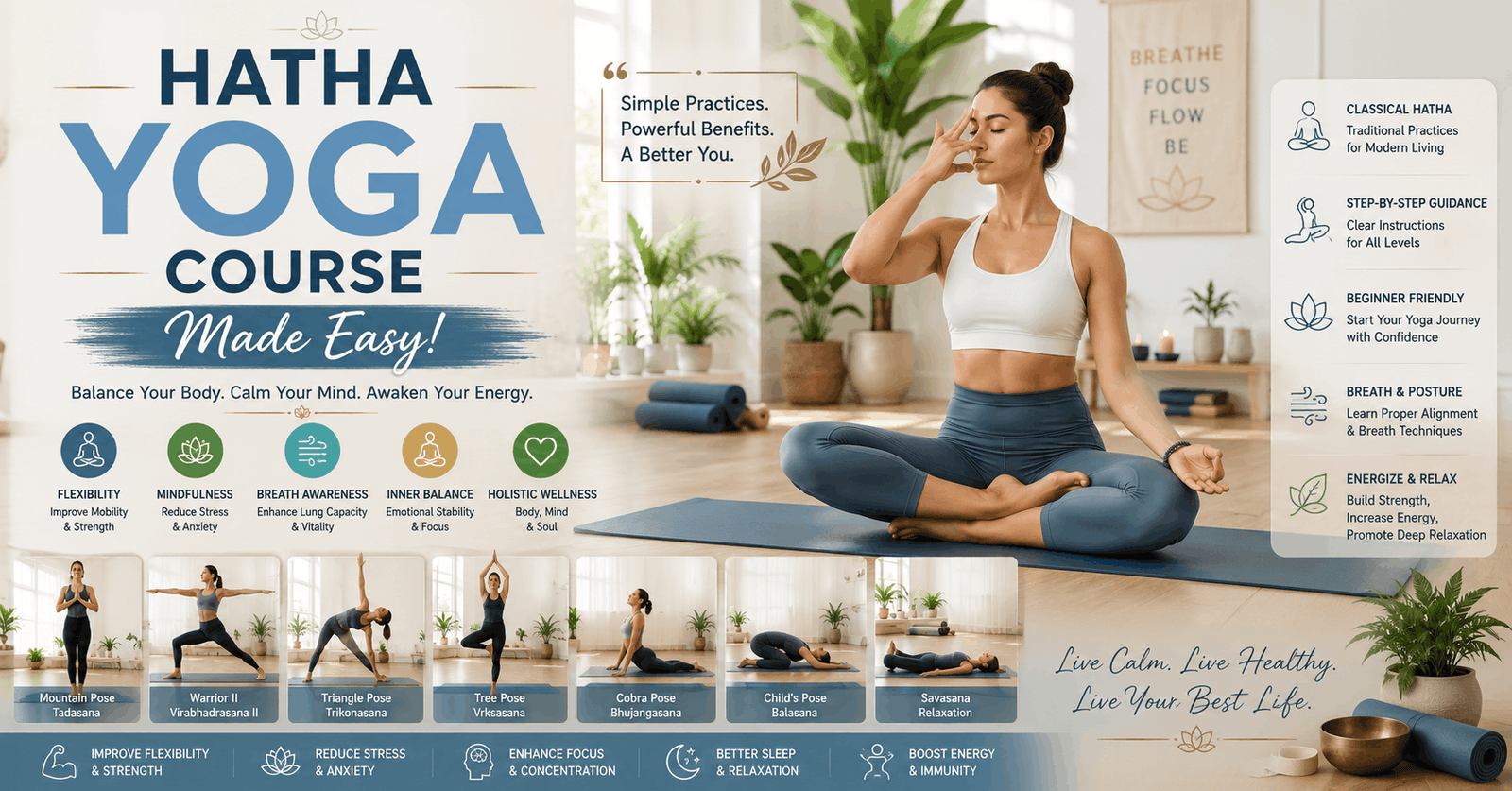
Course Line241£490.00Original price was: £490.00.£14.99Current price is: £14.99.Hatha Yoga Made Easy!
Course Line238£490.00Original price was: £490.00.£14.99Current price is: £14.99.Injury Awareness for Young Athletes Level 2
Course Line237£490.00Original price was: £490.00.£14.99Current price is: £14.99.


Related Courses
AutoCAD Floor Plan Rendering in Photoshop: Architectural Visualisation Professional Training
£490.00Original price was: £490.00.£14.99Current price is: £14.99.237Professional Photography Masterclass: Camera, Lighting, Composition & Portraits
£490.00Original price was: £490.00.£14.99Current price is: £14.99.237Adobe Photoshop CC MasterClass: From Beginner to Advanced Digital Artist
£490.00Original price was: £490.00.£14.99Current price is: £14.99.237



Related Courses
AutoCAD Floor Plan Rendering in Photoshop: Architectural Visualisation Professional Training
£490.00Original price was: £490.00.£14.99Current price is: £14.99.237Professional Photography Masterclass: Camera, Lighting, Composition & Portraits
£490.00Original price was: £490.00.£14.99Current price is: £14.99.237Adobe Photoshop CC MasterClass: From Beginner to Advanced Digital Artist
£490.00Original price was: £490.00.£14.99Current price is: £14.99.237

