
Course Features
Price
Study Method
Online | Self-paced
Course Format
Interactive PDFs, Articles & Learning Resources
Duration
8 hours, 45 minutes
Qualification
Professional Skills Development Course
Assessment
Final MCQ Exam (included in price)
Certificate
Verifiable Digital Certificate - Free
Additional info
Lifetime Access | Start Instantly
- Share
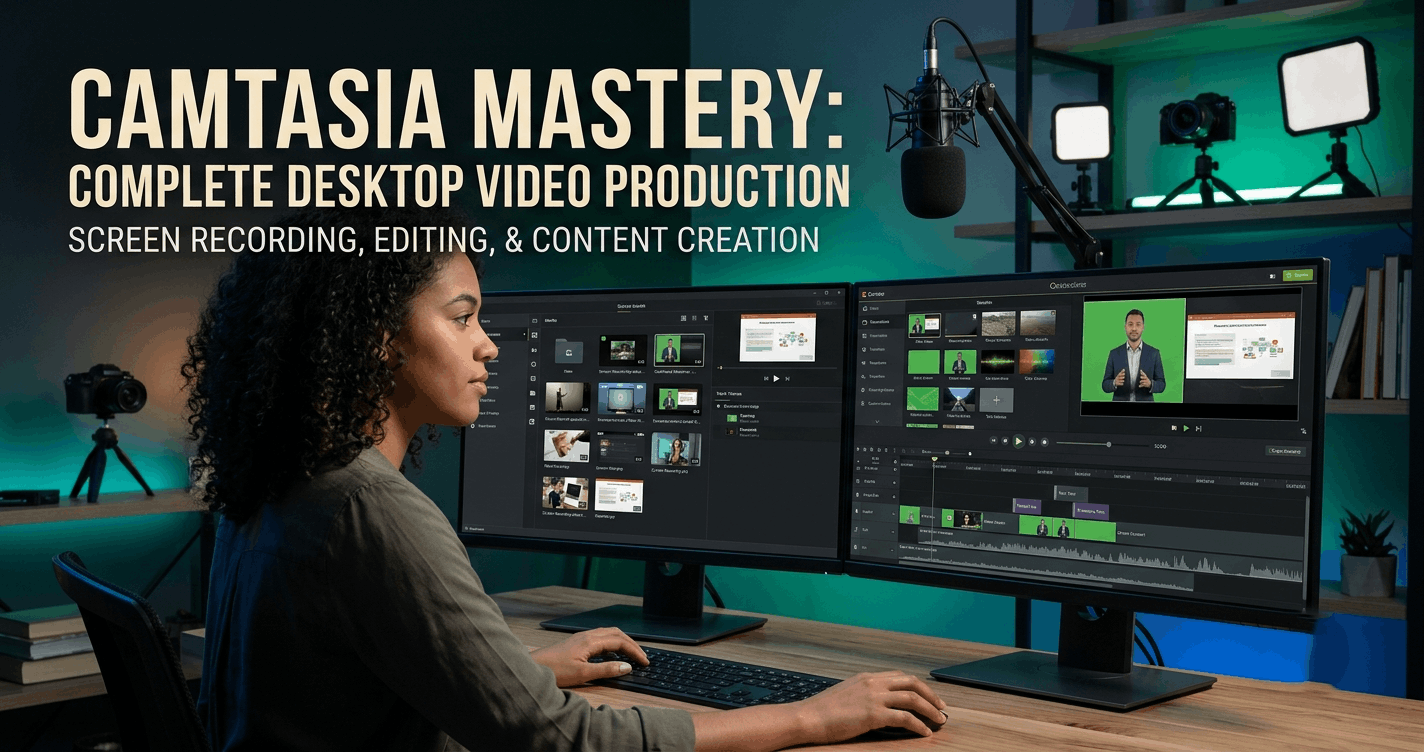
Overview
Camtasia Video Editing provides a practical route into screen recording, video production and content creation using Camtasia Studio 9. Designed to develop skills progressively, this course takes learners from understanding the software interface to producing polished videos with visual effects, improved audio and professional export settings.
The course begins with the essential foundations of working in Camtasia, including opening the software correctly, navigating the interface and setting up computer screen recordings. Learners will become familiar with the canvas, timeline and project structure before developing core editing skills such as importing media, splitting clips, removing unwanted sections, cropping footage and adding images, logos and watermarks.
As learners progress, they will explore creative tools for adding text, captions, typewriter effects, animations and zoom movements. The course also introduces transitions, spotlight and cursor effects, speed adjustments, lower thirds and colour correction techniques. These features can help make tutorials, presentations, educational videos and digital content more engaging and visually structured.
Audio is another important part of the learning experience. Learners will discover how to adjust audio points, apply fade effects, reduce background noise, record voice-overs and add background music. The course also covers exporting video as audio, providing additional flexibility when repurposing recorded content.
More advanced lessons introduce green screen editing, cinematic techniques, animated GIF creation, split-screen videos and creative visual effects. Learners will also discover how to create slideshow videos, record PowerPoint presentations and use keyboard shortcuts to improve editing efficiency. Finally, the course explores rendering and custom production settings so learners can prepare their finished work for suitable output.
By the end of the course, learners will have developed a broad understanding of the Camtasia Studio 9 production process, from recording and editing to enhancing and exporting finished content.
Learners will receive a free course completion certificate after successfully completing the course. Multiple premium certificate and transcript options are also available for purchase for those who want additional documentation of their achievement. Students also receive access to our 5-star rated support, available 24/7 through email, for assistance throughout their learning journey.Who is this course for?
Camtasia Video Editing provides a practical route into screen recording, video production and content creation using Camtasia Studio 9. Designed to develop skills progressively, this course takes learners from understanding the software interface to producing polished videos with visual effects, improved audio and professional export settings.
The course begins with the essential foundations of working in Camtasia, including opening the software correctly, navigating the interface and setting up computer screen recordings. Learners will become familiar with the canvas, timeline and project structure before developing core editing skills such as importing media, splitting clips, removing unwanted sections, cropping footage and adding images, logos and watermarks.
As learners progress, they will explore creative tools for adding text, captions, typewriter effects, animations and zoom movements. The course also introduces transitions, spotlight and cursor effects, speed adjustments, lower thirds and colour correction techniques. These features can help make tutorials, presentations, educational videos and digital content more engaging and visually structured.
Audio is another important part of the learning experience. Learners will discover how to adjust audio points, apply fade effects, reduce background noise, record voice-overs and add background music. The course also covers exporting video as audio, providing additional flexibility when repurposing recorded content.
More advanced lessons introduce green screen editing, cinematic techniques, animated GIF creation, split-screen videos and creative visual effects. Learners will also discover how to create slideshow videos, record PowerPoint presentations and use keyboard shortcuts to improve editing efficiency. Finally, the course explores rendering and custom production settings so learners can prepare their finished work for suitable output.
By the end of the course, learners will have developed a broad understanding of the Camtasia Studio 9 production process, from recording and editing to enhancing and exporting finished content.
Learners will receive a free course completion certificate after successfully completing the course. Multiple premium certificate and transcript options are also available for purchase for those who want additional documentation of their achievement. Students also receive access to our 5-star rated support, available 24/7 through email, for assistance throughout their learning journey.Requirements
Camtasia Video Editing provides a practical route into screen recording, video production and content creation using Camtasia Studio 9. Designed to develop skills progressively, this course takes learners from understanding the software interface to producing polished videos with visual effects, improved audio and professional export settings.
The course begins with the essential foundations of working in Camtasia, including opening the software correctly, navigating the interface and setting up computer screen recordings. Learners will become familiar with the canvas, timeline and project structure before developing core editing skills such as importing media, splitting clips, removing unwanted sections, cropping footage and adding images, logos and watermarks.
As learners progress, they will explore creative tools for adding text, captions, typewriter effects, animations and zoom movements. The course also introduces transitions, spotlight and cursor effects, speed adjustments, lower thirds and colour correction techniques. These features can help make tutorials, presentations, educational videos and digital content more engaging and visually structured.
Audio is another important part of the learning experience. Learners will discover how to adjust audio points, apply fade effects, reduce background noise, record voice-overs and add background music. The course also covers exporting video as audio, providing additional flexibility when repurposing recorded content.
More advanced lessons introduce green screen editing, cinematic techniques, animated GIF creation, split-screen videos and creative visual effects. Learners will also discover how to create slideshow videos, record PowerPoint presentations and use keyboard shortcuts to improve editing efficiency. Finally, the course explores rendering and custom production settings so learners can prepare their finished work for suitable output.
By the end of the course, learners will have developed a broad understanding of the Camtasia Studio 9 production process, from recording and editing to enhancing and exporting finished content.
Learners will receive a free course completion certificate after successfully completing the course. Multiple premium certificate and transcript options are also available for purchase for those who want additional documentation of their achievement. Students also receive access to our 5-star rated support, available 24/7 through email, for assistance throughout their learning journey.Career path
Camtasia Video Editing provides a practical route into screen recording, video production and content creation using Camtasia Studio 9. Designed to develop skills progressively, this course takes learners from understanding the software interface to producing polished videos with visual effects, improved audio and professional export settings.
The course begins with the essential foundations of working in Camtasia, including opening the software correctly, navigating the interface and setting up computer screen recordings. Learners will become familiar with the canvas, timeline and project structure before developing core editing skills such as importing media, splitting clips, removing unwanted sections, cropping footage and adding images, logos and watermarks.
As learners progress, they will explore creative tools for adding text, captions, typewriter effects, animations and zoom movements. The course also introduces transitions, spotlight and cursor effects, speed adjustments, lower thirds and colour correction techniques. These features can help make tutorials, presentations, educational videos and digital content more engaging and visually structured.
Audio is another important part of the learning experience. Learners will discover how to adjust audio points, apply fade effects, reduce background noise, record voice-overs and add background music. The course also covers exporting video as audio, providing additional flexibility when repurposing recorded content.
More advanced lessons introduce green screen editing, cinematic techniques, animated GIF creation, split-screen videos and creative visual effects. Learners will also discover how to create slideshow videos, record PowerPoint presentations and use keyboard shortcuts to improve editing efficiency. Finally, the course explores rendering and custom production settings so learners can prepare their finished work for suitable output.
By the end of the course, learners will have developed a broad understanding of the Camtasia Studio 9 production process, from recording and editing to enhancing and exporting finished content.
Learners will receive a free course completion certificate after successfully completing the course. Multiple premium certificate and transcript options are also available for purchase for those who want additional documentation of their achievement. Students also receive access to our 5-star rated support, available 24/7 through email, for assistance throughout their learning journey.-
- Welcome – You’ve Made the Right Choice 00:10:00
- What Is Camtasia Studio 9 & How to Get It Safely 00:10:00
-
- How to Open Camtasia Correctly 00:10:00
- Full Overview of the Camtasia Studio Interface 00:10:00
- How to Record Your Computer Screen 00:10:00
- Managing and Using Your Recording Files 00:10:00
- Adding Text to Your Video 00:10:00
- Using the Typewriter Text Effect 00:10:00
- How to Add Captions to Any Video 00:10:00
- Applying Behaviors for Engaging Animations 00:10:00
- Using Zoom In and Zoom Out Effects 00:10:00
- Understanding the Frame and Extend Frame Features 00:10:00
- Getting Started with Audio Editing 00:10:00
- How to Add and Adjust Audio Points 00:10:00
- Applying Fade In and Fade Out Effects 00:10:00
- Removing Background Noise from Videos 00:10:00
- Adding Voice-Over to Your Videos 00:10:00
- Exporting Video as Audio Format 00:10:00
- Adding Background Music to Any Video 00:10:00
- How to Make a High-Quality Slideshow Video 00:10:00
- Mastering Keyboard Hotkeys for Efficient Editing 00:10:00
- Congratulations! You’ve Completed the Course 00:10:00
- Premium Certificate 00:15:00

No Reviews found for this course.
Is this certificate recognized?
Yes, our premium certificate and transcript are widely recognized and accepted by embassies worldwide, particularly by the UK embassy. This adds credibility to your qualification and enhances its value for professional and academic purposes.
I am a beginner. Is this course suitable for me?
Yes, this course is designed for learners of all levels, including beginners. The content is structured to provide step-by-step guidance, ensuring that even those with no prior experience can follow along and gain valuable knowledge.
I am a professional. Is this course suitable for me?
Yes, professionals will also benefit from this course. It covers advanced concepts, practical applications, and industry insights that can help enhance existing skills and knowledge. Whether you are looking to refine your expertise or expand your qualifications, this course provides valuable learning.
Does this course have an expiry date?
No, you have lifetime access to the course. Once enrolled, you can revisit the materials at any time as long as the course remains available. Additionally, we regularly update our content to ensure it stays relevant and up to date.
How do I claim my free certificate?
I trust you’re in good health. Your free certificate can be located in the Achievement section. The option to purchase a CPD certificate is available but entirely optional, and you may choose to skip it. Please be aware that it’s crucial to click the “Complete” button to ensure the certificate is generated, as this process is entirely automated.
Does this course have assessments and assignments?
Yes, the course includes both assessments and assignments. Your final marks will be determined by a combination of 20% from assignments and 80% from assessments. These evaluations are designed to test your understanding and ensure you have grasped the key concepts effectively.
Is this course accredited?
We are a recognized course provider with CPD, UKRLP, and AOHT membership. The logos of these accreditation bodies will be featured on your premium certificate and transcript, ensuring credibility and professional recognition.
Will I receive a certificate upon completion?
Yes, you will receive a free digital certificate automatically once you complete the course. If you would like a premium CPD-accredited certificate, either in digital or physical format, you can upgrade for a small fee.
Course Features
Price
Study Method
Online | Self-paced
Course Format
Interactive PDFs, Articles & Learning Resources
Duration
8 hours, 45 minutes
Qualification
Professional Skills Development Course
Assessment
Final MCQ Exam (included in price)
Certificate
Verifiable Digital Certificate - Free
Additional info
Lifetime Access | Start Instantly
- Share

NVQ Assessor Essentials: A Step-by-Step Learning Journey
Course Line239¥4,461.75Original price was: ¥4,461.75.¥136.49Current price is: ¥136.49.Safeguarding Children Level 3 Advanced Diploma
Course Line240¥4,461.75Original price was: ¥4,461.75.¥136.49Current price is: ¥136.49.Property Law in the UK
Course Line239¥4,461.75Original price was: ¥4,461.75.¥136.49Current price is: ¥136.49.


Related Courses
PRINCE2 in Practice: Simulated Projects & Case Studies
¥4,461.75Original price was: ¥4,461.75.¥136.49Current price is: ¥136.49.237PRINCE2 for Beginners: An Introduction to Project Governance
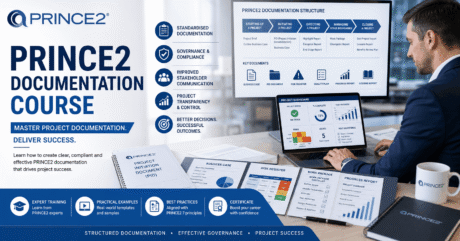
¥4,461.75Original price was: ¥4,461.75.¥136.49Current price is: ¥136.49.237PRINCE2 Project Documentation: Templates & Best Practice
¥4,461.75Original price was: ¥4,461.75.¥136.49Current price is: ¥136.49.237

Related Courses
PRINCE2 in Practice: Simulated Projects & Case Studies
¥4,461.75Original price was: ¥4,461.75.¥136.49Current price is: ¥136.49.237PRINCE2 for Beginners: An Introduction to Project Governance
¥4,461.75Original price was: ¥4,461.75.¥136.49Current price is: ¥136.49.237PRINCE2 Project Documentation: Templates & Best Practice
¥4,461.75Original price was: ¥4,461.75.¥136.49Current price is: ¥136.49.237

