
Course Features
Price
Study Method
Online | Self-paced
Course Format
Interactive PDFs, Articles & Learning Resources
Duration
9 hours, 35 minutes
Qualification
Professional Skills Development Course
Assessment
Final MCQ Exam (included in price)
Certificate
Verifiable Digital Certificate - Free
Additional info
Lifetime Access | Start Instantly
- Share
Overview
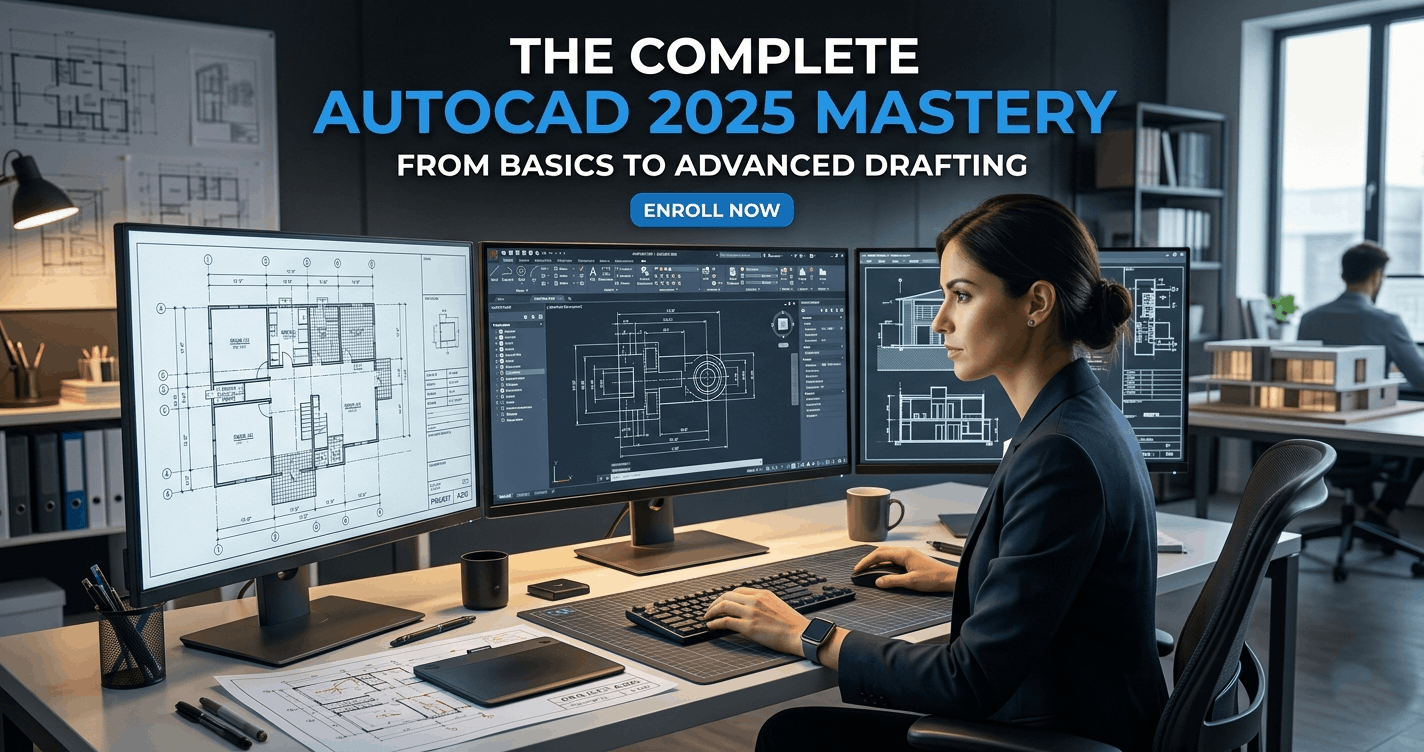
AutoCAD Course is a comprehensive training programme designed to help learners build professional drafting and technical design skills from beginner to advanced level. Whether you are new to computer-aided design or looking to strengthen your drafting expertise, this course provides practical, industry-relevant training to help you work confidently with AutoCAD in real-world projects.
The course begins by helping learners understand the AutoCAD environment, including interface navigation, drawing setup, unit configuration, and efficient workspace management. Building a strong foundation in these essentials allows learners to work more accurately and productively from the beginning.
As the course progresses, learners will develop core drafting skills using essential drawing tools such as lines, arcs, circles, rectangles, polylines, splines, and polygons. These tools form the backbone of technical drafting and are critical for creating accurate designs in architecture, engineering, construction, and product design.
A major focus of this programme is improving workflow efficiency through editing and modification tools. Learners will gain confidence using commands such as copy, move, rotate, mirror, trim, extend, scale, stretch, offset, arrays, and fillet. These practical skills significantly improve drafting speed and precision.
The course also covers professional project organisation using layers, blocks, and object properties. In addition, learners will master annotation techniques including text creation, dimensions, leaders, and plotting. These features are essential for producing professional-quality technical drawings suitable for presentation, collaboration, and construction workflows.
Whether your goal is career development, academic advancement, freelance design work, or improving workplace skills, this course offers practical knowledge that delivers real value across multiple industries. By the end of the programme, learners will be equipped to create accurate and professional technical drawings with confidence.
Upon successful completion, learners will receive a free course completion certificate. Multiple premium certificate and transcript options are also available for purchase if desired. Students also benefit from 5-star rated 24/7 email support throughout their learning journey.
Who is this course for?
AutoCAD Course is a comprehensive training programme designed to help learners build professional drafting and technical design skills from beginner to advanced level. Whether you are new to computer-aided design or looking to strengthen your drafting expertise, this course provides practical, industry-relevant training to help you work confidently with AutoCAD in real-world projects.
The course begins by helping learners understand the AutoCAD environment, including interface navigation, drawing setup, unit configuration, and efficient workspace management. Building a strong foundation in these essentials allows learners to work more accurately and productively from the beginning.
As the course progresses, learners will develop core drafting skills using essential drawing tools such as lines, arcs, circles, rectangles, polylines, splines, and polygons. These tools form the backbone of technical drafting and are critical for creating accurate designs in architecture, engineering, construction, and product design.
A major focus of this programme is improving workflow efficiency through editing and modification tools. Learners will gain confidence using commands such as copy, move, rotate, mirror, trim, extend, scale, stretch, offset, arrays, and fillet. These practical skills significantly improve drafting speed and precision.
The course also covers professional project organisation using layers, blocks, and object properties. In addition, learners will master annotation techniques including text creation, dimensions, leaders, and plotting. These features are essential for producing professional-quality technical drawings suitable for presentation, collaboration, and construction workflows.
Whether your goal is career development, academic advancement, freelance design work, or improving workplace skills, this course offers practical knowledge that delivers real value across multiple industries. By the end of the programme, learners will be equipped to create accurate and professional technical drawings with confidence.
Upon successful completion, learners will receive a free course completion certificate. Multiple premium certificate and transcript options are also available for purchase if desired. Students also benefit from 5-star rated 24/7 email support throughout their learning journey.
Requirements
AutoCAD Course is a comprehensive training programme designed to help learners build professional drafting and technical design skills from beginner to advanced level. Whether you are new to computer-aided design or looking to strengthen your drafting expertise, this course provides practical, industry-relevant training to help you work confidently with AutoCAD in real-world projects.
The course begins by helping learners understand the AutoCAD environment, including interface navigation, drawing setup, unit configuration, and efficient workspace management. Building a strong foundation in these essentials allows learners to work more accurately and productively from the beginning.
As the course progresses, learners will develop core drafting skills using essential drawing tools such as lines, arcs, circles, rectangles, polylines, splines, and polygons. These tools form the backbone of technical drafting and are critical for creating accurate designs in architecture, engineering, construction, and product design.
A major focus of this programme is improving workflow efficiency through editing and modification tools. Learners will gain confidence using commands such as copy, move, rotate, mirror, trim, extend, scale, stretch, offset, arrays, and fillet. These practical skills significantly improve drafting speed and precision.
The course also covers professional project organisation using layers, blocks, and object properties. In addition, learners will master annotation techniques including text creation, dimensions, leaders, and plotting. These features are essential for producing professional-quality technical drawings suitable for presentation, collaboration, and construction workflows.
Whether your goal is career development, academic advancement, freelance design work, or improving workplace skills, this course offers practical knowledge that delivers real value across multiple industries. By the end of the programme, learners will be equipped to create accurate and professional technical drawings with confidence.
Upon successful completion, learners will receive a free course completion certificate. Multiple premium certificate and transcript options are also available for purchase if desired. Students also benefit from 5-star rated 24/7 email support throughout their learning journey.
Career path
AutoCAD Course is a comprehensive training programme designed to help learners build professional drafting and technical design skills from beginner to advanced level. Whether you are new to computer-aided design or looking to strengthen your drafting expertise, this course provides practical, industry-relevant training to help you work confidently with AutoCAD in real-world projects.
The course begins by helping learners understand the AutoCAD environment, including interface navigation, drawing setup, unit configuration, and efficient workspace management. Building a strong foundation in these essentials allows learners to work more accurately and productively from the beginning.
As the course progresses, learners will develop core drafting skills using essential drawing tools such as lines, arcs, circles, rectangles, polylines, splines, and polygons. These tools form the backbone of technical drafting and are critical for creating accurate designs in architecture, engineering, construction, and product design.
A major focus of this programme is improving workflow efficiency through editing and modification tools. Learners will gain confidence using commands such as copy, move, rotate, mirror, trim, extend, scale, stretch, offset, arrays, and fillet. These practical skills significantly improve drafting speed and precision.
The course also covers professional project organisation using layers, blocks, and object properties. In addition, learners will master annotation techniques including text creation, dimensions, leaders, and plotting. These features are essential for producing professional-quality technical drawings suitable for presentation, collaboration, and construction workflows.
Whether your goal is career development, academic advancement, freelance design work, or improving workplace skills, this course offers practical knowledge that delivers real value across multiple industries. By the end of the programme, learners will be equipped to create accurate and professional technical drawings with confidence.
Upon successful completion, learners will receive a free course completion certificate. Multiple premium certificate and transcript options are also available for purchase if desired. Students also benefit from 5-star rated 24/7 email support throughout their learning journey.
-
- Navigating the User Interface 00:10:00
- Creating, Opening, and Saving Drawings 00:10:00
- Setting Drawing Units and Precision 00:10:00
- Selecting and Managing Objects 00:10:00
- Using Navigation Tools Effectively 00:10:00
-
- Drawing Lines 00:10:00
- Creating Arcs 00:10:00
- Drawing Polylines 00:10:00
- Creating Circles 00:10:00
- Drawing Ellipses 00:10:00
- Creating Rectangles 00:10:00
- Drawing Polygons 00:10:00
- Using Splines 00:10:00
- Creating Points 00:10:00
- Importing Points from Text Files 00:10:00
- Creating Hatches 00:10:00
- Using Object Snaps (OSNAP) 00:10:00
- Using Ortho Mode and Reference Lines 00:10:00
- Copying Objects 00:10:00
- Mirroring Objects 00:10:00
- Moving Objects 00:10:00
- Rotating Objects 00:10:00
- Joining and Exploding Objects 00:10:00
- Trimming Objects 00:10:00
- Extending Objects 00:10:00
- Breaking Lines and Curves 00:10:00
- Chamfering and Filleting Corners 00:10:00
- Scaling Objects 00:10:00
- Stretching Objects 00:10:00
- Offsetting Objects 00:10:00
- Creating Rectangular Arrays 00:10:00
- Creating Polar Arrays 00:10:00
- Creating Path Arrays 00:10:00
- Dynamic Input and Quick Modifications 00:10:00
- Selecting and Deleting Overlapping Lines 00:10:00
- Measuring in Drawings 00:10:00
- Creating Texts 00:10:00
- Inserting Dimensions 00:10:00
- Modifying Dimensions 00:10:00
- Inserting and Modifying Leaders 00:10:00
- Creating Dimension and Leader Styles 00:10:00
- Creating Tables 00:10:00
- Creating Data Link Tables 00:10:00
- Plotting from Model Space 00:10:00
- Plotting Using Layouts 00:10:00
- Premium Certificate 00:15:00

No Reviews found for this course.
Is this certificate recognized?
Yes, our premium certificate and transcript are widely recognized and accepted by embassies worldwide, particularly by the UK embassy. This adds credibility to your qualification and enhances its value for professional and academic purposes.
I am a beginner. Is this course suitable for me?
Yes, this course is designed for learners of all levels, including beginners. The content is structured to provide step-by-step guidance, ensuring that even those with no prior experience can follow along and gain valuable knowledge.
I am a professional. Is this course suitable for me?
Yes, professionals will also benefit from this course. It covers advanced concepts, practical applications, and industry insights that can help enhance existing skills and knowledge. Whether you are looking to refine your expertise or expand your qualifications, this course provides valuable learning.
Does this course have an expiry date?
No, you have lifetime access to the course. Once enrolled, you can revisit the materials at any time as long as the course remains available. Additionally, we regularly update our content to ensure it stays relevant and up to date.
How do I claim my free certificate?
I trust you’re in good health. Your free certificate can be located in the Achievement section. The option to purchase a CPD certificate is available but entirely optional, and you may choose to skip it. Please be aware that it’s crucial to click the “Complete” button to ensure the certificate is generated, as this process is entirely automated.
Does this course have assessments and assignments?
Yes, the course includes both assessments and assignments. Your final marks will be determined by a combination of 20% from assignments and 80% from assessments. These evaluations are designed to test your understanding and ensure you have grasped the key concepts effectively.
Is this course accredited?
We are a recognized course provider with CPD, UKRLP, and AOHT membership. The logos of these accreditation bodies will be featured on your premium certificate and transcript, ensuring credibility and professional recognition.
Will I receive a certificate upon completion?
Yes, you will receive a free digital certificate automatically once you complete the course. If you would like a premium CPD-accredited certificate, either in digital or physical format, you can upgrade for a small fee.
Course Features
Price
Study Method
Online | Self-paced
Course Format
Interactive PDFs, Articles & Learning Resources
Duration
9 hours, 35 minutes
Qualification
Professional Skills Development Course
Assessment
Final MCQ Exam (included in price)
Certificate
Verifiable Digital Certificate - Free
Additional info
Lifetime Access | Start Instantly
- Share

Call Centre Training: Mastering Customer Service & Communication
Course Line239¥4,397.38Original price was: ¥4,397.38.¥134.52Current price is: ¥134.52.Physical Optics Level 3 Advanced Diploma
Course Line238¥4,397.38Original price was: ¥4,397.38.¥134.52Current price is: ¥134.52.Construction Project Planning & Scheduling with Excel: From Baseline to Billing
Course Line237¥4,397.38Original price was: ¥4,397.38.¥134.52Current price is: ¥134.52.


Related Courses
AutoCAD Floor Plan Rendering in Photoshop: Architectural Visualisation Professional Training
¥4,397.38Original price was: ¥4,397.38.¥134.52Current price is: ¥134.52.237Engineering Mathematics Level 5 Advanced Diploma
¥4,397.38Original price was: ¥4,397.38.¥134.52Current price is: ¥134.52.237Professional Photography Masterclass: Camera, Lighting, Composition & Portraits
¥4,397.38Original price was: ¥4,397.38.¥134.52Current price is: ¥134.52.237




Related Courses
AutoCAD Floor Plan Rendering in Photoshop: Architectural Visualisation Professional Training
¥4,397.38Original price was: ¥4,397.38.¥134.52Current price is: ¥134.52.237Engineering Mathematics Level 5 Advanced Diploma
¥4,397.38Original price was: ¥4,397.38.¥134.52Current price is: ¥134.52.237Professional Photography Masterclass: Camera, Lighting, Composition & Portraits
¥4,397.38Original price was: ¥4,397.38.¥134.52Current price is: ¥134.52.237

