
Course Features
Price
Study Method
Online | Self-paced
Course Format
Reading Material - PDF, article
Duration
19 hours, 45 minutes
Qualification
No formal qualification
Certificate
At completion
Additional info
Coming soon
- Share

Overview
Affinity Designer illustration is at the heart of this immersive masterclass designed to take you from confident beginner to capable digital artist through practical, project-based learning. This course focuses on building professional flat design artwork using real creative workflows inside Affinity Designer, one of the world’s most powerful vector graphics tools. Instead of abstract theory, you will design complete illustrated scenes such as landscapes, interiors, everyday objects, and commercial-ready digital compositions.
Across multiple creative projects, you will learn how to set up documents correctly, control colour palettes, build clean vector shapes, and create balanced layouts that look polished and modern. Each scene is carefully structured to develop key design skills including proportion, composition, visual hierarchy, shading, and perspective. By working through airports, homes, gardens, bars, camping scenes, and more, you gain experience in designing for both artistic expression and real-world commercial use.
The course also develops essential digital illustration techniques such as using symbols for efficiency, creating smooth curves, working with gradients, and applying subtle lighting and depth while keeping a flat design aesthetic. These skills are widely used in branding, web design, mobile apps, social media graphics, and marketing visuals. Whether you aim to create personal artwork or client projects, the methods taught here reflect professional studio workflows.
You will also gain confidence in structuring full scenes from scratch, ensuring consistency across multiple assets, and refining details to achieve a polished final result. This approach helps bridge the gap between hobby design and professional-level digital illustration.
At the end of the course, learners receive a free course completion certificate to recognise their achievement. Those who wish to upgrade their credentials can also purchase premium certificates and official transcripts for professional or academic use. All students benefit from 5-star rated support available 24/7 through email, ensuring help is always available whenever needed.
Who is this course for?
Affinity Designer illustration is at the heart of this immersive masterclass designed to take you from confident beginner to capable digital artist through practical, project-based learning. This course focuses on building professional flat design artwork using real creative workflows inside Affinity Designer, one of the world’s most powerful vector graphics tools. Instead of abstract theory, you will design complete illustrated scenes such as landscapes, interiors, everyday objects, and commercial-ready digital compositions.
Across multiple creative projects, you will learn how to set up documents correctly, control colour palettes, build clean vector shapes, and create balanced layouts that look polished and modern. Each scene is carefully structured to develop key design skills including proportion, composition, visual hierarchy, shading, and perspective. By working through airports, homes, gardens, bars, camping scenes, and more, you gain experience in designing for both artistic expression and real-world commercial use.
The course also develops essential digital illustration techniques such as using symbols for efficiency, creating smooth curves, working with gradients, and applying subtle lighting and depth while keeping a flat design aesthetic. These skills are widely used in branding, web design, mobile apps, social media graphics, and marketing visuals. Whether you aim to create personal artwork or client projects, the methods taught here reflect professional studio workflows.
You will also gain confidence in structuring full scenes from scratch, ensuring consistency across multiple assets, and refining details to achieve a polished final result. This approach helps bridge the gap between hobby design and professional-level digital illustration.
At the end of the course, learners receive a free course completion certificate to recognise their achievement. Those who wish to upgrade their credentials can also purchase premium certificates and official transcripts for professional or academic use. All students benefit from 5-star rated support available 24/7 through email, ensuring help is always available whenever needed.
Requirements
Affinity Designer illustration is at the heart of this immersive masterclass designed to take you from confident beginner to capable digital artist through practical, project-based learning. This course focuses on building professional flat design artwork using real creative workflows inside Affinity Designer, one of the world’s most powerful vector graphics tools. Instead of abstract theory, you will design complete illustrated scenes such as landscapes, interiors, everyday objects, and commercial-ready digital compositions.
Across multiple creative projects, you will learn how to set up documents correctly, control colour palettes, build clean vector shapes, and create balanced layouts that look polished and modern. Each scene is carefully structured to develop key design skills including proportion, composition, visual hierarchy, shading, and perspective. By working through airports, homes, gardens, bars, camping scenes, and more, you gain experience in designing for both artistic expression and real-world commercial use.
The course also develops essential digital illustration techniques such as using symbols for efficiency, creating smooth curves, working with gradients, and applying subtle lighting and depth while keeping a flat design aesthetic. These skills are widely used in branding, web design, mobile apps, social media graphics, and marketing visuals. Whether you aim to create personal artwork or client projects, the methods taught here reflect professional studio workflows.
You will also gain confidence in structuring full scenes from scratch, ensuring consistency across multiple assets, and refining details to achieve a polished final result. This approach helps bridge the gap between hobby design and professional-level digital illustration.
At the end of the course, learners receive a free course completion certificate to recognise their achievement. Those who wish to upgrade their credentials can also purchase premium certificates and official transcripts for professional or academic use. All students benefit from 5-star rated support available 24/7 through email, ensuring help is always available whenever needed.
Career path
Affinity Designer illustration is at the heart of this immersive masterclass designed to take you from confident beginner to capable digital artist through practical, project-based learning. This course focuses on building professional flat design artwork using real creative workflows inside Affinity Designer, one of the world’s most powerful vector graphics tools. Instead of abstract theory, you will design complete illustrated scenes such as landscapes, interiors, everyday objects, and commercial-ready digital compositions.
Across multiple creative projects, you will learn how to set up documents correctly, control colour palettes, build clean vector shapes, and create balanced layouts that look polished and modern. Each scene is carefully structured to develop key design skills including proportion, composition, visual hierarchy, shading, and perspective. By working through airports, homes, gardens, bars, camping scenes, and more, you gain experience in designing for both artistic expression and real-world commercial use.
The course also develops essential digital illustration techniques such as using symbols for efficiency, creating smooth curves, working with gradients, and applying subtle lighting and depth while keeping a flat design aesthetic. These skills are widely used in branding, web design, mobile apps, social media graphics, and marketing visuals. Whether you aim to create personal artwork or client projects, the methods taught here reflect professional studio workflows.
You will also gain confidence in structuring full scenes from scratch, ensuring consistency across multiple assets, and refining details to achieve a polished final result. This approach helps bridge the gap between hobby design and professional-level digital illustration.
At the end of the course, learners receive a free course completion certificate to recognise their achievement. Those who wish to upgrade their credentials can also purchase premium certificates and official transcripts for professional or academic use. All students benefit from 5-star rated support available 24/7 through email, ensuring help is always available whenever needed.
-
- Course Overview & What You’ll Learn 00:10:00
-
- Creating a New Document 00:10:00
- Designing Custom Colour Palettes 00:10:00
- Creating the Sun 00:10:00
- Drawing the Palm Tree 00:10:00
- Designing the Remaining Palm Leaves 00:10:00
- Creating Flat Design Clouds 00:10:00
- Designing the Waves 00:10:00
- Project Breakdown and Mountain Scene 00:10:00
- Creating the Background 00:10:00
- Adding the Mountains 00:10:00
- Drawing the First Trees 00:10:00
- Completing the Forest 00:10:00
- Planting Trees Using Symbols 00:10:00
- Creating the Hut 00:10:00
- Adding Support Bars 00:10:00
- Designing the Chimney and Smoke 00:10:00
- Adding the Sunlight Inside the Hut 00:10:00
- Project Overview & Luggage 00:10:00
- Creating the Gradient Sky 00:10:00
- Adding Windows 00:10:00
- Designing the Clouds 00:10:00
- Creating the Chairs 00:10:00
- Adding Signs and Arrows 00:10:00
- Designing the Escalator 00:10:00
- Creating Proportionate Ornaments 00:10:00
- Adding Buckles and Straps 00:10:00
- Designing the Wheels 00:10:00
- Creating the Handle 00:10:00
- Finishing Touches 00:10:00
- Project Overview and Home Office Scene 00:10:00
- Creating the Background 00:10:00
- Designing the Clock 00:10:00
- Creating the Wall Picture 00:10:00
- Adding the Boat Illustration 00:10:00
- Designing the Folders 00:10:00
- Creating the Printer 00:10:00
- Designing the Router 00:10:00
- Creating the Computer 00:10:00
- Designing the Lamp 00:10:00
- Final Project Finish 00:10:00
- Exam of Affinity Designer: Complete Flat Illustration & Digital Design Masterclass 00:50:00

No Reviews found for this course.
Is this certificate recognized?
Yes, our premium certificate and transcript are widely recognized and accepted by embassies worldwide, particularly by the UK embassy. This adds credibility to your qualification and enhances its value for professional and academic purposes.
I am a beginner. Is this course suitable for me?
Yes, this course is designed for learners of all levels, including beginners. The content is structured to provide step-by-step guidance, ensuring that even those with no prior experience can follow along and gain valuable knowledge.
I am a professional. Is this course suitable for me?
Yes, professionals will also benefit from this course. It covers advanced concepts, practical applications, and industry insights that can help enhance existing skills and knowledge. Whether you are looking to refine your expertise or expand your qualifications, this course provides valuable learning.
Does this course have an expiry date?
No, you have lifetime access to the course. Once enrolled, you can revisit the materials at any time as long as the course remains available. Additionally, we regularly update our content to ensure it stays relevant and up to date.
How do I claim my free certificate?
I trust you’re in good health. Your free certificate can be located in the Achievement section. The option to purchase a CPD certificate is available but entirely optional, and you may choose to skip it. Please be aware that it’s crucial to click the “Complete” button to ensure the certificate is generated, as this process is entirely automated.
Does this course have assessments and assignments?
Yes, the course includes both assessments and assignments. Your final marks will be determined by a combination of 20% from assignments and 80% from assessments. These evaluations are designed to test your understanding and ensure you have grasped the key concepts effectively.
Is this course accredited?
We are a recognized course provider with CPD, UKRLP, and AOHT membership. The logos of these accreditation bodies will be featured on your premium certificate and transcript, ensuring credibility and professional recognition.
Will I receive a certificate upon completion?
Yes, you will receive a free digital certificate automatically once you complete the course. If you would like a premium CPD-accredited certificate, either in digital or physical format, you can upgrade for a small fee.
Course Features
Price
Study Method
Online | Self-paced
Course Format
Reading Material - PDF, article
Duration
19 hours, 45 minutes
Qualification
No formal qualification
Certificate
At completion
Additional info
Coming soon
- Share

Phlebotomist Level 8 Advanced Diploma
Course Line237$655.89Original price was: $655.89.$20.06Current price is: $20.06.Hair Extension Level 3 Advanced Diploma
Course Line259$655.89Original price was: $655.89.$20.06Current price is: $20.06.Driver CPC Made Easy: Your Complete Guide to Compliance
Course Line242$655.89Original price was: $655.89.$20.06Current price is: $20.06.



Related Courses
AutoCAD Floor Plan Rendering in Photoshop: Architectural Visualisation Professional Training
$655.89Original price was: $655.89.$20.06Current price is: $20.06.237Professional Photography Masterclass: Camera, Lighting, Composition & Portraits
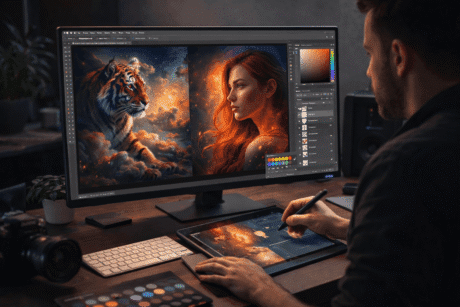
$655.89Original price was: $655.89.$20.06Current price is: $20.06.237Adobe Photoshop CC MasterClass: From Beginner to Advanced Digital Artist
$655.89Original price was: $655.89.$20.06Current price is: $20.06.237



Related Courses
AutoCAD Floor Plan Rendering in Photoshop: Architectural Visualisation Professional Training
$655.89Original price was: $655.89.$20.06Current price is: $20.06.237Professional Photography Masterclass: Camera, Lighting, Composition & Portraits
$655.89Original price was: $655.89.$20.06Current price is: $20.06.237Adobe Photoshop CC MasterClass: From Beginner to Advanced Digital Artist
$655.89Original price was: $655.89.$20.06Current price is: $20.06.237

