
Course Features
Price
Study Method
Online | Self-paced
Course Format
Interactive PDFs, Articles & Learning Resources
Duration
7 hours, 5 minutes
Qualification
Professional Skills Development Course
Assessment
Final MCQ Exam (included in price)
Certificate
Verifiable Digital Certificate - Free
Additional info
Lifetime Access | Start Instantly
- Share
Overview
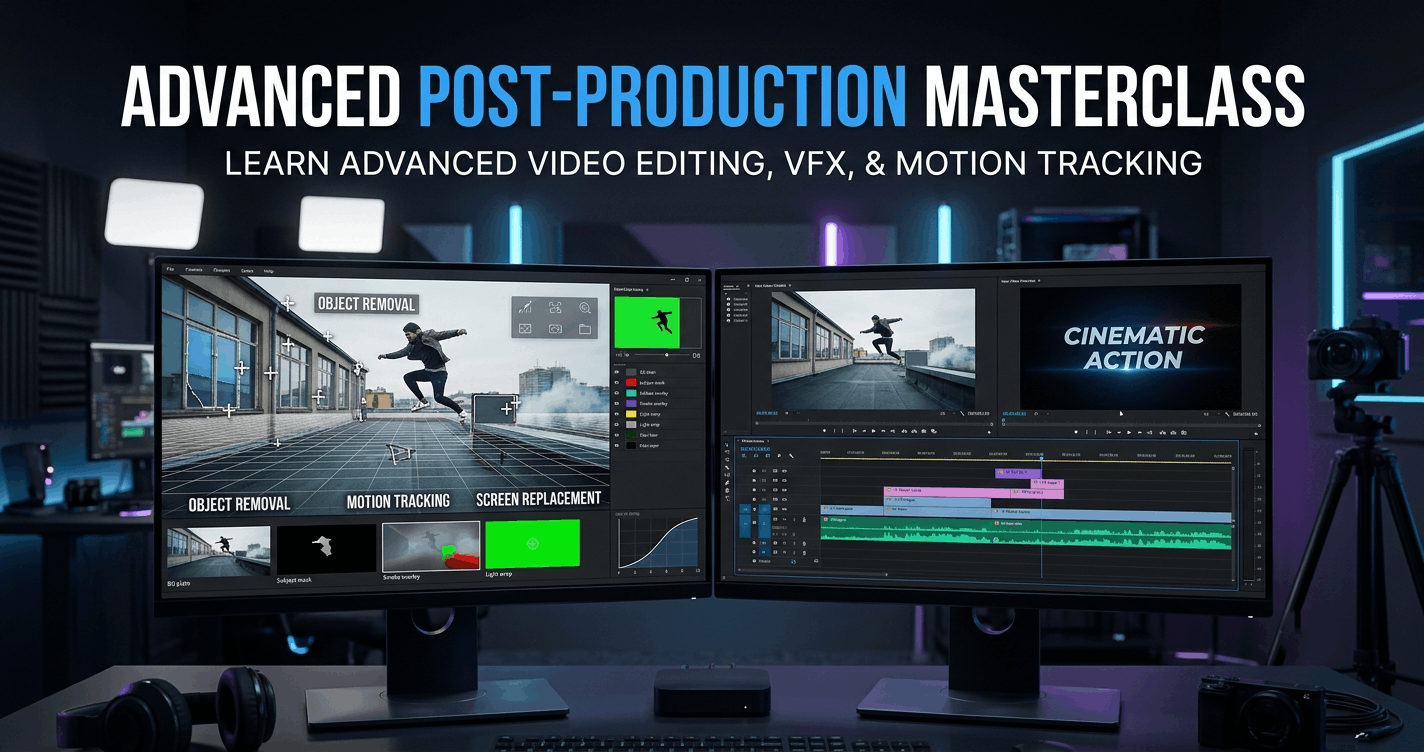
Advanced Video Editing brings together creative post-production techniques, visual effects workflows and professional editing methods to help learners develop more sophisticated video projects. The course focuses on practical techniques across After Effects and Premiere Pro, providing structured guidance for editors who want to move beyond basic cutting and explore motion tracking, compositing, rotoscoping, animation and efficient production workflows.
The course begins with advanced After Effects techniques, including Dynamic Linking for moving between applications and motion tracking for attaching graphics or effects to moving footage. Learners explore 3D camera tracking, depth and perspective, alongside an introduction to Mocha tracking workflows. Practical demonstrations cover background removal, green screen keying, Content-Aware Fill and the Rotobrush tool, helping learners understand different approaches to isolating subjects and modifying scenes.
Further lessons develop compositing and animation skills through call-outs, null objects, tracked visual elements and screen-based effects. Learners also work through practical examples involving weather presentation composites, model effects and more detailed rotoscoping tasks. These techniques provide experience with combining multiple visual elements into a more convincing final composition.
The Premiere Pro section focuses on efficient editing and creative control. Learners discover proxy workflows for smoother performance, professional editing approaches and different cut types, including jump cuts, J-cuts and L-cuts. The course also explores keyframe animation, multi-stage text animation, masking techniques and creative effects.
Technical knowledge is strengthened through lessons on frame rates, time remapping, speed ramping and export settings. Together, these topics help learners make more informed decisions about motion, pacing, playback and final output quality. By combining editing fundamentals with more advanced visual techniques, the course supports the development of a versatile post-production skill set suitable for increasingly ambitious creative projects.
Learners will receive a free course completion certificate after successfully completing the course. Multiple premium certificate and transcript options are also available for purchase for those who want additional documentation of their achievement. Students also receive access to our 5-star rated support, available 24/7 through email, providing assistance throughout their learning journey.Who is this course for?
Advanced Video Editing brings together creative post-production techniques, visual effects workflows and professional editing methods to help learners develop more sophisticated video projects. The course focuses on practical techniques across After Effects and Premiere Pro, providing structured guidance for editors who want to move beyond basic cutting and explore motion tracking, compositing, rotoscoping, animation and efficient production workflows.
The course begins with advanced After Effects techniques, including Dynamic Linking for moving between applications and motion tracking for attaching graphics or effects to moving footage. Learners explore 3D camera tracking, depth and perspective, alongside an introduction to Mocha tracking workflows. Practical demonstrations cover background removal, green screen keying, Content-Aware Fill and the Rotobrush tool, helping learners understand different approaches to isolating subjects and modifying scenes.
Further lessons develop compositing and animation skills through call-outs, null objects, tracked visual elements and screen-based effects. Learners also work through practical examples involving weather presentation composites, model effects and more detailed rotoscoping tasks. These techniques provide experience with combining multiple visual elements into a more convincing final composition.
The Premiere Pro section focuses on efficient editing and creative control. Learners discover proxy workflows for smoother performance, professional editing approaches and different cut types, including jump cuts, J-cuts and L-cuts. The course also explores keyframe animation, multi-stage text animation, masking techniques and creative effects.
Technical knowledge is strengthened through lessons on frame rates, time remapping, speed ramping and export settings. Together, these topics help learners make more informed decisions about motion, pacing, playback and final output quality. By combining editing fundamentals with more advanced visual techniques, the course supports the development of a versatile post-production skill set suitable for increasingly ambitious creative projects.
Learners will receive a free course completion certificate after successfully completing the course. Multiple premium certificate and transcript options are also available for purchase for those who want additional documentation of their achievement. Students also receive access to our 5-star rated support, available 24/7 through email, providing assistance throughout their learning journey.Requirements
Advanced Video Editing brings together creative post-production techniques, visual effects workflows and professional editing methods to help learners develop more sophisticated video projects. The course focuses on practical techniques across After Effects and Premiere Pro, providing structured guidance for editors who want to move beyond basic cutting and explore motion tracking, compositing, rotoscoping, animation and efficient production workflows.
The course begins with advanced After Effects techniques, including Dynamic Linking for moving between applications and motion tracking for attaching graphics or effects to moving footage. Learners explore 3D camera tracking, depth and perspective, alongside an introduction to Mocha tracking workflows. Practical demonstrations cover background removal, green screen keying, Content-Aware Fill and the Rotobrush tool, helping learners understand different approaches to isolating subjects and modifying scenes.
Further lessons develop compositing and animation skills through call-outs, null objects, tracked visual elements and screen-based effects. Learners also work through practical examples involving weather presentation composites, model effects and more detailed rotoscoping tasks. These techniques provide experience with combining multiple visual elements into a more convincing final composition.
The Premiere Pro section focuses on efficient editing and creative control. Learners discover proxy workflows for smoother performance, professional editing approaches and different cut types, including jump cuts, J-cuts and L-cuts. The course also explores keyframe animation, multi-stage text animation, masking techniques and creative effects.
Technical knowledge is strengthened through lessons on frame rates, time remapping, speed ramping and export settings. Together, these topics help learners make more informed decisions about motion, pacing, playback and final output quality. By combining editing fundamentals with more advanced visual techniques, the course supports the development of a versatile post-production skill set suitable for increasingly ambitious creative projects.
Learners will receive a free course completion certificate after successfully completing the course. Multiple premium certificate and transcript options are also available for purchase for those who want additional documentation of their achievement. Students also receive access to our 5-star rated support, available 24/7 through email, providing assistance throughout their learning journey.Career path
Advanced Video Editing brings together creative post-production techniques, visual effects workflows and professional editing methods to help learners develop more sophisticated video projects. The course focuses on practical techniques across After Effects and Premiere Pro, providing structured guidance for editors who want to move beyond basic cutting and explore motion tracking, compositing, rotoscoping, animation and efficient production workflows.
The course begins with advanced After Effects techniques, including Dynamic Linking for moving between applications and motion tracking for attaching graphics or effects to moving footage. Learners explore 3D camera tracking, depth and perspective, alongside an introduction to Mocha tracking workflows. Practical demonstrations cover background removal, green screen keying, Content-Aware Fill and the Rotobrush tool, helping learners understand different approaches to isolating subjects and modifying scenes.
Further lessons develop compositing and animation skills through call-outs, null objects, tracked visual elements and screen-based effects. Learners also work through practical examples involving weather presentation composites, model effects and more detailed rotoscoping tasks. These techniques provide experience with combining multiple visual elements into a more convincing final composition.
The Premiere Pro section focuses on efficient editing and creative control. Learners discover proxy workflows for smoother performance, professional editing approaches and different cut types, including jump cuts, J-cuts and L-cuts. The course also explores keyframe animation, multi-stage text animation, masking techniques and creative effects.
Technical knowledge is strengthened through lessons on frame rates, time remapping, speed ramping and export settings. Together, these topics help learners make more informed decisions about motion, pacing, playback and final output quality. By combining editing fundamentals with more advanced visual techniques, the course supports the development of a versatile post-production skill set suitable for increasingly ambitious creative projects.
Learners will receive a free course completion certificate after successfully completing the course. Multiple premium certificate and transcript options are also available for purchase for those who want additional documentation of their achievement. Students also receive access to our 5-star rated support, available 24/7 through email, providing assistance throughout their learning journey.-
- Welcome and Course Overview 00:10:00
- Dynamic Linking: After Effects & Premiere Roundtrip 00:10:00
- Motion Tracking Basics in After Effects 00:10:00
- 3D Camera Tracking: Introduction 00:10:00
- Introduction to Mocha (Boris FX) 00:10:00
- Green Screen Removal Techniques 00:10:00
- Removing Black & White Backgrounds 00:10:00
- Content-Aware Fill – Static Background Example 00:10:00
- Content-Aware Fill – Advanced Usage 00:10:00
- Using the Rotobrush Tool for Rotoscoping 00:10:00
- Compositing with a Black Background 00:10:00
- Creating Call-Out Animations 00:10:00
- Camera Tracking – Second Example 00:10:00
- Camera Tracking – Depth and Perspective 00:10:00
- Advanced Rotoscoping: Cat Cutout Example 00:10:00
- Green Screen Composite: Weather Presenter Demo 00:10:00
- Logo Lift Animation with Null Objects 00:10:00
- Model FX with Mocha Tracking 00:10:00
- Creating Screens for Mocha FX Tracking 00:10:00
- Weather Background Setup – Part 1 00:10:00
- Weather Background Setup – Part 2 00:10:00
-
- Introduction to Premiere Pro Essentials 00:10:00
- Smart Tips for Editing in Adobe Premiere 00:10:00
- How to Use Proxies for Smooth Editing 00:10:00
- Pro-Level Editing Tips – Part 1 00:10:00
- Pro-Level Editing Tips – Part 2 00:10:00
- Cut Types Explained: Jump, L, J, and More 00:10:00
- Keyframe Animation Basics in Premiere 00:10:00
- Text Animation Techniques – Part 1 00:10:00
- Text Animation Techniques – Part 2 00:10:00
- Text Animation Techniques – Part 3 00:10:00
- Creating Stunning Effects in Premiere Pro 00:10:00
- Masking Techniques for Creative Reveals 00:10:00
- Understanding Frame Rates in Video Editing 00:10:00
- Time Remapping & Speed Ramping 00:10:00
- Best Export Settings for Quality and Speed 00:10:00
- Exam of Pro Video Editing Masterclass: Advanced Effects, Motion Tracking & Premiere Pro Tips 00:50:00

No Reviews found for this course.
Is this certificate recognized?
Yes, our premium certificate and transcript are widely recognized and accepted by embassies worldwide, particularly by the UK embassy. This adds credibility to your qualification and enhances its value for professional and academic purposes.
I am a beginner. Is this course suitable for me?
Yes, this course is designed for learners of all levels, including beginners. The content is structured to provide step-by-step guidance, ensuring that even those with no prior experience can follow along and gain valuable knowledge.
I am a professional. Is this course suitable for me?
Yes, professionals will also benefit from this course. It covers advanced concepts, practical applications, and industry insights that can help enhance existing skills and knowledge. Whether you are looking to refine your expertise or expand your qualifications, this course provides valuable learning.
Does this course have an expiry date?
No, you have lifetime access to the course. Once enrolled, you can revisit the materials at any time as long as the course remains available. Additionally, we regularly update our content to ensure it stays relevant and up to date.
How do I claim my free certificate?
I trust you’re in good health. Your free certificate can be located in the Achievement section. The option to purchase a CPD certificate is available but entirely optional, and you may choose to skip it. Please be aware that it’s crucial to click the “Complete” button to ensure the certificate is generated, as this process is entirely automated.
Does this course have assessments and assignments?
Yes, the course includes both assessments and assignments. Your final marks will be determined by a combination of 20% from assignments and 80% from assessments. These evaluations are designed to test your understanding and ensure you have grasped the key concepts effectively.
Is this course accredited?
We are a recognized course provider with CPD, UKRLP, and AOHT membership. The logos of these accreditation bodies will be featured on your premium certificate and transcript, ensuring credibility and professional recognition.
Will I receive a certificate upon completion?
Yes, you will receive a free digital certificate automatically once you complete the course. If you would like a premium CPD-accredited certificate, either in digital or physical format, you can upgrade for a small fee.
Course Features
Price
Study Method
Online | Self-paced
Course Format
Interactive PDFs, Articles & Learning Resources
Duration
7 hours, 5 minutes
Qualification
Professional Skills Development Course
Assessment
Final MCQ Exam (included in price)
Certificate
Verifiable Digital Certificate - Free
Additional info
Lifetime Access | Start Instantly
- Share

Astrology Level 8 Advanced Diploma
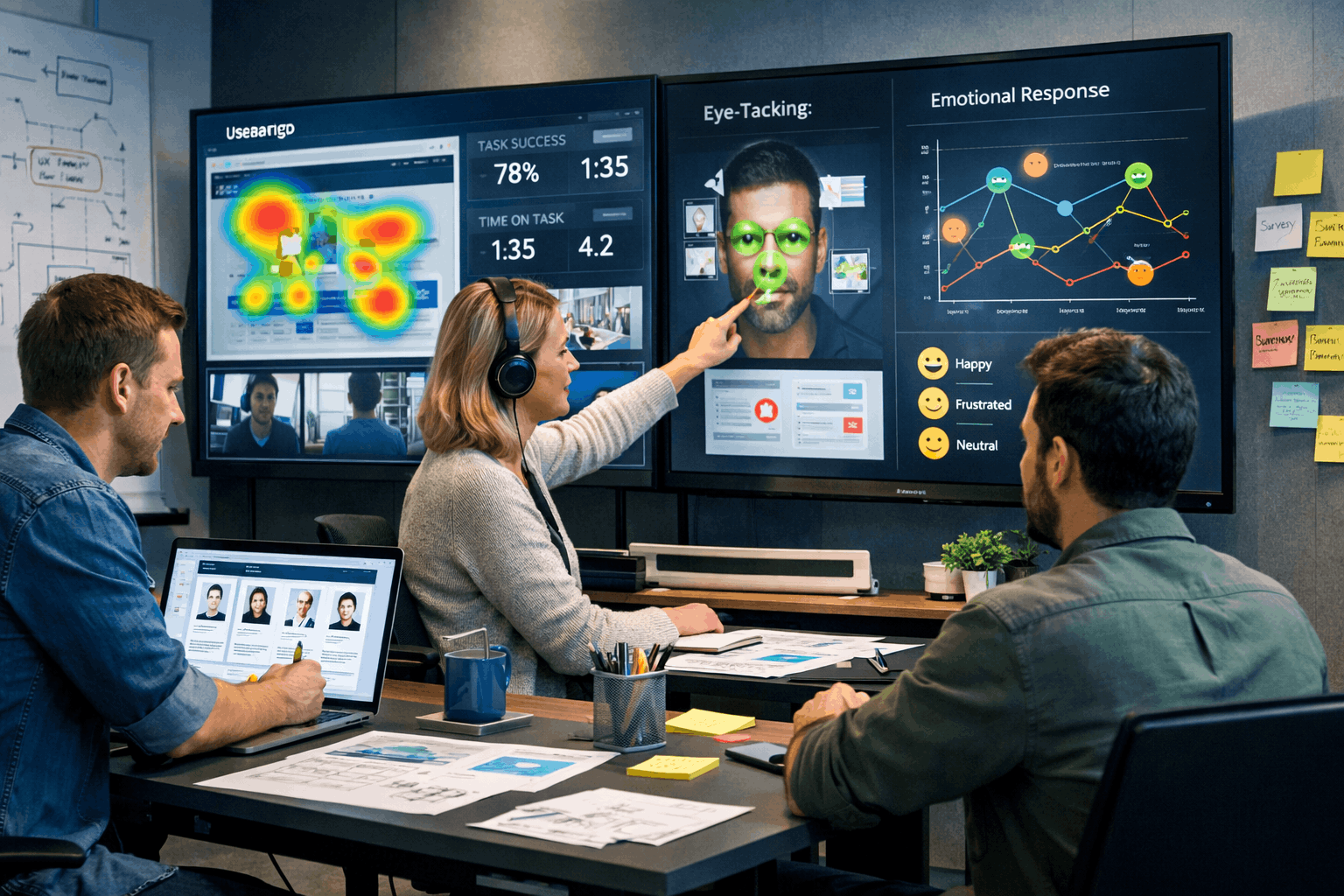
Course Line238¥4,461.75Original price was: ¥4,461.75.¥136.49Current price is: ¥136.49.User Psychology and Behavioral Analysis for Effective UX Design
Course Line240¥4,461.75Original price was: ¥4,461.75.¥136.49Current price is: ¥136.49.Microsoft OneNote & Microsoft 365 – The Ultimate Guide for Home, Business and Education
Course Line237¥4,461.75Original price was: ¥4,461.75.¥136.49Current price is: ¥136.49.


Related Courses
Email Marketing Mastery: Build, Automate & Optimise High-Converting Campaigns
¥4,461.75Original price was: ¥4,461.75.¥136.49Current price is: ¥136.49.237Social Media Marketing Strategy: Build, Plan & Grow Your Business Online
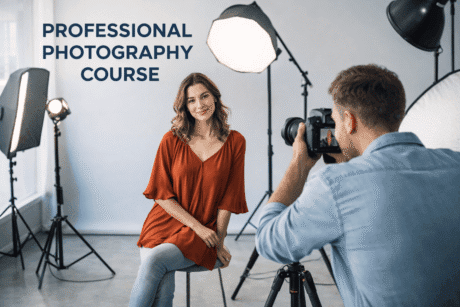
¥4,461.75Original price was: ¥4,461.75.¥136.49Current price is: ¥136.49.237Professional Photography Masterclass: Camera, Lighting, Composition & Portraits
¥4,461.75Original price was: ¥4,461.75.¥136.49Current price is: ¥136.49.237



Related Courses
Email Marketing Mastery: Build, Automate & Optimise High-Converting Campaigns
¥4,461.75Original price was: ¥4,461.75.¥136.49Current price is: ¥136.49.237Social Media Marketing Strategy: Build, Plan & Grow Your Business Online
¥4,461.75Original price was: ¥4,461.75.¥136.49Current price is: ¥136.49.237Professional Photography Masterclass: Camera, Lighting, Composition & Portraits
¥4,461.75Original price was: ¥4,461.75.¥136.49Current price is: ¥136.49.237

