
Course Features
Price
Study Method
Online | Self-paced
Course Format
Interactive PDFs, Articles & Learning Resources
Duration
9 hours, 45 minutes
Qualification
Professional Skills Development Course
Assessment
Final MCQ Exam (included in price)
Certificate
Verifiable Digital Certificate - Free
Additional info
Lifetime Access | Start Instantly
- Share
Overview
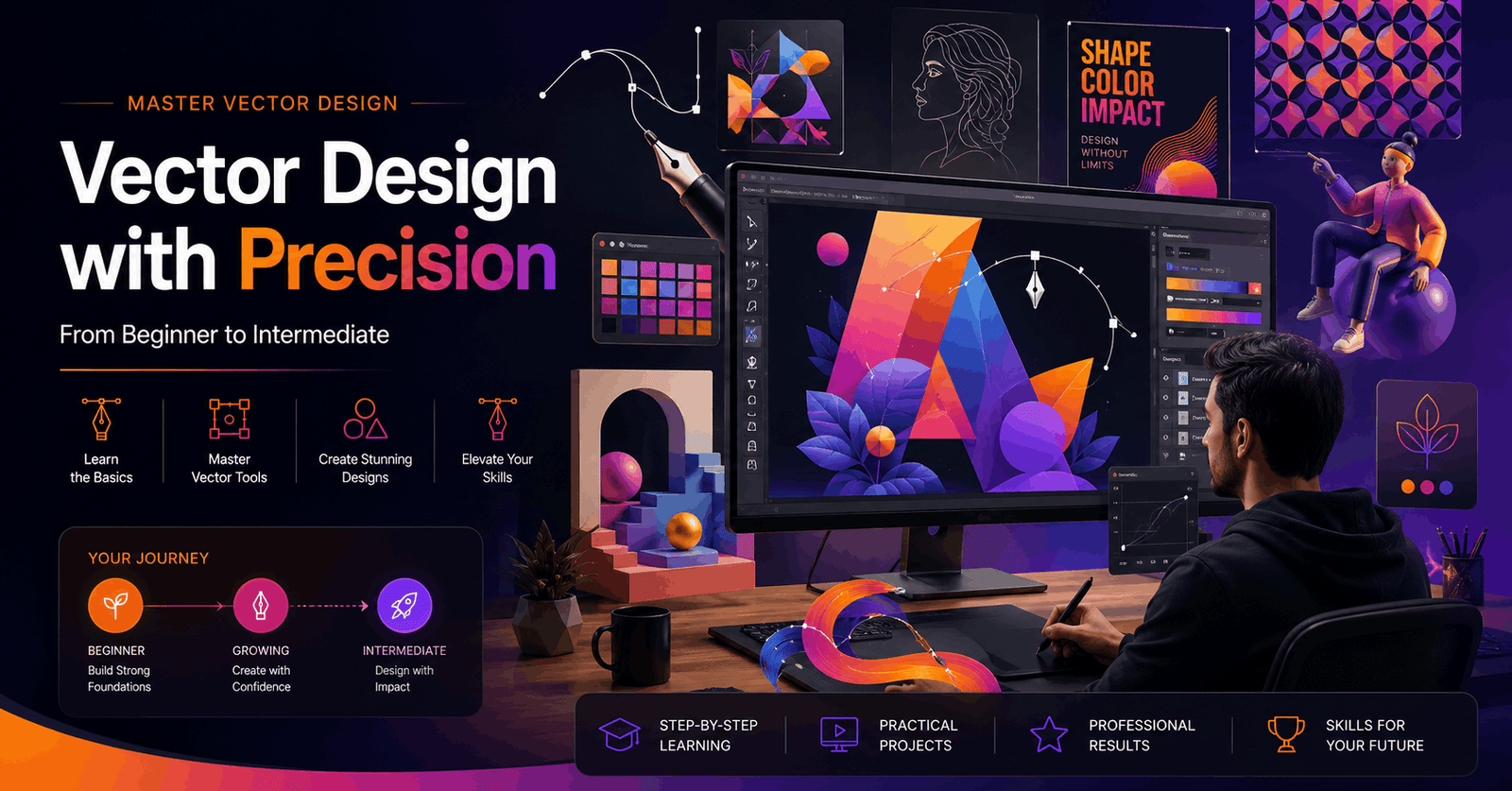
Advanced Illustrator Course develops higher-level vector design skills for learners who are ready to move beyond the fundamentals and explore more sophisticated creative workflows. The course combines productivity techniques, advanced design tools and project-based exercises to help learners create detailed artwork across illustration, typography, patterns, data visualisation, isometric design and animation preparation.
The course begins with a brief interface refresh before introducing keyboard shortcuts, Actions and practical productivity techniques. Learners then explore custom brushes and textured artwork, including methods for creating grain effects and applying them through guided exercises. Masking techniques are developed through clipping and opacity masks, with a retro poster exercise providing a practical context for combining effects.
Colour and pattern design form another important area of study. Learners examine colour tools, create repeating patterns, trace hand-drawn elements and develop custom pattern systems that can be edited and recoloured. Shape blending and object morphing are also explored alongside 3D effects and creative poster exercises.
Typography lessons focus on more advanced approaches to text, including wrapping, warping, distortion and dimensional compositions. A series of poster projects provides opportunities to combine typography with blending and 3D techniques. Learners also explore Illustrator's graph tools for creating pie, line and area charts, developing useful skills for presenting information visually.
The course then introduces geometric grid systems and their application in structured artwork and logo-style design exercises. Isometric techniques are developed through an extended project that progresses from a modern house to a detailed digital city, helping learners practise consistency, perspective and complex composition.
The final creative section explores how static vector artwork can be prepared for motion. Learners discover approaches to creating animated GIFs, organising Illustrator files for After Effects and developing animation workflows across applications.
By completing the course, learners can expand their creative range and develop a more efficient, versatile approach to professional-level vector projects.
Learners will receive a free course completion certificate after successfully completing the course. Multiple premium certificate and transcript options are also available for purchase if they would like additional documentation. Students also have access to our 5-star rated support, available 24/7 through email, throughout their learning journey.Who is this course for?
Advanced Illustrator Course develops higher-level vector design skills for learners who are ready to move beyond the fundamentals and explore more sophisticated creative workflows. The course combines productivity techniques, advanced design tools and project-based exercises to help learners create detailed artwork across illustration, typography, patterns, data visualisation, isometric design and animation preparation.
The course begins with a brief interface refresh before introducing keyboard shortcuts, Actions and practical productivity techniques. Learners then explore custom brushes and textured artwork, including methods for creating grain effects and applying them through guided exercises. Masking techniques are developed through clipping and opacity masks, with a retro poster exercise providing a practical context for combining effects.
Colour and pattern design form another important area of study. Learners examine colour tools, create repeating patterns, trace hand-drawn elements and develop custom pattern systems that can be edited and recoloured. Shape blending and object morphing are also explored alongside 3D effects and creative poster exercises.
Typography lessons focus on more advanced approaches to text, including wrapping, warping, distortion and dimensional compositions. A series of poster projects provides opportunities to combine typography with blending and 3D techniques. Learners also explore Illustrator's graph tools for creating pie, line and area charts, developing useful skills for presenting information visually.
The course then introduces geometric grid systems and their application in structured artwork and logo-style design exercises. Isometric techniques are developed through an extended project that progresses from a modern house to a detailed digital city, helping learners practise consistency, perspective and complex composition.
The final creative section explores how static vector artwork can be prepared for motion. Learners discover approaches to creating animated GIFs, organising Illustrator files for After Effects and developing animation workflows across applications.
By completing the course, learners can expand their creative range and develop a more efficient, versatile approach to professional-level vector projects.
Learners will receive a free course completion certificate after successfully completing the course. Multiple premium certificate and transcript options are also available for purchase if they would like additional documentation. Students also have access to our 5-star rated support, available 24/7 through email, throughout their learning journey.Requirements
Advanced Illustrator Course develops higher-level vector design skills for learners who are ready to move beyond the fundamentals and explore more sophisticated creative workflows. The course combines productivity techniques, advanced design tools and project-based exercises to help learners create detailed artwork across illustration, typography, patterns, data visualisation, isometric design and animation preparation.
The course begins with a brief interface refresh before introducing keyboard shortcuts, Actions and practical productivity techniques. Learners then explore custom brushes and textured artwork, including methods for creating grain effects and applying them through guided exercises. Masking techniques are developed through clipping and opacity masks, with a retro poster exercise providing a practical context for combining effects.
Colour and pattern design form another important area of study. Learners examine colour tools, create repeating patterns, trace hand-drawn elements and develop custom pattern systems that can be edited and recoloured. Shape blending and object morphing are also explored alongside 3D effects and creative poster exercises.
Typography lessons focus on more advanced approaches to text, including wrapping, warping, distortion and dimensional compositions. A series of poster projects provides opportunities to combine typography with blending and 3D techniques. Learners also explore Illustrator's graph tools for creating pie, line and area charts, developing useful skills for presenting information visually.
The course then introduces geometric grid systems and their application in structured artwork and logo-style design exercises. Isometric techniques are developed through an extended project that progresses from a modern house to a detailed digital city, helping learners practise consistency, perspective and complex composition.
The final creative section explores how static vector artwork can be prepared for motion. Learners discover approaches to creating animated GIFs, organising Illustrator files for After Effects and developing animation workflows across applications.
By completing the course, learners can expand their creative range and develop a more efficient, versatile approach to professional-level vector projects.
Learners will receive a free course completion certificate after successfully completing the course. Multiple premium certificate and transcript options are also available for purchase if they would like additional documentation. Students also have access to our 5-star rated support, available 24/7 through email, throughout their learning journey.Career path
Advanced Illustrator Course develops higher-level vector design skills for learners who are ready to move beyond the fundamentals and explore more sophisticated creative workflows. The course combines productivity techniques, advanced design tools and project-based exercises to help learners create detailed artwork across illustration, typography, patterns, data visualisation, isometric design and animation preparation.
The course begins with a brief interface refresh before introducing keyboard shortcuts, Actions and practical productivity techniques. Learners then explore custom brushes and textured artwork, including methods for creating grain effects and applying them through guided exercises. Masking techniques are developed through clipping and opacity masks, with a retro poster exercise providing a practical context for combining effects.
Colour and pattern design form another important area of study. Learners examine colour tools, create repeating patterns, trace hand-drawn elements and develop custom pattern systems that can be edited and recoloured. Shape blending and object morphing are also explored alongside 3D effects and creative poster exercises.
Typography lessons focus on more advanced approaches to text, including wrapping, warping, distortion and dimensional compositions. A series of poster projects provides opportunities to combine typography with blending and 3D techniques. Learners also explore Illustrator's graph tools for creating pie, line and area charts, developing useful skills for presenting information visually.
The course then introduces geometric grid systems and their application in structured artwork and logo-style design exercises. Isometric techniques are developed through an extended project that progresses from a modern house to a detailed digital city, helping learners practise consistency, perspective and complex composition.
The final creative section explores how static vector artwork can be prepared for motion. Learners discover approaches to creating animated GIFs, organising Illustrator files for After Effects and developing animation workflows across applications.
By completing the course, learners can expand their creative range and develop a more efficient, versatile approach to professional-level vector projects.
Learners will receive a free course completion certificate after successfully completing the course. Multiple premium certificate and transcript options are also available for purchase if they would like additional documentation. Students also have access to our 5-star rated support, available 24/7 through email, throughout their learning journey.-
- Refreshing the Adobe Illustrator Interface 00:10:00
-
- Essential Keyboard Shortcuts for Illustrator 00:10:00
- Automating Workflows with Actions 00:10:00
- Pro Tips for Faster, Smarter Designing 00:10:00
- Brush Tool Essentials – Quick Recap 00:10:00
- Creating Custom Illustrator Brushes 00:10:00
- Adding Grain Texture with Custom Brushes 00:10:00
- Exercise: Adding Grain Texture to Artwork (Part 1) 00:10:00
- Exercise: Adding Grain Texture to Artwork (Part 2) 00:10:00
- Illustrator Colour Tools and Techniques 00:10:00
- Creating and Applying Patterns 00:10:00
- Tracing Hand-Drawn Pattern Elements 00:10:00
- Designing Custom Patterns from Drawings 00:10:00
- Recolouring and Editing Patterns 00:10:00
- Typography Tools and Workflow Round-Up 00:10:00
- Text Wrap, Warping, and Distortion Techniques 00:10:00
- Exercise: Creating a 3D Text Blend Poster 00:10:00
- Exercise: Advanced 3D Text Poster (Part 1) 00:10:00
- Exercise: Advanced 3D Text Poster (Part 2) 00:10:00
- Exercise: Designing a Professional Text Poster 00:10:00
- Grid Systems and Tools in Illustrator 00:10:00
- Exploring Grid Types and Their Uses 00:10:00
- Designing with Geometric Grids 00:10:00
- Exercise: Creating Grid-Based Artworks 00:10:00
- Exercise: Designing a Sequence Logo 00:10:00
- Exercise: Designing a Twitter-Inspired Logo 00:10:00
- Creating Animated GIFs in Illustrator 00:10:00
- Preparing Illustrator Files for After Effects 00:10:00
- Animating Your Designs in After Effects 00:10:00
- Exam of Adobe Illustrator Advanced Professional Training: Master Brushes, Patterns, Typography, 3D & Animation 00:50:00

No Reviews found for this course.
Is this certificate recognized?
Yes, our premium certificate and transcript are widely recognized and accepted by embassies worldwide, particularly by the UK embassy. This adds credibility to your qualification and enhances its value for professional and academic purposes.
I am a beginner. Is this course suitable for me?
Yes, this course is designed for learners of all levels, including beginners. The content is structured to provide step-by-step guidance, ensuring that even those with no prior experience can follow along and gain valuable knowledge.
I am a professional. Is this course suitable for me?
Yes, professionals will also benefit from this course. It covers advanced concepts, practical applications, and industry insights that can help enhance existing skills and knowledge. Whether you are looking to refine your expertise or expand your qualifications, this course provides valuable learning.
Does this course have an expiry date?
No, you have lifetime access to the course. Once enrolled, you can revisit the materials at any time as long as the course remains available. Additionally, we regularly update our content to ensure it stays relevant and up to date.
How do I claim my free certificate?
I trust you’re in good health. Your free certificate can be located in the Achievement section. The option to purchase a CPD certificate is available but entirely optional, and you may choose to skip it. Please be aware that it’s crucial to click the “Complete” button to ensure the certificate is generated, as this process is entirely automated.
Does this course have assessments and assignments?
Yes, the course includes both assessments and assignments. Your final marks will be determined by a combination of 20% from assignments and 80% from assessments. These evaluations are designed to test your understanding and ensure you have grasped the key concepts effectively.
Is this course accredited?
We are a recognized course provider with CPD, UKRLP, and AOHT membership. The logos of these accreditation bodies will be featured on your premium certificate and transcript, ensuring credibility and professional recognition.
Will I receive a certificate upon completion?
Yes, you will receive a free digital certificate automatically once you complete the course. If you would like a premium CPD-accredited certificate, either in digital or physical format, you can upgrade for a small fee.
Course Features
Price
Study Method
Online | Self-paced
Course Format
Interactive PDFs, Articles & Learning Resources
Duration
9 hours, 45 minutes
Qualification
Professional Skills Development Course
Assessment
Final MCQ Exam (included in price)
Certificate
Verifiable Digital Certificate - Free
Additional info
Lifetime Access | Start Instantly
- Share

CACHE: Health & Social Care Essentials for Care Workers
Course Line237£490.00Original price was: £490.00.£14.99Current price is: £14.99.Immunisation Nurse Level 3 Diploma
Course Line248£490.00Original price was: £490.00.£14.99Current price is: £14.99.Progressing to UEFA B Licence: Theory & Practice
Course Line243£490.00Original price was: £490.00.£14.99Current price is: £14.99.



Related Courses
AutoCAD Floor Plan Rendering in Photoshop: Architectural Visualisation Professional Training
£490.00Original price was: £490.00.£14.99Current price is: £14.99.237Professional Photography Masterclass: Camera, Lighting, Composition & Portraits
£490.00Original price was: £490.00.£14.99Current price is: £14.99.237Adobe Photoshop CC MasterClass: From Beginner to Advanced Digital Artist
£490.00Original price was: £490.00.£14.99Current price is: £14.99.237

Related Courses
AutoCAD Floor Plan Rendering in Photoshop: Architectural Visualisation Professional Training
£490.00Original price was: £490.00.£14.99Current price is: £14.99.237Professional Photography Masterclass: Camera, Lighting, Composition & Portraits
£490.00Original price was: £490.00.£14.99Current price is: £14.99.237Adobe Photoshop CC MasterClass: From Beginner to Advanced Digital Artist
£490.00Original price was: £490.00.£14.99Current price is: £14.99.237

