
Course Features
Price
Study Method
Online | Self-paced
Course Format
Interactive PDFs, Articles & Learning Resources
Duration
7 hours, 45 minutes
Qualification
Professional Skills Development Course
Assessment
Final MCQ Exam (included in price)
Certificate
Verifiable Digital Certificate - Free
Additional info
Lifetime Access | Start Instantly
- Share

Overview
Adobe Illustrator Course provides a structured learning path for developing vector design skills from beginner foundations to more detailed creative techniques. Designed for learners who want practical experience with digital illustration and graphic design, the course introduces essential tools, visual principles and project workflows for creating artwork suitable for print and digital use.
The course begins with the Illustrator interface and navigation before guiding learners through a progressive series of drawing exercises. Learners explore the Pencil Tool, brushes, custom stroke techniques and the Blend Tool, building confidence in creating and refining vector artwork. Exporting for print, web and screens is also covered, helping learners understand how to prepare designs for different outputs.
Colour and typography form an important part of the learning experience. The course explains RGB and CMYK colour modes and introduces swatches, colour panels, the Eyedropper, Live Paint and gradients. Learners then explore text creation, editing and manipulation, developing greater control over typography within visual compositions.
As skills progress, the course introduces clipping masks, 3D effects and methods for transforming two-dimensional shapes into dimensional artwork. Creative effect techniques include distortion, transformation, stylisation and shape deformation. Learners also work with repeats, long shadows, gradient meshes, patterns, shape blending and methods for converting raster images into vector-style line art.
Project-based lessons provide opportunities to apply multiple techniques within complete design exercises. These activities focus on analysing visual forms and recreating selected logo-style graphics for educational practice, alongside producing original line-art poster work. When practising with existing brand references, learners should respect applicable intellectual property and trademark requirements and avoid presenting recreated designs as original brand assets.
By completing the course, learners can develop a broader understanding of vector design workflows and greater confidence in combining drawing, colour, typography and effects within creative projects.
Learners will receive a free course completion certificate after successfully completing the course. Multiple premium certificate and transcript options are also available for purchase if they would like additional documentation. Students also have access to our 5-star rated support, available 24/7 through email, throughout their learning journey.Who is this course for?
Adobe Illustrator Course provides a structured learning path for developing vector design skills from beginner foundations to more detailed creative techniques. Designed for learners who want practical experience with digital illustration and graphic design, the course introduces essential tools, visual principles and project workflows for creating artwork suitable for print and digital use.
The course begins with the Illustrator interface and navigation before guiding learners through a progressive series of drawing exercises. Learners explore the Pencil Tool, brushes, custom stroke techniques and the Blend Tool, building confidence in creating and refining vector artwork. Exporting for print, web and screens is also covered, helping learners understand how to prepare designs for different outputs.
Colour and typography form an important part of the learning experience. The course explains RGB and CMYK colour modes and introduces swatches, colour panels, the Eyedropper, Live Paint and gradients. Learners then explore text creation, editing and manipulation, developing greater control over typography within visual compositions.
As skills progress, the course introduces clipping masks, 3D effects and methods for transforming two-dimensional shapes into dimensional artwork. Creative effect techniques include distortion, transformation, stylisation and shape deformation. Learners also work with repeats, long shadows, gradient meshes, patterns, shape blending and methods for converting raster images into vector-style line art.
Project-based lessons provide opportunities to apply multiple techniques within complete design exercises. These activities focus on analysing visual forms and recreating selected logo-style graphics for educational practice, alongside producing original line-art poster work. When practising with existing brand references, learners should respect applicable intellectual property and trademark requirements and avoid presenting recreated designs as original brand assets.
By completing the course, learners can develop a broader understanding of vector design workflows and greater confidence in combining drawing, colour, typography and effects within creative projects.
Learners will receive a free course completion certificate after successfully completing the course. Multiple premium certificate and transcript options are also available for purchase if they would like additional documentation. Students also have access to our 5-star rated support, available 24/7 through email, throughout their learning journey.Requirements
Adobe Illustrator Course provides a structured learning path for developing vector design skills from beginner foundations to more detailed creative techniques. Designed for learners who want practical experience with digital illustration and graphic design, the course introduces essential tools, visual principles and project workflows for creating artwork suitable for print and digital use.
The course begins with the Illustrator interface and navigation before guiding learners through a progressive series of drawing exercises. Learners explore the Pencil Tool, brushes, custom stroke techniques and the Blend Tool, building confidence in creating and refining vector artwork. Exporting for print, web and screens is also covered, helping learners understand how to prepare designs for different outputs.
Colour and typography form an important part of the learning experience. The course explains RGB and CMYK colour modes and introduces swatches, colour panels, the Eyedropper, Live Paint and gradients. Learners then explore text creation, editing and manipulation, developing greater control over typography within visual compositions.
As skills progress, the course introduces clipping masks, 3D effects and methods for transforming two-dimensional shapes into dimensional artwork. Creative effect techniques include distortion, transformation, stylisation and shape deformation. Learners also work with repeats, long shadows, gradient meshes, patterns, shape blending and methods for converting raster images into vector-style line art.
Project-based lessons provide opportunities to apply multiple techniques within complete design exercises. These activities focus on analysing visual forms and recreating selected logo-style graphics for educational practice, alongside producing original line-art poster work. When practising with existing brand references, learners should respect applicable intellectual property and trademark requirements and avoid presenting recreated designs as original brand assets.
By completing the course, learners can develop a broader understanding of vector design workflows and greater confidence in combining drawing, colour, typography and effects within creative projects.
Learners will receive a free course completion certificate after successfully completing the course. Multiple premium certificate and transcript options are also available for purchase if they would like additional documentation. Students also have access to our 5-star rated support, available 24/7 through email, throughout their learning journey.Career path
Adobe Illustrator Course provides a structured learning path for developing vector design skills from beginner foundations to more detailed creative techniques. Designed for learners who want practical experience with digital illustration and graphic design, the course introduces essential tools, visual principles and project workflows for creating artwork suitable for print and digital use.
The course begins with the Illustrator interface and navigation before guiding learners through a progressive series of drawing exercises. Learners explore the Pencil Tool, brushes, custom stroke techniques and the Blend Tool, building confidence in creating and refining vector artwork. Exporting for print, web and screens is also covered, helping learners understand how to prepare designs for different outputs.
Colour and typography form an important part of the learning experience. The course explains RGB and CMYK colour modes and introduces swatches, colour panels, the Eyedropper, Live Paint and gradients. Learners then explore text creation, editing and manipulation, developing greater control over typography within visual compositions.
As skills progress, the course introduces clipping masks, 3D effects and methods for transforming two-dimensional shapes into dimensional artwork. Creative effect techniques include distortion, transformation, stylisation and shape deformation. Learners also work with repeats, long shadows, gradient meshes, patterns, shape blending and methods for converting raster images into vector-style line art.
Project-based lessons provide opportunities to apply multiple techniques within complete design exercises. These activities focus on analysing visual forms and recreating selected logo-style graphics for educational practice, alongside producing original line-art poster work. When practising with existing brand references, learners should respect applicable intellectual property and trademark requirements and avoid presenting recreated designs as original brand assets.
By completing the course, learners can develop a broader understanding of vector design workflows and greater confidence in combining drawing, colour, typography and effects within creative projects.
Learners will receive a free course completion certificate after successfully completing the course. Multiple premium certificate and transcript options are also available for purchase if they would like additional documentation. Students also have access to our 5-star rated support, available 24/7 through email, throughout their learning journey.-
- Getting Started: Illustrator Interface & Navigation 00:10:00
-
- Your First Drawings in Illustrator – Part 1 00:10:00
- Your First Drawings in Illustrator – Part 2 00:10:00
- Your First Drawings in Illustrator – Part 3 00:10:00
- Your First Drawings in Illustrator – Part 4 00:10:00
- Your First Drawings in Illustrator – Part 5 00:10:00
- Using the Pencil Tool 00:10:00
- Exploring Illustrator Brushes 00:10:00
- The Width Tool for Custom Stroke Effects 00:10:00
- Blend Tool for Creating Smooth Transitions 00:10:00
- Exporting Designs for Print 00:10:00
- Exporting Artwork for Web and Screens 00:10:00
- Basics of Adding and Editing Text 00:10:00
- Advanced Typography Techniques 00:10:00
- Modifying and Manipulating Text for Design 00:10:00
- Exploring 3D Effects and the 3D Panel 00:10:00
- Turning 2D Shapes into 3D Objects 00:10:00
- Designing Posters with 3D Characters 00:10:00
- Using Transform, Repeats & Long Shadow Effects 00:10:00
- Creating Gradient Meshes 00:10:00
- Making Patterns and Using Repeat 00:10:00
- Shape Blending Techniques 00:10:00
- Vectorizing Raster Images into Line Art 00:10:00
- Final Thoughts and Course Summary 00:10:00
- Premium Certificate 00:15:00

No Reviews found for this course.
Is this certificate recognized?
Yes, our premium certificate and transcript are widely recognized and accepted by embassies worldwide, particularly by the UK embassy. This adds credibility to your qualification and enhances its value for professional and academic purposes.
I am a beginner. Is this course suitable for me?
Yes, this course is designed for learners of all levels, including beginners. The content is structured to provide step-by-step guidance, ensuring that even those with no prior experience can follow along and gain valuable knowledge.
I am a professional. Is this course suitable for me?
Yes, professionals will also benefit from this course. It covers advanced concepts, practical applications, and industry insights that can help enhance existing skills and knowledge. Whether you are looking to refine your expertise or expand your qualifications, this course provides valuable learning.
Does this course have an expiry date?
No, you have lifetime access to the course. Once enrolled, you can revisit the materials at any time as long as the course remains available. Additionally, we regularly update our content to ensure it stays relevant and up to date.
How do I claim my free certificate?
I trust you’re in good health. Your free certificate can be located in the Achievement section. The option to purchase a CPD certificate is available but entirely optional, and you may choose to skip it. Please be aware that it’s crucial to click the “Complete” button to ensure the certificate is generated, as this process is entirely automated.
Does this course have assessments and assignments?
Yes, the course includes both assessments and assignments. Your final marks will be determined by a combination of 20% from assignments and 80% from assessments. These evaluations are designed to test your understanding and ensure you have grasped the key concepts effectively.
Is this course accredited?
We are a recognized course provider with CPD, UKRLP, and AOHT membership. The logos of these accreditation bodies will be featured on your premium certificate and transcript, ensuring credibility and professional recognition.
Will I receive a certificate upon completion?
Yes, you will receive a free digital certificate automatically once you complete the course. If you would like a premium CPD-accredited certificate, either in digital or physical format, you can upgrade for a small fee.
Course Features
Price
Study Method
Online | Self-paced
Course Format
Interactive PDFs, Articles & Learning Resources
Duration
7 hours, 45 minutes
Qualification
Professional Skills Development Course
Assessment
Final MCQ Exam (included in price)
Certificate
Verifiable Digital Certificate - Free
Additional info
Lifetime Access | Start Instantly
- Share

Salesforce Reports and Dashboards: Beginner’s Crash Course for Data Analysis
Course Line238$846.37Original price was: $846.37.$25.89Current price is: $25.89.Lean Six Sigma Black Belt
Course Line257$846.37Original price was: $846.37.$25.89Current price is: $25.89.Python for Machine Learning & Data Analysis: A Complete Hands-On Bootcamp
Course Line239$846.37Original price was: $846.37.$25.89Current price is: $25.89.



Related Courses
AutoCAD Floor Plan Rendering in Photoshop: Architectural Visualisation Professional Training
$846.37Original price was: $846.37.$25.89Current price is: $25.89.237Professional Photography Masterclass: Camera, Lighting, Composition & Portraits
$846.37Original price was: $846.37.$25.89Current price is: $25.89.237Adobe Photoshop CC MasterClass: From Beginner to Advanced Digital Artist
$846.37Original price was: $846.37.$25.89Current price is: $25.89.237

Related Courses
AutoCAD Floor Plan Rendering in Photoshop: Architectural Visualisation Professional Training
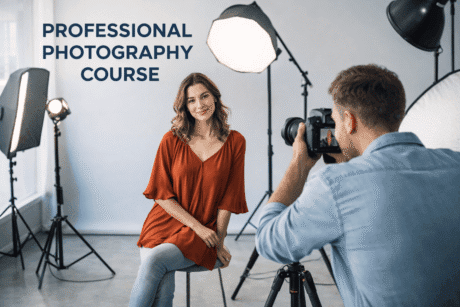
$846.37Original price was: $846.37.$25.89Current price is: $25.89.237Professional Photography Masterclass: Camera, Lighting, Composition & Portraits
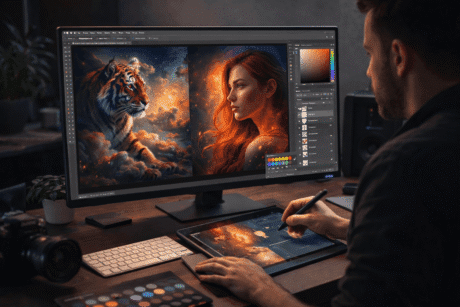
$846.37Original price was: $846.37.$25.89Current price is: $25.89.237Adobe Photoshop CC MasterClass: From Beginner to Advanced Digital Artist
$846.37Original price was: $846.37.$25.89Current price is: $25.89.237

