
Course Features
Price
Study Method
Online | Self-paced
Course Format
Reading Material - PDF, article
Duration
9 hours, 25 minutes
Qualification
No formal qualification
Certificate
At completion
Additional info
Coming soon
- Share
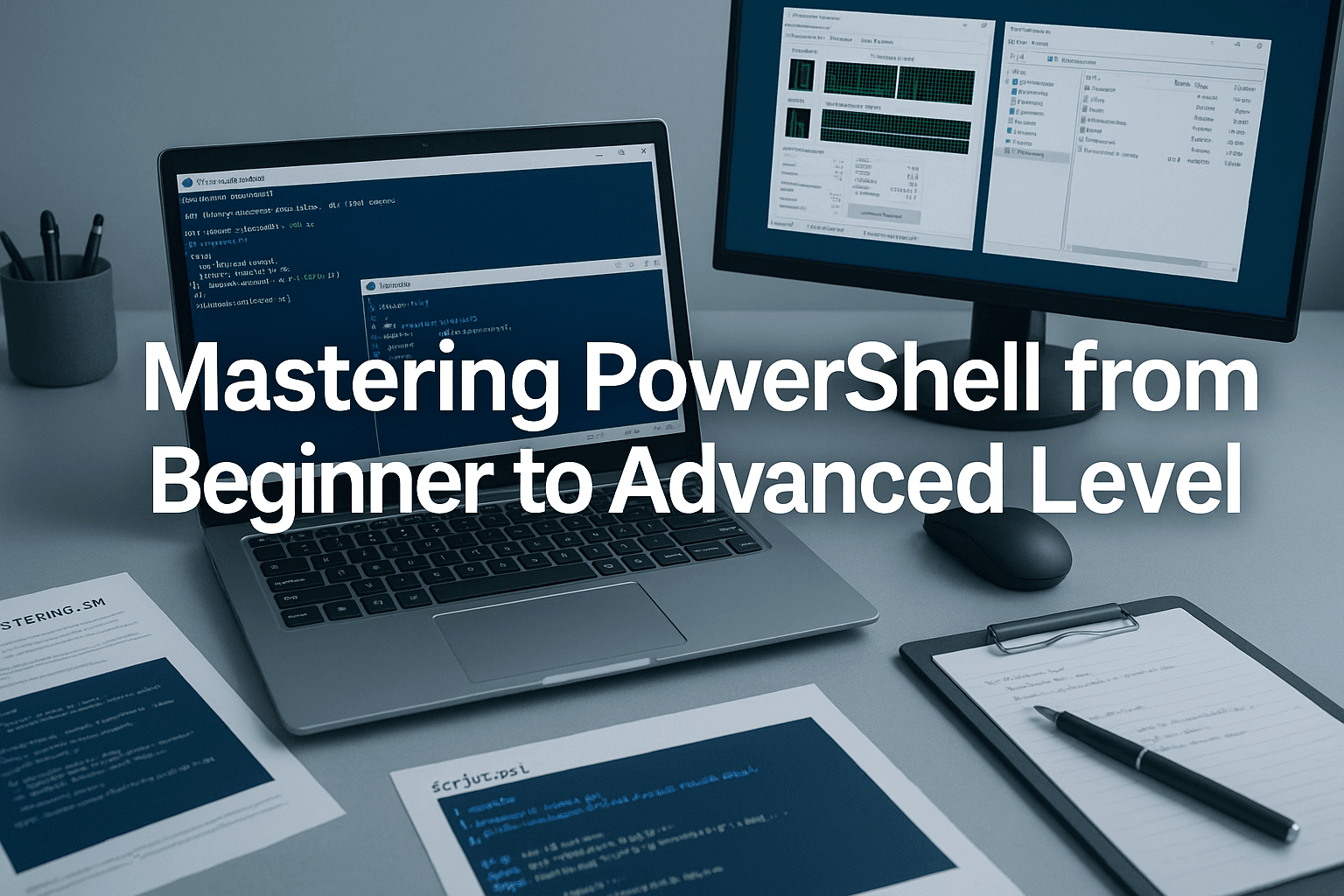
Overview
PowerShell training offers one of the most efficient and effective ways to automate tasks, manage systems, and streamline IT operations across Windows and cross-platform environments. This comprehensive course takes learners from absolute beginner to advanced practitioner, guiding them through essential command-line skills, scripting techniques, system administration, and real-world automation projects.
You begin with the foundations of PowerShell—its evolution, interface, execution policies, and the core principles that make it a powerful tool for IT professionals. From there, you move into practical concepts such as cmdlet syntax, variable handling, data types, properties, and pipeline operations. These form the backbone of efficient PowerShell usage and prepare you for more advanced challenges.
As the course progresses, you will explore essential scripting fundamentals, including script structure, debugging techniques, documentation standards, and professional error handling. You’ll also develop confidence with advanced scripting features such as loops, functions, control flow, and logging. Each module includes assessments to reinforce understanding and ensure you can apply skills immediately.
The course further expands into system resource management, networking fundamentals, Active Directory automation, and remote administration using WinRM and PowerShell Remoting. You will learn how to manage files, processes, services, system information, and performance data with ease. By the time you reach the advanced modules, you will be comfortable using APIs, profiles, Desired State Configuration (DSC), and PowerShell 7 features.
The final lecture focuses on real-world projects that mirror professional IT tasks. You will build automation tools, create reporting scripts, manage Active Directory users, and learn best practices for writing maintainable scripts that scale.
By the end of the course, you will be equipped with the skills needed to automate complex workflows, reduce manual tasks, and strengthen your technical capabilities across IT environments. Learners will receive a free course completion certificate, with multiple premium certificate and transcript options available for purchase if desired. Students also benefit from 5-star rated support available 24/7 via email.
This course is ideal for aspiring IT professionals, system administrators, desktop support engineers, DevOps beginners, and anyone who wants to automate tasks or manage systems more efficiently. It also suits individuals transitioning into IT roles who need a strong, practical introduction to scripting and command-line tools.
Who is this course for?
PowerShell training offers one of the most efficient and effective ways to automate tasks, manage systems, and streamline IT operations across Windows and cross-platform environments. This comprehensive course takes learners from absolute beginner to advanced practitioner, guiding them through essential command-line skills, scripting techniques, system administration, and real-world automation projects.
You begin with the foundations of PowerShell—its evolution, interface, execution policies, and the core principles that make it a powerful tool for IT professionals. From there, you move into practical concepts such as cmdlet syntax, variable handling, data types, properties, and pipeline operations. These form the backbone of efficient PowerShell usage and prepare you for more advanced challenges.
As the course progresses, you will explore essential scripting fundamentals, including script structure, debugging techniques, documentation standards, and professional error handling. You’ll also develop confidence with advanced scripting features such as loops, functions, control flow, and logging. Each module includes assessments to reinforce understanding and ensure you can apply skills immediately.
The course further expands into system resource management, networking fundamentals, Active Directory automation, and remote administration using WinRM and PowerShell Remoting. You will learn how to manage files, processes, services, system information, and performance data with ease. By the time you reach the advanced modules, you will be comfortable using APIs, profiles, Desired State Configuration (DSC), and PowerShell 7 features.
The final lecture focuses on real-world projects that mirror professional IT tasks. You will build automation tools, create reporting scripts, manage Active Directory users, and learn best practices for writing maintainable scripts that scale.
By the end of the course, you will be equipped with the skills needed to automate complex workflows, reduce manual tasks, and strengthen your technical capabilities across IT environments. Learners will receive a free course completion certificate, with multiple premium certificate and transcript options available for purchase if desired. Students also benefit from 5-star rated support available 24/7 via email.
This course is ideal for aspiring IT professionals, system administrators, desktop support engineers, DevOps beginners, and anyone who wants to automate tasks or manage systems more efficiently. It also suits individuals transitioning into IT roles who need a strong, practical introduction to scripting and command-line tools.
Requirements
PowerShell training offers one of the most efficient and effective ways to automate tasks, manage systems, and streamline IT operations across Windows and cross-platform environments. This comprehensive course takes learners from absolute beginner to advanced practitioner, guiding them through essential command-line skills, scripting techniques, system administration, and real-world automation projects.
You begin with the foundations of PowerShell—its evolution, interface, execution policies, and the core principles that make it a powerful tool for IT professionals. From there, you move into practical concepts such as cmdlet syntax, variable handling, data types, properties, and pipeline operations. These form the backbone of efficient PowerShell usage and prepare you for more advanced challenges.
As the course progresses, you will explore essential scripting fundamentals, including script structure, debugging techniques, documentation standards, and professional error handling. You’ll also develop confidence with advanced scripting features such as loops, functions, control flow, and logging. Each module includes assessments to reinforce understanding and ensure you can apply skills immediately.
The course further expands into system resource management, networking fundamentals, Active Directory automation, and remote administration using WinRM and PowerShell Remoting. You will learn how to manage files, processes, services, system information, and performance data with ease. By the time you reach the advanced modules, you will be comfortable using APIs, profiles, Desired State Configuration (DSC), and PowerShell 7 features.
The final lecture focuses on real-world projects that mirror professional IT tasks. You will build automation tools, create reporting scripts, manage Active Directory users, and learn best practices for writing maintainable scripts that scale.
By the end of the course, you will be equipped with the skills needed to automate complex workflows, reduce manual tasks, and strengthen your technical capabilities across IT environments. Learners will receive a free course completion certificate, with multiple premium certificate and transcript options available for purchase if desired. Students also benefit from 5-star rated support available 24/7 via email.
This course is ideal for aspiring IT professionals, system administrators, desktop support engineers, DevOps beginners, and anyone who wants to automate tasks or manage systems more efficiently. It also suits individuals transitioning into IT roles who need a strong, practical introduction to scripting and command-line tools.
Career path
PowerShell training offers one of the most efficient and effective ways to automate tasks, manage systems, and streamline IT operations across Windows and cross-platform environments. This comprehensive course takes learners from absolute beginner to advanced practitioner, guiding them through essential command-line skills, scripting techniques, system administration, and real-world automation projects.
You begin with the foundations of PowerShell—its evolution, interface, execution policies, and the core principles that make it a powerful tool for IT professionals. From there, you move into practical concepts such as cmdlet syntax, variable handling, data types, properties, and pipeline operations. These form the backbone of efficient PowerShell usage and prepare you for more advanced challenges.
As the course progresses, you will explore essential scripting fundamentals, including script structure, debugging techniques, documentation standards, and professional error handling. You’ll also develop confidence with advanced scripting features such as loops, functions, control flow, and logging. Each module includes assessments to reinforce understanding and ensure you can apply skills immediately.
The course further expands into system resource management, networking fundamentals, Active Directory automation, and remote administration using WinRM and PowerShell Remoting. You will learn how to manage files, processes, services, system information, and performance data with ease. By the time you reach the advanced modules, you will be comfortable using APIs, profiles, Desired State Configuration (DSC), and PowerShell 7 features.
The final lecture focuses on real-world projects that mirror professional IT tasks. You will build automation tools, create reporting scripts, manage Active Directory users, and learn best practices for writing maintainable scripts that scale.
By the end of the course, you will be equipped with the skills needed to automate complex workflows, reduce manual tasks, and strengthen your technical capabilities across IT environments. Learners will receive a free course completion certificate, with multiple premium certificate and transcript options available for purchase if desired. Students also benefit from 5-star rated support available 24/7 via email.
This course is ideal for aspiring IT professionals, system administrators, desktop support engineers, DevOps beginners, and anyone who wants to automate tasks or manage systems more efficiently. It also suits individuals transitioning into IT roles who need a strong, practical introduction to scripting and command-line tools.
-
- Understanding PowerShell: History and Evolution 00:10:00
- Installation and Setup of PowerShell 00:10:00
- Navigating the PowerShell Interface 00:10:00
- Basic Commands and Cmdlets 00:10:00
- Understanding the PowerShell Execution Policy 00:10:00
-
- Using Cmdlets: Syntax and Structure 00:10:00
- Working with Variables and Data Types 00:10:00
- Understanding Objects and Properties 00:10:00
- Using the Pipeline for Data Manipulation 00:10:00
- Filtering and Formatting Output 00:10:00
- Introduction to PowerShell Scripts 00:10:00
- Writing and Executing Your First Script 00:10:00
- Understanding Script Syntax and Structure 00:10:00
- Comments and Documentation in Scripts 00:10:00
- Debugging Scripts and Error Handling 00:10:00
- Navigating the File System with PowerShell 00:10:00
- File Management: Copying, Moving, and Deleting Files 00:10:00
- Working with Directories: Creation and Management 00:10:00
- Reading and Writing Files in PowerShell 00:10:00
- Using PowerShell for Bulk File Operations 00:10:00
- Introduction to Networking Concepts 00:10:00
- Using PowerShell for Network Configuration 00:10:00
- Remote Management Basics: WinRM and PS Remoting 00:10:00
- Managing Remote Systems with PowerShell 00:10:00
- Security Considerations for Remote Management 00:10:00
- Working with APIs and Web Services 00:10:00
- Customizing PowerShell with Profiles 00:10:00
- Creating Advanced Functions and Scripts 00:10:00
- Understanding Desired State Configuration (DSC) 00:10:00
- Introduction to PowerShell 7 and Its Features 00:10:00
- Exam of Mastering PowerShell from Beginner to Advanced Level 00:50:00

No Reviews found for this course.
Is this certificate recognized?
Yes, our premium certificate and transcript are widely recognized and accepted by embassies worldwide, particularly by the UK embassy. This adds credibility to your qualification and enhances its value for professional and academic purposes.
I am a beginner. Is this course suitable for me?
Yes, this course is designed for learners of all levels, including beginners. The content is structured to provide step-by-step guidance, ensuring that even those with no prior experience can follow along and gain valuable knowledge.
I am a professional. Is this course suitable for me?
Yes, professionals will also benefit from this course. It covers advanced concepts, practical applications, and industry insights that can help enhance existing skills and knowledge. Whether you are looking to refine your expertise or expand your qualifications, this course provides valuable learning.
Does this course have an expiry date?
No, you have lifetime access to the course. Once enrolled, you can revisit the materials at any time as long as the course remains available. Additionally, we regularly update our content to ensure it stays relevant and up to date.
How do I claim my free certificate?
I trust you’re in good health. Your free certificate can be located in the Achievement section. The option to purchase a CPD certificate is available but entirely optional, and you may choose to skip it. Please be aware that it’s crucial to click the “Complete” button to ensure the certificate is generated, as this process is entirely automated.
Does this course have assessments and assignments?
Yes, the course includes both assessments and assignments. Your final marks will be determined by a combination of 20% from assignments and 80% from assessments. These evaluations are designed to test your understanding and ensure you have grasped the key concepts effectively.
Is this course accredited?
We are a recognized course provider with CPD, UKRLP, and AOHT membership. The logos of these accreditation bodies will be featured on your premium certificate and transcript, ensuring credibility and professional recognition.
Will I receive a certificate upon completion?
Yes, you will receive a free digital certificate automatically once you complete the course. If you would like a premium CPD-accredited certificate, either in digital or physical format, you can upgrade for a small fee.
Course Features
Price
Study Method
Online | Self-paced
Course Format
Reading Material - PDF, article
Duration
9 hours, 25 minutes
Qualification
No formal qualification
Certificate
At completion
Additional info
Coming soon
- Share

Subsea Engineering Level 3 Advanced Diploma
Course Line237£490.00Original price was: £490.00.£14.99Current price is: £14.99.Aronium POS Mastery: Complete Guide to Point of Sale Software
Course Line237£490.00Original price was: £490.00.£14.99Current price is: £14.99.Crystal Healing Level 8 Advanced Diploma
Course Line248£490.00Original price was: £490.00.£14.99Current price is: £14.99.



Related Courses
Introduction to System Design – Foundations, Techniques & Industrial Applications
£490.00Original price was: £490.00.£14.99Current price is: £14.99.238Cyber Law & Cyber Security Analyst Masterclass: From Fundamentals to Professional Skills
£490.00Original price was: £490.00.£14.99Current price is: £14.99.237Network Security Masterclass: Concepts, Attacks & Protection Techniques
£490.00Original price was: £490.00.£14.99Current price is: £14.99.237


Related Courses
Introduction to System Design – Foundations, Techniques & Industrial Applications
£490.00Original price was: £490.00.£14.99Current price is: £14.99.238Cyber Law & Cyber Security Analyst Masterclass: From Fundamentals to Professional Skills
£490.00Original price was: £490.00.£14.99Current price is: £14.99.237Network Security Masterclass: Concepts, Attacks & Protection Techniques
£490.00Original price was: £490.00.£14.99Current price is: £14.99.237

